Maecenas sollicitudin

California, United States.

Author title

Autem vel eum iriure dolor in hendrerit in vulputate velit esse molestie consequat, vel illum dolore eu feugiat nulla facilisis at vero eros et dolore feugait.

Author Archive by admin

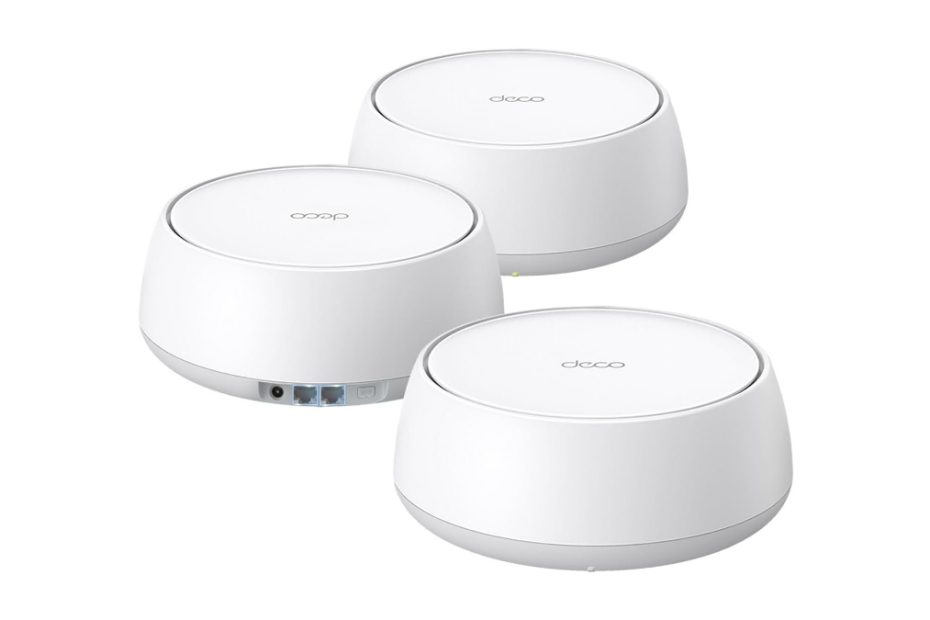
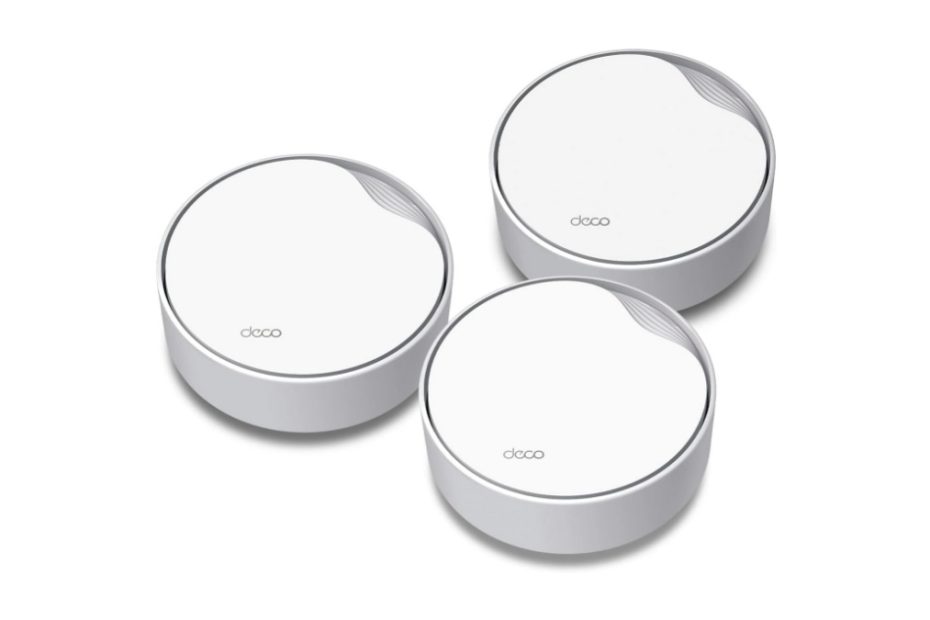
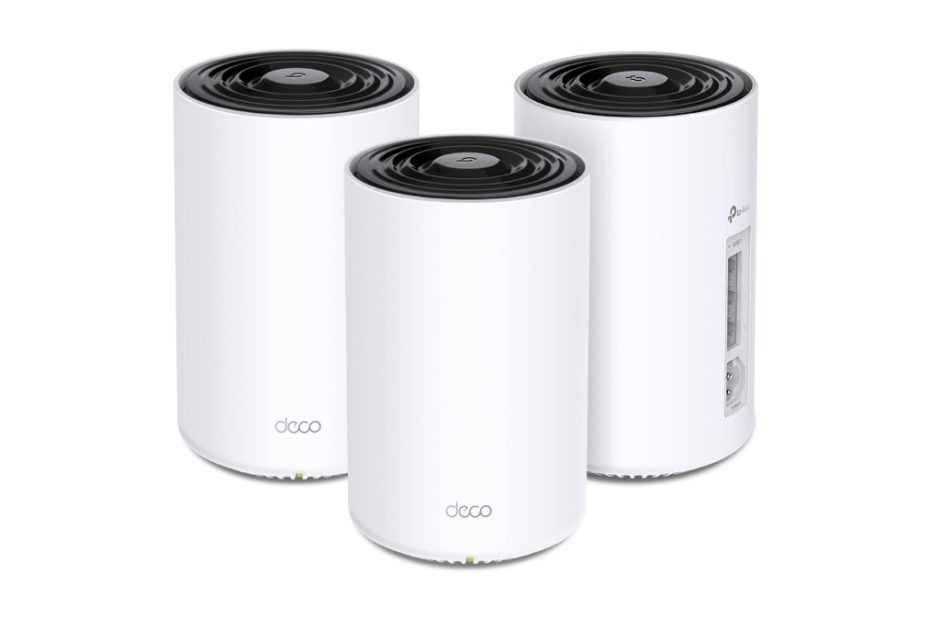
TP-Link Deco PX50

Deco PX50 vs Asus Mesh Wifi6 Powerline Which One is Worth it
Powerline is one of connecting methods using your existing home electricity wiring, and today this method is used to work with mesh wifi system. Thanks to TP-Link Deco PX50 and Asus PX50 that apply this powerline system to their products. How good they perform?

In this article:

Deco PX50

When the structure of your house is built with many rooms and two or three floors with sturdy thick concrete walls, it is likely that your wifi network cannot penetrate all the rooms solidly. For that reason you may consider a mesh wifi system with powerline backhaul. Thanks to TP-Link Deco PX50 and similar model Asus XP4 that comes with powerline. We’ll discuss here how these deco px50 and asus XP4 perform.

See also deco x50-poe, mesh wifi with POE feature to reduce clutter of power and data cables.

Why powerline

Powerline networking uses your home’s electrical wiring to extend network connectivity, including WiFi, by transmitting data signals through the power cables in your walls. It’s especially useful in homes where WiFi signals struggle to reach certain areas due to thick walls, large distances, or interference.

TP-Link Deco PX50

How powerline work

The powerline adapter converts the Ethernet data into signals that can travel over electrical wiring. These signals move through the home’s power circuit to other areas where you need network access. A second powerline adapter is plugged into another electrical outlet in the area where you need internet.

Limitations

Electrical Wiring Quality Matters – Old, damaged, or complex wiring can reduce performance. Another thing that you need to take consideration is that powerline can work in a single circuit breaker system; it cannot work over different circuit breaker system.

Powerline backhaul

When it comes to mesh wifi system, communications between router node and satellite nodes use wifi as backhaul link between them, and wired Ethernet backhaul is an option.

Few models of mesh wifi products use share bandwidth @5ghz radio band for backhaul link and connected devices. There are few models use dedicated band as backhaul link and the other bands are for connected devices. Wifi backhaul is prone to signal interference with others, therefore most mesh wifi products offer optional wired backhaul using ethernet connection. Wired ethernet backhaul is more reliable connection between the nodes than wifi.  

The drawback with wired ethernet backhaul is that you need to run UTP network cable between the nodes, and if the location of the router node and satellite nodes separated by thick wall you need to drill or run the cable onto the ceiling.

It is therefore deco px50 comes designed with powerline backhaul. Powerline backhaul uses existing electrical wiring in home as the backhaul connection between the nodes. One thing to note when you use powerline backhaul is that all the router node and satellite nodes must be in the same electrical circuit breaker.

Deco px50 is the latest model in addition of the previous one deco p9 which is still based on legacy wifi- 5. So what is the difference between these two deco powerline models?

Deco px50 vs deco p9

The apparent difference is indeed the difference of wifi generation applied to each of the model. Deco px50 comes designed with the 6th generation of wifi technology, while deco p9 comes with legacy wifi5.

Take a look at the following table 1 below that represents spec comparison table between deco px50 and deco p9. Similar product is Asus XP4 that we will compare to see which one is technically offer better performance.

Powerline backhaul

The powerline speed difference between deco px50 and deco p9 is around 50% faster. That makes sense since total bandwidth for p9 is only 40% that of deco px50, it means that px50 connect more devices than deco p9.

When you connect each of the nodes using ethernet ports, the system will use the best available link between wired ethernet and powerline. All the other two radio bands are used for connected devices, as well as the other ethernet ports.

Moreover, tplink adds one more gigabit ethernet port on px50 instead of only two on deco p9.    

Table 1 TP-link Deco PX50 vs Deco P9

TP-Link Mesh PowerlineDeco PX50Deco P9
Wifi technologyDual band ax3000Dual band ac1200
Signal rates574 Mbps @2.4GHz;
2402 Mbps @5GHz
300 Mbps @2.4GHz;
867 Mbps @ 5GHz
Powerline Speed1.5Gbps Powerline1,000 Mbps
BackhaulPowerline backhaul 1.5Gbps; Ethernet backhaul optionPowerline backhaul 1.0 Gbps; Ethernet backhaul option
Ethernet Ports1x Gigabit auto sensing wan port; 2x Gigabit LAN ports1x Gigabit auto sensing wan port;
1x Gigabit LAN ports

In a nutshell, tp-link deco px50 is like a tri-band mesh wifi6 ax4500 product with dedicated backhaul link @1,500mbps in the form of powerline link. Normally a tri-band ax4200 mesh wifi6 product comes with dedicated backhaul @5ghz and left the other two bands used for connected devices. 

See also Orbi rbk852 and Asus XT8, previous models of wifi6 products which the prices drop significantly today amid the emerging of wifi 7.

Deco PX50 vs Asus Zenwifi XP4

Currently Asus introduces similar product, asus zenwifi xp4 with powerline backhaul. How this product perform when it compare with deco px50?

The apparent difference between these two products is technically different in network segment, the deco px50 with ax3000 segment versus asus zenwifi xp4 with ax1800 network segment. When you combine total aggregated bandwidth, you will find px50 is around 4,500 Mbps (3,000 + 1,500 powerline). On the other hand, asus xp4 is around 3,100 Mbps (1,800 + 1,300 powerline).

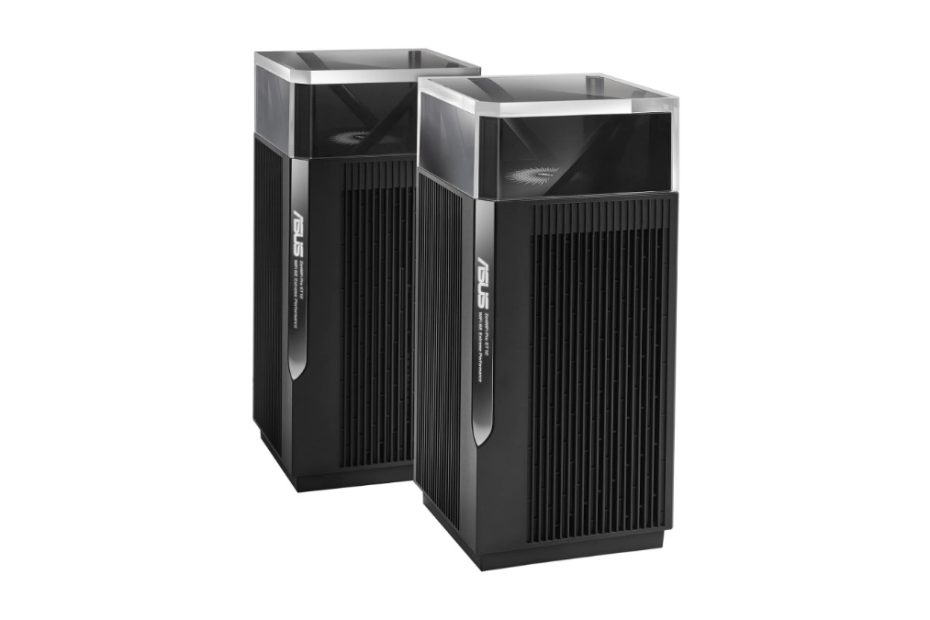
Asus XP4
Ports

Both deco px50 and asus xp4 give you the same number of Gigabit ethernet ports, one for wan port connecting to the modem when it work as the router node, while at the same time when the other nodes work as the satellite node, this port #1 works as lan port for total of three gigabit lan ports. Unlike Orbi mesh wifi series which distinguishes router node and satellite, both asus zenwifi series and deco can work either as router node or satellite, moreover the number of ethernet port is also the same. Port #1 can either be used as wan or lan port with auto sensing feature.  

The other difference is that asus xp4 comes with one usb port you can use as disk storage when you connect a usb hard disk to share across the network, but deco px50 doesn’t. The inclusion of this usb port is one of features that make this asus xp4 tagged with higher price than deco.

Network protection

Most recent asus products come with built-in asus aiprotection network protection software either classic version or pro one. You don’t need to subscribe in yearly basis or monthly, it’s free lifetime service. Another security feature app when it comes to require secure vpn connection into the public internet, asus provides you peace of mind with its asus instant guard you can download free.     

On the other hand deco px50 comes with Homeshield kit you can opt to get the free version or the paid version with its Homeshield Pro.

Spec comparison table

Take a look at the following spec comparison table between deco px50 ax3000 and asus xp4 powerline hybrid ax1800.

Table 2 TP-link Deco PX50 vs Asus XP4

Powerline modelTP-Link Deco PX50Asus Zenwifi XP4
Wifi segmentDual band ax3000 with AI-driven meshDual band ax1800 mesh wifi 6
with AiMesh technology
Signal rates574 Mbps @2.4GHz;
2402 Mbps @5GHz
1201Mbps @5GHz; 
574Mbps @2.4GHz
Antennas2x dual band internal antennas4x internal antennas
Powerline Speed1.5Gbps PowerlineAV2 MIMO @1300 Mbps
BackhaulPowerline backhaul 1.5Gbps; Ethernet backhaul optionWiFi;   Powerline, and Ethernet
CoverageUp to 6,500 sq ft / 3-packUp to 5,500 sq ft / 2-pack – each unit adds up to 2,750 sq ft
Ethernet Ports1x Gigabit auto sensing wan port;
2x Gigabit LAN ports
1x Gigabit WAN port; 
2x Gigabit LAN ports
USB PortN/AUSB 3.2 Gen 1 x 1
ProcessorUnspecified1.2 GHz quad-core 64bit processor
Memory: 256 MB Flash & 512 MB RAM
Security ProtectionHomeshield network protection and parental controlAsus instant guard ; Free lifetime commercial grade security AiProtection Pro and advanced parental control
Price$199.99 / 3-pack$159.99 / 2-pack

Which one is suitable to your business?

Wifi 7 products have been around in the market, and so far both TP-Link and Asus do not introduce mesh powerline products that come with wifi 7. Today, the prices of Deco PX50 and Asus XP4 drop significantly; you can select either px50 or Asus XP4 that is suitable to meet your home network.

Click the product’s link below to learn more details each of the product on Amazon, and see the current price.

Related products

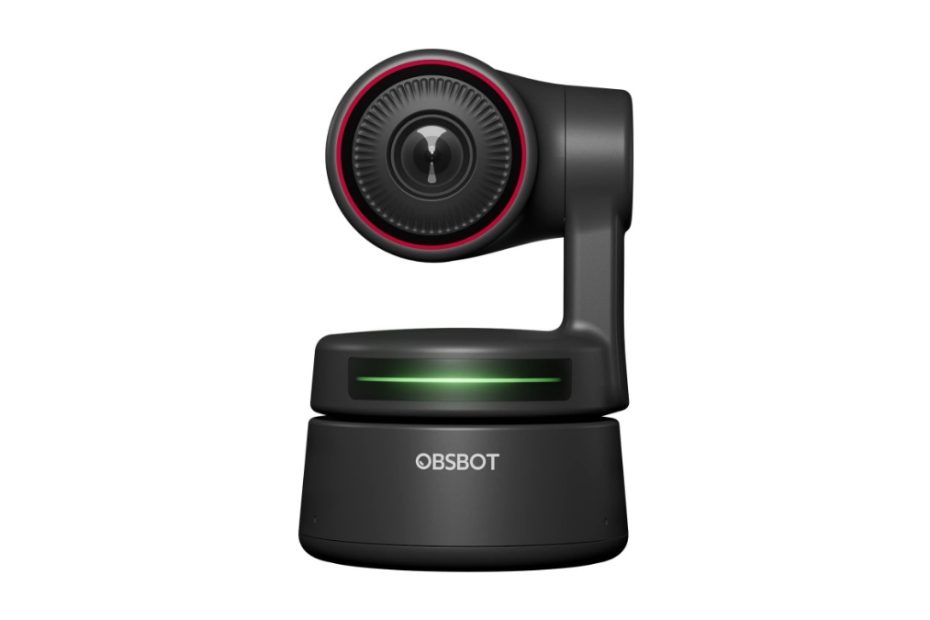
For online study, the streamer products you may consider is Obsbot webcam, ai-based power tracking, and it features panning tilting and zooming based on body gestures.

Obsbot Tiny 4k vs Logitech Brio Webcams Which One is Better

Obsbot is getting more popular with its Tiny series, AI-powered tracking and gesture control webcam ideal for streamers and broadcasters. How these Tiny series compete with popular products in the market such as Logitech Brio?

In this article:

Obsbot vs Logitech

Amid Covid-19 pandemic where many workers were forced to work more from home, the demand for webcams for video call communication was increasing sharply. This trend was a boon for vendors who had been in webcams production for a long time like Logitech and others.

And today in a new normal after pandemic, you can find bunch of new webcams either for consumers or for business video call and one of new products introduced to the market is Obsbot webcam. There are few models of obsbot webcams for consumers are getting more popular, the Tiny series and Meet. For businesses you may find Logitech Meetup and Jabra Panacast, these are webcams for conference rooms.

Obsbot Tiny Models

We’ll focus on the Tiny series and compare it to most popular logitech brio. 

Obsbot Tiny Models

There are three models of Obsbot tiny webcam series available in the market today:

  1. Tiny 1080
  2. Tiny 4k
  3. Tiny 2 4K (New)

What make these three Obsbot tiny models set apart?

Technically the apparent difference is the resolution density of the image sensor embedded in the machine board each of the series, which obsbot 4k series provides a denser 4k resolution than obsbot 1080p series. Even the new Tiny 2 model comes with wider image sensor, 1/1.5 inch. In addition there are few features differences besides the resolution as shown in table 1 below.

Better features

Obsbot 4k is an enhancement model from the first generation of Tiny which is only embedded with a 2MP image sensor. And today you can enjoy the newer model of this Tiny webcam with 4x as high the resolution compared to its predecessor. And the second generation of Tiny 4k model comes with wider CMOS sensor.

Besides, the ability to zoom in is also 2 times and two additional important features, auto focus and HDR (digital WDR). And thanks to the new Tiny 2 4k webcam that comes with auto track and auto zoom features that are not available in first generation of Tiny 4k ad 1080p models.

Besides that, with the same resolution setting (@1080p) Tiny 4k can provide frame rates up to 60fps (frame per seconds), while the first model is only up to 1080p @ 30 fps. The faster fps the smoother the video performs.

Take a look at the following features differences between these two Obsbot tiny models.

Table 1 Obsbot Tiny 4k vs Tiny 1080p

Obsbot modelsObsbot Tiny 2 PTZObsbot 4k PTZObsbot PTZ
CMOS1/1.5” CMOS½.8” CMOS½.8” CMOS
Resolution4k (8MP) @30 fps; 1080p @60 fps4k (8MP) @30 fps; 1080p @60 fps1080p @30 fps
Digital zoom4x digital zoom4x digital zoom2x digital zoom
Auto focus4X Faster Focusing All-Pixel Auto Focus / Manual FocusAuto Focus / Manual FocusN/A
AI trackingAuto Tracking with Auto Zoom by 2-axis GimbalAuto Tracking by 2-axis GimbalsAuto Tracking by 2-axis Gimbals
Other AI featuresVoice control, auto framing, desk mode, hand tracking, zone trackingN/AN/A
Built-in dual omni-directional mics with noise reductionYesYesYes
HDRPixGain HDRYes, digital WDRN/A
Field of view (FoV) DiagonalFOV (D): 85.5° (4:3) FOV (H): 72.9°86 degree90 degree
USBUSB 3.0USB 2.0USB 2.0
Price$159.99$228.00$99.99

What this Obsbot Tiny does?

Startup players generally produce products by adding value to features that are better than the target product to win the competition as new comer. Likewise, Obsbot released a PTZ webcam product with AI-based main features.

Both the Tiny 4k model and the previous 1080p model come with built-in AI-based auto tracking and auto frame features just before the image is processed by the app / software.  

AI-powered tracking

While most webcams for broadcasters, gamers, zoom meetings, and other video calls webcams use fixed lens camera design with an auto frame user sitting in front of a laptop, computer, Obsbot tiny series provide controllable PTZ (pan, tilt, and zoom) capabilities at affordable prices. However the newer model Obsbot meet series (Obsbot meet 4k and 1080p editions) don’t feature panning and tilting capability, therefore they don’t feature auto tracking but auto frame with ai-based technology.

Not just a PTZ webcam, with the AI (Artificial Intelligent) algorithm design on this webcam, panning tilting and zooming can be controlled with your body gestures. The ability to auto frame you in front of the camera, even when you move to and fro, the camera will auto frame and auto track following the direction of your movement.

This feature is very suitable for online learning students amid pandemic and new normal conditions and also for traders who do live streaming to showcase their products, for example fashion products.

Your hand gestures can also control tracking and zoom in/out with ease. No need to do manual control. We’ll see if the popular Logitech Brio also have AI-powered tracking feature.

Highlights
  • 1080p @30 fps; 720p @60 fps AI-powered PTZ webcam, the newer Tiny 4k model comes with 4k @30 fps or 1080p@60 fps
  • 90 degree view angle and pan up to 150 degree, tilt up to 45 degree, high speed panning and tilting up to 120 degree/ second. The 4k models features slightly different in field of view angle
  • Hand gesture to control select / cancel tracking object, and simple hand gesture to zoom in / out easily. 4x digital (2k digital zoom)
  • Sharp video with auto exposure feature, good lighting is better even the webcam automatically adjust to best result against any lighting condition
  • Comes with built-in dual Omni-directional microphones with noise cancellation
  • Tilt down the camera facing the magnetic base for privacy reason
  • USB 2.0 type C connection (USB 3.0 updates to Tiny 2)
  • Compatible Windows 7, 8, 10 or later and Mac 10.12 or later

With this AI-powered tracking webcam which is tagged with the price almost the same as those popular webcams Logitech Streamcam and Logitech Brio, which one you choose to meet your business need?

Obsbot tiny 4k vs Logitech Brio 4k

We have briefly discussed above what this Obsbot Tiny does; now we compare it with popular products released by Logitech, Logitech brio series which are also sold at almost the same price.

Obsbot knows that to compete with Logitech should raise its resolution to 4k webcam, so that’s why obsbot tiny 4k is comparable with brio. We’ll discuss later for comparison between obsbot tiny 1080p series with logitech brio 500 series which is a newer model of brio with new design and 1080p resolution.

Logitech Brio 4k
AI auto tracking is a plus feature

Let’s see how Obsbot 4k is compared with Logitech brio, both are capable of delivering resolution of up to 4k. However, with brio you can go up to @90fps @720p while the Tiny only up to @60 fps. All other specs features for Tiny 4k are almost the same as the tiny 1080p.

 AI auto tracking is still a plus feature for Tiny series either 4k or 1080p series as well as the Meet series, all other features are almost the same between Tiny 4k and Logitech brio including HDR and audio, while the digital zoom capability is slightly different.

Spec comparison table Obsbot vs Brio

Table 4 below represents spec comparison between Obsbot and Logitech Brio.

Table 4 Obsbot 4k tiny vs Logitech Brio 4k

Webcam modelObsbot 4kLogitech Brio 4k
LensFixed lens – no detailsGlass lens
FocusAuto focus and AI gesture featuresAuto focus, auto frame 
View angle86 degreePreset view angle you can choose: 90°/78°/65° diagonal FoV
Zoom4 x digital zoom, you can control with gesture to zoom in / out5x digital zoom.
Resolution4K @30 fps 1080p @60 fps;  4K @30fps (up to 4096 x 2160 p) 1080p @30 or @60 fps (up to 1920 x 1080 p) 720p @30/ @60/ or @90 fps (up to 1280 x 720 p)
WDRDigital HDRHDR – digital WDR
AudioBuilt-in dual Omni-directional microphones with noise cancellationDual stereo Omni-directional microphone with noise reduction filter
Pan TiltControllable range: Pan: ± 150°,Tilt: ± 45° Speed 120 degree /sOptional Camera Settings application for PTZ control
ConnectivityUSB C7.2 ft (2.2 m) USB-A to USB-C cable (USB 2.0 or 3.0)
USB CableUnspecified lengthUSB-A plug-and-play (USB 2.0), supports USB-C with third party adapter (USB 3.0)
Privacy coverTilt the web camera down for privacy cover Yes, attachable privacy cover
OS supportedWindows 10 or later, Windows 8, Windows 7 macOS® 10.13 or laterWindows 8 or later; Mac OS;
Dimension3 W/O mount: .51 in x 2.28 in x 2.28 in (89.4mm x 58mm x 58mm) W/ mount: 5.59 in x 2.28 in x 2.28 in (142mm x 58mm x 58mm)1.06 in x 4.01 in x 1.06 in (27mm x 102mm x 27mm)
Weight( without mount ): 146g ( with mount ): 175g2.22 oz (63 g)
Price in Amazon (Dec 2022)$268.99$199.00
Which One to Select

Now you can make up your mind which one is suitable to meet your business need between these Obsbot 4k and Logitech Brio.

Related products

 Your laptops or desktop computers need to connect to home internet network either wired or wireless connection. Mostly the computers come with latest wifi 6 or wifi 7 standards. For previous wifi 6 network, you may consider Orbi rbk852 or Asus XT8 which delivers wireless connection smoothly. Or you may also consider budget friendly deco x50n poe which easy to deploy on the ceilings.   

Orbi Rbk852 vs Asus XT8 Mesh Wifi 6 Which One is Better

Orbi rbk852 is Netgear debut in mesh wifi 6 products. On the other hand, Zenwifi xt8 is Asus debut in mesh wifi 6. Are they still worth buying amid the emerging of wifi 7 products on the market? Yes they are, thanks to their price drops significantly.

In this article:

What this Orbi rbk852 does

Orbi’s successful track record with mesh wifi products based on wireless ac (wifi-5) came to a halt with the emergence of wifi-6 technology. To adapt to this change, Orbi launched its flagship product, the Orbi rbk852. This was the highest series for Orbi, followed by the Orbi Rbk752 series (a two-pack of Orbi rbk750) and other series as well. Nowadays you can find ultimate models of Orbi rbe970; Orbi rbe770; and Orbi Rbke963. The first two series are wifi7 products, and the last one is wifi 6e.

It is worth noting that Orbi distinguishes between Orbi mesh router and Orbi mesh satellite for almost all its series. Unlike other mesh wifi models such as Asus Zenwifi or TP-link Deco, these cannot be interchanged.

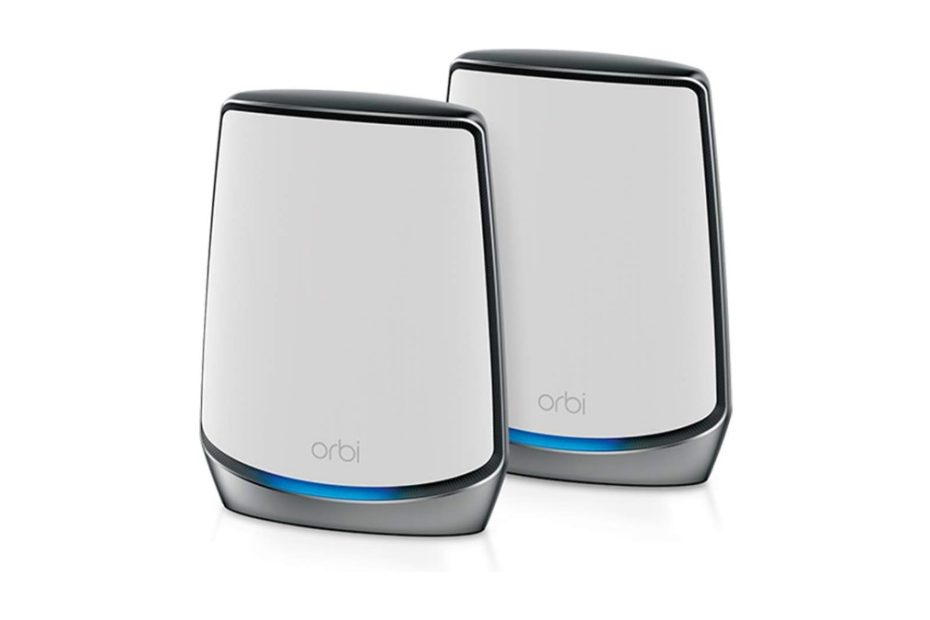
The Orbi rbk850 is sold in a kit of two units known as the Orbi rbk852, which includes one unit of Orbi mesh router (rbr850) and one unit of Orbi mesh satellite (Orbi rbs850). The 3-pack kit is called the Orbi rbk853, and it includes one unit of rbr850 and two units of Orbi rbs850.Top of Form.

Orbi RBK852 wifi6

Orbi rbk852 vs Orbi Rbk862

After the release of the Orbi Rbk850, which was the highest series from the Orbi mesh wifi system line at that time, Netgear introduced another series called the Orbi Rbk860 a few months later. What makes these two series set apart?

The Orbi 860 Series and Orbi 850 Series are both high-performance Wi-Fi 6 (802.11ax) mesh systems from Netgear. Each of this series can cover medium to large sized homes. However, the Orbi 860 Series is an upgraded version of the Orbi 850 Series, with several key improvements.

Table 1 below shows you spec comparison table between Orbi rbk850 and Orbi rbk860. You can see that both series come with the same wifi 6 ax6000 network segments.

Main upgrade

The Main Upgrade is the 10Gbps WAN port for future-proof internet speeds as opposed to 2.5Gbps WAN port which is limiting maximum speed. In case you anticipate the need for multi-gig internet speeds of up to 10Gbps in the future, neither of the current Orbi series would be capable of supporting the upcoming DOCSIS 4.0 technology. For an Orbi series that can meet this requirement and support the future DOCSIS 4.0 cable lab, you may want to consider the new Orbi Rbk860 series.

And the Rbk860 series comes with 1-year Netgear Armour subscription, while on Orbi rbk850 Netgear Arnour is a paid-subscription you need to pay whenever the security protection need exists.

Which One to Choose?

Choose Orbi 860 if you want future-proof networking with 10Gbps WAN support, better coverage, and free Netgear Armor security for a year.

Choose Orbi 850 if you want a slightly cheaper option with similar Wi-Fi 6 speeds but without 10Gbps WAN support.

Table 1 Orbi rbk852 vs Rbk862

Orbi seriesOrbi Rbk852 (2x rbk850)Orbi Rbk862 (2x Rbk860)
Wifi technologyTri-band ax6000 wifi 6Tri-band AX600 wifi 6
Wifi speedsUp to 1200Mbps @2.4GHz up to 2,400 Mbps @ 5GHZ-1 up to 2,400 Mbps @ 5GHZ-2Up to 1200Mbps @2.4GHz up to 2,400 Mbps @ 5GHZ-1 up to 2,400 Mbps @ 5GHZ-2
Backhaul link2,400 Mbps @5GHz band dedicated backhaul link Optional wired backhaulDedicated backhaul @5GHz 2,400Mbps, optional wired backhaul
AntennasEight (8) high performance internal antennas with high-powered amplifiersEight (8) high performance internal antennas with high-powered amplifiers
Ethernet PortsRouter: 1x RJ45 2.5G BaseT for WAN; 4x RJ45 Gigabits BaseT for LAN;   Satelite: 4x 1.0 Gbps LAN portsRouter: 1 x 10.0 Gbps WAN  4 x Gigabit LAN ports   Orbi satellite 4 x 1.0 Gbps Ethernet LAN
Technical coverageUp to 7,500 sq. ft. (3-pack)Up to 8,000 sq. ft. (3-pack)
SecurityNETGEAR Armor (paid subscription)NETGEAR Armor (free 1-year)
ProcessorPowerful Quad-Core 2.2 GHz processor with 512MB NAND Flash and 1GB RAMPowerful Quad-Core 2.2 GHz processor with 512MB NAND Flash and 1GB RAM
Price$399.99 (before $635.00 / 2-pack )$674.99 / 2-pack

Wired Backhaul

The Orbi rbk850, and Orbi 860 series like other mesh wifi models, merges an Orbi mesh wifi router and one or more Orbi satellite nodes that establish communication between each other through a wifi backhaul link. Orbi sets itself apart by using a dedicated backhaul link for communication between mesh router and satellite nodes, but you also have the option to use a wired Ethernet backhaul for faster and more reliable wired connection backhaul.

How to wired backhaul

If you opt for a wired backhaul, you can use a Cat6 UTP cable with each end utilizing RJ45 connections. Wondering how to connect using this UTP cable? Please refer to the figure below for detailed instructions. There are two models of wired backhaul topology to choose from: star topology and daisy chain topology.

The star topology (fig 1) requires you to connect each Orbi satellite to the Orbi router, using two LAN ports of the Orbi router and running UTP cables to each of the Orbi satellite’s Ethernet ports. On the other hand, the daisy chain topology (fig 2) involves running one UTP cable from the Orbi router to one of the Orbi satellites, and then running another UTP cable from the first Orbi satellite (that has a connection to the Orbi router) to the second Orbi satellite.

You can also deploy with star topology using an Ethernet switch. Run one UTP cable from Orbi router to the Ethernet switch that might far away from the Orbi router unit, and then you need to run each of Orbi satellites to the switch. Note that you need to use “Unmanaged switch” instead of “managed switch” or any kind of Switch with non-green technology. Click this link for wired backhaul details.

Now, we take one of Asus mesh wifi system products to compare with Orbi rbk852.  

Asus XT8 vs Asus BT6

XT8 is the first mesh wifi6 series introduced by Asus, one of the rival of Orbi rbk852 series. With the emerging of wifi7 products available on the market, this price of this asus xt8 drops significantly.

Asus introduces few zenwifi wifi7 series including Asus Zenwifi BT6, BT10 that sit on the medium network segment. While for entry level of wifi7 models, you can find Asus BD4 and BD5 that become the rivals of similar products Deco BE23 and BE25. Click here to read Deco BE25 vs Asus BD5 and see which one is worth of buying.

Asus Zenwifi BT6

Today, the price of Asus XT8 is around 1/3 of the price of new Asus BT6. The price of BT6 is almost the same as Asus XT8 when it was the first time available on the market. what makes these two products set apart?

Spec comparison table XT8 vs BT6

Table 2 below represents spec comparison between the two series. The main apparent difference is that wifi generations between the two. For standard wifi network for homes, asus xt8 is still worthy, however this product will soon become obsolete.   

For the future proof, asus BT6 is more advantages over legacy xt8, however you have to spend 3 times as much money as xt8. With asus bt6, you have all the benefits of wifi7 features including wider channel bandwidth, three distinct radio bands, combined wireless and wireless backhaul for faster backhaul link speed between the nodes, and also MLO feature that are absent on legacy wifi6.

Table 2 Asus Zenwif series

Asus Zenwifi ModelAsus Zenwifi XT8Asus Zenwifi BT6
Product segmentTri-band AX6600 wifi 6Tri-band BE9400 wifi 7
Signal rate574Mbps @2.4GHz 2×2 1201Mbps @5GHz 2×2 4804Mbps @5GHz  4×4688Mbps @2.4GHz 2×2 2882 Mbps @5GHz 2×2 5762 Mbps @6GHz 2×2
Channel bandwidthUp to 160 MHzUp to 320 MHz
Ethernet Ports1x 2.5Gbps WAN port 3 x 1.0Gbps LAN ports 1x 2.5 Gbps WAN port 3x 1.0Gbps LAN ports
USB Ports1x USB 3.1 Gen 11x USB 3.0 port
Operating ModesWireless router mode Access Point modeWireless router mode Access Point mode AiMesh Node mode
Dimension160 mm x 75 mm x 161.5 mm159 mm x 72 mm x 186 mm
 $149.99$479.99

Orbi Rbk850 vs Asus XT8

With limited budget to build high performance wifi 6 network at home, both Orbi rbk852 and Asus xt8 are appropriate solution, even though they are not future proof as opposed to the wifi7 products. When it comes to choose between the two legacy models, which one is suitable to meet your home network?

Asus Zenwifi XT8

The following table 3 is a spec comparison between the Orbi rbk852 and the Asus xt8.

Wifi signals

The Orbi Rbk852 and Asus XT8 Zenwifi are both tri-band wifi-6 mesh systems with similar total bandwidth, but there are some differences in bandwidth allocation. Specifically, there is a bandwidth difference at the 2.4GHz radio band and the two @5GHz radio bands. Orbi uses one of the @5GHz radio bands as a dedicated backhaul link between Orbi nodes, while Asus xt8 Zenwifi allows you to choose which @5GHz radio bands will be used as a dedicated backhaul.

While Asus does offer a wired backhaul option, it’s important to note that using a wired backhaul does not necessarily mean that a dedicated @5GHz backhaul can be used for device connections. Instead, the dedicated @5GHz backhaul is reserved as a fallback backhaul link in case there is a disruption to the Ethernet backhaul link. You can choose between a dedicated @5GHz @1200Mbps backhaul and a wired Ethernet backhaul option, resulting in a total bandwidth of up to 480 + 600 Mbps for connected devices.

Operation Modes

At times, the network setup in your home may not be a cable modem but a cable modem gateway, such as the Netgear cax80. Consequently, Orbi cannot function as a router in this setup, but it can serve as a wireless access point. Orbi offers the option to operate as a WiFi AP. To achieve this, you need to connect one of the Ethernet gateway ports to the Orbi router’s WAN port and modify the configuration settings by selecting Advanced > Advanced > Router / AP Mode and choosing the AP mode radio button.

Similarly, Asus xt8 also provides an option to allow the device to work as a WiFi AP like Orbi, offering various operation mode options. You can select operation mode in the general settings and choose Asus xt8 to work in wireless router mode (default mode), AP mode, Repeater mode, Media bridge, or Aimesh node. It’s worth noting that most of Asus’s recent products feature Aimesh technology, which enables this device to join other Aimesh products to create a whole-home system. For instance, if you already have the latest Asus ET8 mesh wifi 6e system, you can configure xt8 to work as an Aimesh node.

Security protection

The Orbi rbk852 provides a paid feature called Netgear Armor, which offers network threat protection against various internet threats like malware, ransomware, adware, and phishing attacks. The cost of this service is around $35 per year. On the other hand, Asus provides a free subscription of Asus AiProtection powered by Trend Micro. AiProtection offers real-time network monitoring to detect malware, viruses, and other intrusions for all devices connected to your network.

Asus AiProtection provides a straightforward way to assess the network protection of the xt8 router against all possible internet threats. To initiate the process, navigate to the General menu > AiProtection and select the network protection tab. Click on the Scan button to generate a risk security assessment report from your router. The report will offer valuable insights into the level of protection provided by your router.

One critical area to pay attention to is the default user and router password. It is advisable to change these passwords when configuring the system for the first time. Additionally, the report will indicate the strength of your password and highlight any potential threats, such as phishing, brute force attacks, dictionary attacks, among others. Please refer to the following image as an example of a risk security assessment report for your current router.

This Asus AiProtection is a free software powered by Trend micro.

Spec comparison table Orbi vs Asus

For spec comparison details, please refer to the following table 3 below.

Table 3 Orbi Rbk852 vs Asus Zenwifi XT8

ModelOrbi rbk852 (2pk)Asus XT8 Zenwifi (2pk)
Wifi technologySimultaneous Tri-band mesh ax6000 wifi 6 with 8 streamsSimultaneous Tri-band mesh ax6600 with 8 steams
Wifi speedsUp to 1200Mbps @2.4GHz  up to 2,400 Mbps @ 5GHZ-1 up to 2,400 Mbps @ 5GHZ-2Up to 574 Mbps @2.4GHz  up to 1201 Mbps @ 5GHZ-1 up to 4804 Mbps @ 5GHZ-2
CoverageUp to 5,000 sq ft / 2,500 sq ft /unitUp to 5,500 sq ft (2pack)  / 2,750 sq ft / unit
Backhaul link2,400 Mbps @5GHz band is used as dedicated backhaul link, optional wired Ethernet backhaul is also availableYou have option which 5GHz radio band to configure  as dedicated backhaul link, or optional wired Ethernet backhaul
AntennasEight (8) high performance internal antennas with high-powered amplifiers6x internal antennas
SSIDSingle network nameSingle network name or one name each band
Ethernet Ports1x RJ45 2.5G BaseT for WAN 3x RJ45 Gigabits BaseT for LAN1x RJ45 2.5G BaseT for WAN 3x RJ45 Gigabits BaseT for LAN
USB PortN/A1x USB 3.1 gen 1
ProcessorPowerful Quad-Core 2.2 GHz processor with 512MB NAND Flash and 1GB RAM1.5GHz quad core processor with 256MB Flash + 512 MB RAM
ProtectionNetgear ShieldFree Commercial Grade Security & Advanced Parental Controls powered by Trend Micro
Price$239.99 (old $635.00 / 2-pack$192.99  ($449.00 (2-pack)
Price points

Prices are always fluctuating over time, and their prices tend to drop. Originally when the products released to the market at the first time, the price difference is around $200. Orbi’s prices are mostly more expensive than other similar products.

Click the product’s link below to see current price and shop on Amazon (#Ads):

Related products

In addition of Asus XT8, Asus added wifi 6e products and one of them is Asus Zenwifi ET8. See also Eero Pro 6e vs Asus ET8, and see which one is better value.

Logitech Meetup vs Jabra Panacast Which One is Better Value

Logitech MeetUp is a popular business-class webcam designed for conference rooms and small meeting spaces. It is known for its high-quality performance and advanced features, making it a strong competitor in the market, particularly against products like the Jabra Panacast.

In this article:

Logitech Conference room cameras

Logitech offers a range of high-quality video conferencing cameras, including the Logitech Connect tower model, the Logitech MeetUp, and the Rally bar series.

For those seeking an affordable option, the Logitech Connect is an excellent choice. It features a 1080p @30 fps webcam and a 360-degree wideband speakerphone, providing clear video and audio for small to medium-sized meeting rooms.

USB Bar models

In addition to the budget-friendly Logitech Connect webcam model, Logitech also offers a range of premium business-class options designed to meet the needs of organizations of all sizes, from small meeting rooms to large conference spaces.

The Logitech MeetUp is an excellent choice for smaller meeting rooms, while the three series of Logitech Rally bar models offer superior performance and flexibility for larger conference rooms. For streamers in mind, you may like to consider Obsbot webcam.

Logitech Meetup

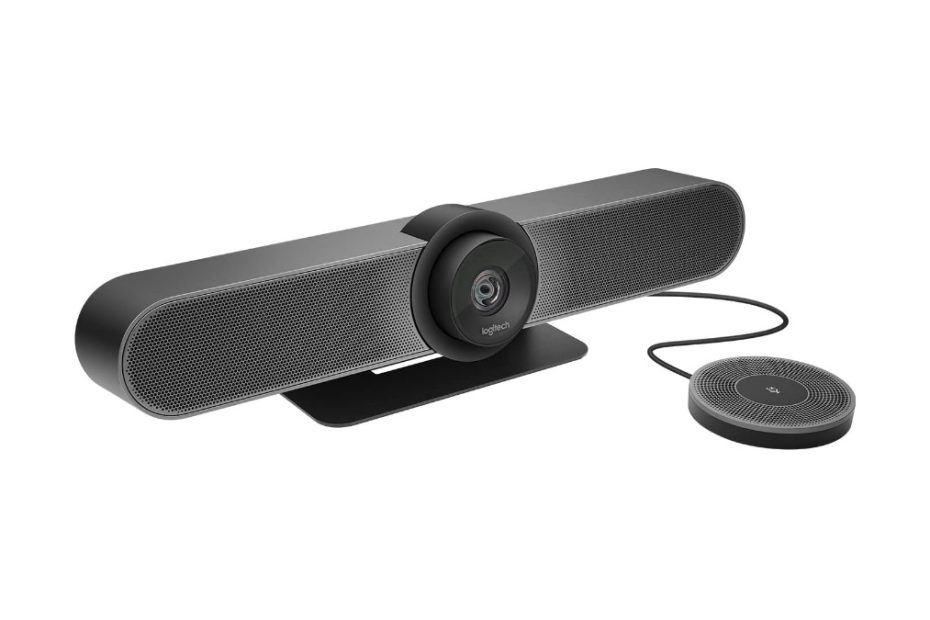
The Logitech MeetUp Conference Room Webcam is a high-quality video conferencing camera designed for small to medium-sized meeting rooms. It features an ultra-wide 120-degree field of view, allowing everyone in the room to be seen and heard clearly.

Logitech Meetup Webcam

The MeetUp is equipped with a 4K image sensor and Logitech’s advanced optics, which provide crisp and clear video quality in any lighting conditions. It also has three built-in microphones and a powerful speaker, ensuring that all participants can hear and be heard with excellent clarity.

The webcam is easy to install and use, with plug-and-play functionality and compatibility with popular video conferencing platforms such as Zoom, Skype, and Microsoft Teams. It comes with a remote control that allows you to pan, tilt, and zoom the camera, as well as adjust the speaker and microphone settings.

Logitech MeetUp Conference Room Webcam is an excellent solution for businesses and organizations looking to enhance their video conferencing capabilities and provide a seamless, high-quality communication experience for their teams.

Make sure that your laptop / desktop computers connect to high speed Internet network, either wired or wireless such as connect to Netgear raxe500 or asus axe11000 wifi 6e routers. Or connect to lower speed network such as eero pro 6e or asus et8.

Logitech Rally

What about the more advanced model Logitech Rally?

The Logitech Rally is a powerful video conferencing system designed for medium to large-sized meeting rooms. It includes a high-quality camera, speakers, and microphones, as well as a hub to connect all the components and control the system.

The camera features a 4K image sensor and advanced optics, providing crystal-clear video quality with excellent color accuracy and low-light performance. The camera also offers up to 15x HD zoom, allowing you to focus on specific details or individuals in the room.

The Logitech Rally system includes a range of microphones and speakers to ensure everyone in the room can hear and be heard clearly. The microphones feature advanced noise-canceling technology, reducing background noise and ensuring that the speaker’s voice comes through loud and clear. The speakers are also high-quality, providing clear, natural-sounding audio.

The system is easy to install and use, with plug-and-play functionality and compatibility with popular video conferencing platforms such as Zoom, Skype, and Microsoft Teams. It also includes Logitech’s RightSense technology, which uses advanced AI algorithms to automatically adjust the camera, microphone, and speaker settings for optimal performance.

Logitech Rally comparison

Logitech Rally is an excellent choice for businesses and organizations looking for a high-quality webcam for conference room, easy-to-use video conferencing solution for their medium to large-sized meeting rooms.

There are three models of Logitech Rally Bar:

  1. Rally bar mini
  2. Rally bar
  3. Rally bar plus – the modular model

As general the differences for these three models can be represented in the following table:

Logitech Rally Bar seriesRally bar miniRally barRally bar plus
Form factorAll-in-oneAll-in-oneModular
Total view angle coverageH:163° x V: 110°H:130° x V: 80°H:260° x V: 190°
Zoom4X digital zoomUp to 15X total zoom (5X optical and 3X digital)* 3X digital zoom available at later date with firmware updateUp to 15X total zoom (5X optical and 3X digital)
Microphone expansionUp to 2 Rally Mic Pods  up to 2 mic pod hubUp to 3 Rally Mic Pods up to 3 mic pod hubUp to 7  Rally Mic Pods up to 7 mic pod hub
Speakers112

When it comes to USB bar models, the Logitech MeetUp stands out as the most budget-friendly option, especially when compared to the Rally bar series, which includes the Rally bar mini, Rally bar, and Rally bar Plus.

Logitech Meetup vs Rally

For those looking to understand the technical differences between the Logitech MeetUp and the Rally bar series, the following table provides a detailed comparison of the technical specifications between the MeetUp and the Rally Bar Mini, the lowest model in the Rally bar series. However, for a more in-depth comparison of the Logitech Meetup and its competition, such as the Jabra Panacast, keep reading for a detailed analysis.

Spec comparison table Logitech Series

Table 1 Logitech Meetup vs Raly bar mini

Webcam modelLogitech Meet UpLogitech Rally Mini
Custom Logitech lensYesYes
Zoom5x HD zoom4x HD Digital zoom
AI Viewfinder for persistent room view and people countN/AYes
+/- (25 degree) panning and +/- 15 degree tilting  YesYes
Recording resolution4K (up to 3840 x 2160 pixels @ 30 fps with USB 3.0 cable) 1080p Full HD (up to 1920 x 1080 pixels @ 30 fps) 720p HD (up to 1280 x 720 pixels @ 30 fps)  (4K, 1440p, 1080p, 900p, 720p, and SD) @30fps
Field view angle: Diagonal: 120 degree, Horizontal: 113 degree , Vertical: 80.7 degreeYesYes
Audiobuilt-in microphone with 3 beamforming elements; Pickup Range up to 4 meters (13.1 feet) With optional Expansion Mic: 5 meters (16.4 feet)built-in microphone with 6 beamforming elements; Pickup Range up to 4.5 meters (15 feet) Supports up to 2 additional Rally Mic Pods (Four Omni-directional microphones forming eight acoustic beams range 15 ft / 4.5 m)  
Patented anti-vibration suspension systemN/AYes
Smart featuresRightSight; Rightlight; Rightsound technologies  RightSight, RightLight, RightSound technologies; AiViewfinder
VC supports Certified for Zoom, Fuze, Google hangout, Cortana, and other VC software  Zoom Certified, Certified for Microsoft Teams as a USB device and supports other VC software
Network connectivity Ethernet: N/A Wifi: N/A1x Gigabit Ethernet port; Wifi: 802.11a/b/g/n/ac
Placement: Table stand; Wall mount and optional TV mount  YesYes
Dimension (H x W x D)4.09 x 15.75 x 3.27 in / (104 x 400 x 85 )mm3.6 x 28,32 x 3.98 in / (91.4 x 719 x 101) mm
Weight2.3 lbs (1.04 kg)4.88 lb (2.21 kg)
Price in Amazon (Feb 2021)$1,162.00$2,999.99
Which one to choose

While the Logitech MeetUp is the most affordable option, the Rally bar series offers a range of advanced features and capabilities that make it a great choice for medium to large-sized conference rooms. The technical spec comparison between the MeetUp and the Rally Bar Mini can help you understand the differences between the two options, and a deeper dive into the comparison between the Meetup and competing products such as the Jabra Panacast can help you determine which option is the best fit for your needs.

Jabra Panacast

The Jabra Panacast is a high-quality video conferencing camera designed for use in small to medium-sized meeting rooms. It offers a range of advanced features and capabilities that make it an excellent choice for businesses and organizations looking to improve their video conferencing experience.

Jabra Panacast

One of the most notable features of the Jabra Panacast is its 180-degree field of view, which allows it to capture a wide-angle view of the entire room. This is particularly useful in small to medium-sized meeting rooms, where participants may be sitting closer together and a wider field of view is needed to capture everyone in the frame.

The Jabra Panacast also features three built-in cameras that work together to create a panoramic view of the room. This allows the camera to capture a high-quality, distortion-free image, regardless of where participants are sitting in the room.

In addition, the Jabra Panacast includes advanced software features such as dynamic zoom, which uses AI algorithms to automatically zoom in on and track the active speaker in the room, and virtual director, which can automatically switch between different camera angles to create a more dynamic and engaging video conferencing experience.

The Jabra Panacast is also easy to set up and use, with plug-and-play functionality and compatibility with a range of popular video conferencing platforms such as Zoom, Microsoft Teams, and Skype.

Jabra Panacast is an excellent choice for businesses and organizations looking for a high-quality, easy-to-use video conferencing camera for their small to medium-sized meeting rooms. Its advanced features and capabilities, such as its wide-angle view, three built-in cameras, and AI-powered dynamic zoom, make it a powerful tool for improving the quality and engagement of video conferences

Jabra Panacast – 3 Models

Jabra has recently launched a range of webcams designed for conference rooms, which includes:

  1. Jabra Panacast,
  2. Jabra Panacast 50 for businesses,
  3. and Jabra Panacast 20 (for personal use, to be launched soon).

Among these, Jabra Panacast is a noteworthy competitor to Logitech Meetup, as it comes with an affordable price tag. On the other hand, the newer Jabra Panacast 50 series is expected to give tough competition to Logitech Rally bar series.

Spec comparison Jabra panacast series

The following table shows you spec comparison table between Jabra panacast and panacast 50.

Table 2 Jabra Panacast vs Panacast 50

Jabra SeriesJabra PanacastJabra Panacast 50
Cameras3 cameras in one webcam with intelligent autofocus and dynamic real time Stitching technologyComes with 3 cameras with intelligent zoom and vivid HDR
ZoomThe camera zoom adjusts automatically to include everyone in the conversation.Up to 6x lossless digital intelligent zoom
Recording resolutionThree modes of resolution: Panoramic-4K: 3840 x 1080 @ 30 fps 1080 Full HD: 1920 x 1080 @ 30 fps 720p HD: 1280 x 720 @ 30 fpsPanoramic 4k view 13-MP (3840 x 1080) @30 fps  
Field view angleAdjustable field of view you may choose between 90°, 120°, 140° and 180° through Jabra DirectHorizontal 180°, Vertical 54° – you can adjust field of view angle in Jabra Direct and Jabra xpress
Audio2 built-in microphones, you may add Jabra Speak 750 speakerphoneBuilt-in 8x microphones, vibration-free 2x 2″ (50mm) woofers and 2x 3/4″ (20mm) tweeters, no need of speakerphone addition
Smart featuresAutofocus on everyone on the meeting Whiteboard content digitally onlineWhiteboard streaming technology with intelligent algorithm Count the people in the meeting room Edge-AI processor to focus on active speaker
VC supports Microsoft teams and Zoom certified And supports all VC softwareCertified for Zoom and Microsoft teams and supports any other VC software
PlacementUnder TV, on top of monitor or laptopUnder TV, on top of monitor or laptop
Price in Amazon (Jul  2021)$599.99$1,195.00

Logitech Meetup vs Jabra Panacast

If you’re wondering how Jabra Panacast compares to Logitech Meetup, let’s take a closer look. Logitech Meetup is the most affordable option among the Rally bar series, which includes premium models like Rally bar, Rally bar mini, and modular Rally bar plus.

Logitech Meetup is a direct competitor to Jabra Panacast, while Jabra Panacast 50 competes with Logitech Rally bar. To compare the features of Jabra Panacast and Logitech Meetup, refer to table 3 below.

Panning and Tilting  

Unlike traditional PTZ cameras, Logitech MeetUp has a unique design that allows for easy adjustments of the camera lens. While it can pan and tilt like most PTZ cameras, it has some limitations – the panning angle is limited to 25 degrees left and right, and the tilting angle is up to 15 degrees. Also, the native view angle of the lens is 113 degrees. However, it’s worth noting that MeetUp is primarily intended for use in conference rooms, where it is typically placed below or above a large monitor screen to capture a wide-angle view of the meeting participants.

Jabra and Logitech MeetUp have different strategies for capturing a wide-angle view of conference rooms. While MeetUp uses a single camera lens that can be adjusted to pan and tilt, Jabra uses three camera lenses, each with 13MP resolution, to cover the entire 180-degree view in front of the camera. However, Jabra’s direct app provides users with the flexibility to adjust the view angle to 90°, 120°, or 140° as needed. By default, Jabra captures a panoramic 180-degree view, but users can customize it to suit their specific requirements.

Zoom

Logitech MeetUp supports 5x digital zoom, which can be controlled using Rightsight technology to ensure that all meeting participants are captured, especially those who are actively speaking. However, to achieve this, you need to position the participants within the camera’s field of view of 113 degrees plus 15 degrees of panning left to right.

In comparison, Jabra Panacast webcams come with three camera lenses that cover the entire meeting room view, including all participants, with the added benefit of automatic camera zoom to ensure everyone is included on screen. Similarly, Logitech MeetUp also comes with 5x digital zoom that works automatically, like Jabra Panacast.

Resolution

Logitech MeetUp is a top-of-the-line webcam for conference rooms, delivering a 4K resolution at 30 fps that produces sharp and detailed images, even when zoomed in up to 5x. This makes it ideal for business conference calls, ensuring that all participants’ details remain clear and noise-free. Moreover, with the implementation of RightLight technology in all Logitech webcams, the MeetUp can automatically adjust to produce a well-balanced, high-quality image in any lighting environment.

In contrast, Jabra Panacast features three lenses that can simultaneously provide a wide panoramic screen with a resolution of up to 3840 x 1080 @ 30 fps. Although each lens only provides a 1080p resolution, the three lenses work together to capture a full view of the entire conference room.

Spec comparison Meetup vs Jabra

Look at the spec and feature’s comparison table below to help you comparing between the two products, you can learn in more detail the specs and features that can meet your business needs.

Table 3 Logitech Meetup vs Jabra Panacast

Webcam modelLogitech Meet UpJabra Panacast
LensCustom Logitech lens3 cameras in one webcam with intelligent autofocus and dynamic real time Stitching technology
Zoom5x HD zoomThe camera zoom adjusts automatically to include everyone in the conversation.
Panning and tilting+/- (25 degree) panning and +/- 15 degree tiltingPanoramic 4k 180 degree view
Recording resolution4K (up to 3840 x 2160 pixels @ 30 fps with USB 3.0 cable) 1080p Full HD (up to 1920 x 1080 pixels @ 30 fps) 720p HD (up to 1280 x 720 pixels @ 30 fps)Three modes of resolution: Panoramic-4K: 3840 x 1080 @ 30 fps 1080 Full HD: 1920 x 1080 @ 30 fps 720p HD: 1280 x 720 @ 30 fps
Field view angleDiagonal: 120 degree, Horizontal: 113 degree , Vertical: 80.7 degreeAdjustable field of view you may choose between 90°, 120°, 140° and 180° through Jabra Direct
Audiobuilt-in microphone with 3 beamforming elements; Pickup Range up to 4 meters (13.1 feet) With optional Expansion Mic: 5 meters (16.4 feet)2 built-in microphones, you may add Jabra Speak 750 speakerphone
Smart featuresRightSight; Rightlight; Rightsound technologiesAutofocus on everyone on the meeting Whiteboard content digitally online
VC supports Certified for Zoom, Fuze, Google hangout, Cortana, and other VC softwareMicrosoft teams and Zoom certified And supports all VC software
PlacementTable stand; Wall mount and optional TV mountUnder TV, on top of monitor or laptop
Price in Amazon (Mar 2023)$695.00$559.99
Price Difference

Initially, there was a significant price gap between these two webcam products when they were first released to the market, especially given the ongoing pandemic. However, as time passed, the prices have come down, and online stores like Amazon and Best Buy often offer attractive deals.

When making a decision, it’s important to consider both your budget and your business needs. If you’re looking for a webcam with 4k resolution and the ability to pan and tilt to cover all meeting attendees, Logitech Meetup might be the better choice. Alternatively, if you need a webcam that can cover all attendees with a 4k panoramic view at the same time, Jabra Panacast’s three lenses may be a better fit.

Click the product link below to shop on Amazon (#ads), note that the listed prices might be different with current price.

Related products

For home network to support high speed conference room webcam, make sure that your home internet network is fast enough, and the router should support multi-gig WAN port. You may consider latest wifi7 routers such as Deco be23, or be25 or Asus DB5 that come equipped with latest wifi7 technology with lower budget. 

In addition of Deco be25, you may also consider the newly released Orbi 370 series, the lower level of Orbi series in wifi 7 technology. Take a look here how Orbi 370 series is compared with Deco 25., almost the same price and nearly the same features, but there are couple of thing you may consider.

Netgear Raxe500 vs Asus Axe11000 Which One is Better Value

With the emerging of wifi7 products, wifi 6e products are still worth of buying. Thanks to the prices are getting drop over time. Let’s take the ultimate models of Netgear and Asus and delve the details to see which one is suitable to meet your home network.

In this article:

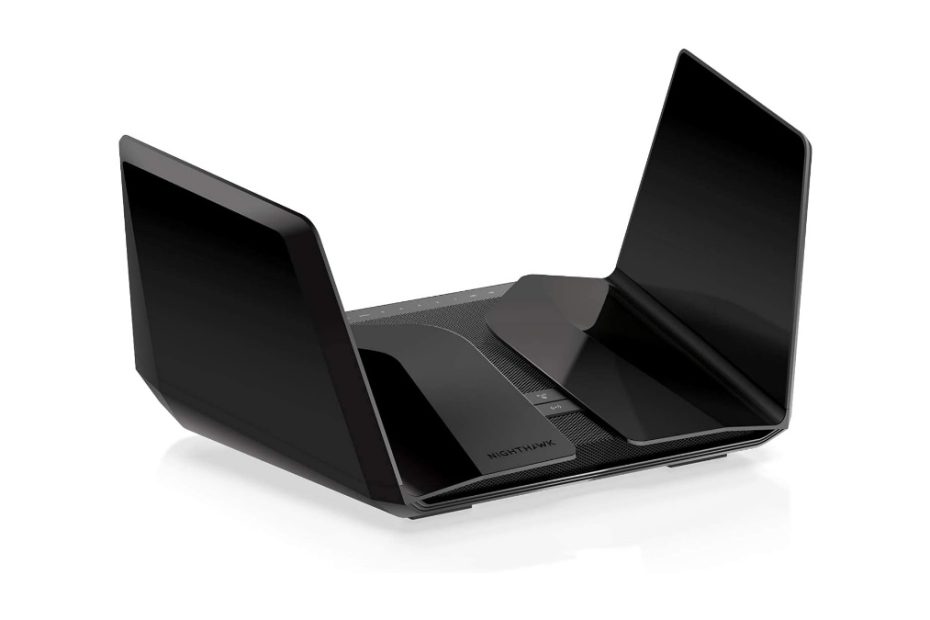
Netgear Nighthawk Wifi 6e Routers

In addition of Orbi wifi 6e series, currently there are few models of wifi 6e routers that netgear released to the markets and three of the top notch models are:

  • Raxe300
  • Raxe450
  • Raxe500

Like Netgear, Asus introduces few models wifi 6e routers and two of them are Asus gt-axe11000 and Asus gt-axe16000 wifi 6e routers. We’ll focus on Netgear raxe500 and Asus gt-axe11000 to see which one is suitable to meet your home network.

See also best value GL Inet Flint 3 vs Asus vs Archer vs Netgear middle range wifi 7 routers, lower end BE9000 segment.

The market share for middle range network segment products is huge enough as opposed to high end top notch products. The demand of axe11000 routers is not as large as the market share of the medium network segment. However, vendors must release this premium product, at least providing vendor branding with leading-edge technology. Today you can find that few models of top notch wifi7 products available on the market, while the entry level ones come later.

Netgear raxe500

The Wifi 6e is the enhancement of wifi-6 technology with the addition of @6GHz radio band so that the wifi 6e router provides three distinct radio bands besides @2.4GHz and @5GHz. If you are wondering if there are compatible adapters with 6GHz band radio, today you can find few models of PCI-E adapters available on the market with wifi 6e technology.

Netgear wifi 6e Routers comparison

The price points for each of the three series differ around $100, and the most expensive one is Netgear raxe500. The price of the first time raxe500 was released to the market was around $599.99. And today it is dropped up to $340 on Amazon. 

These three product series have few hardware spec differences you can refer to table 1 below.

Multi-Gig Internet Ports

These three series provide a multi-gig internet speed plan when the requirement exists. Under normal circumstances the default of these three routers uses 1.0Gbps WAN port. However, if you need multi-gig internet speed, the 2.5Gbps multi-gig port can be configured to work as high speed WAN port instead of LAN port. The default setting for this 2.5Gbps port is high speed LAN port.

Almost all wifi 6e routers come with multi-gig internet speed port including Asus rog rapture gt-axe11000 and also TP-Link Archer AXE300 which comes with a 5.0 Gbps wan port.

Port Configuration

How to enable this 2.5Gbps port to work as a WAN port? Indeed, this port by default functions as multi-gig LAN port, so if you need a multi-gig internet port then enable the port to become a WAN port. Use your web browser and access http://www.routerlogin.net enter the admin user and password, and then select Internet to open the Internet Setup page. Select the Multi-Gig Port (2.5/ 1Gbps) radio button in the WAN preference and click Apply.

Unlike netgear raxe300, the netgear raxe450 and raxe500 in addition to providing the option of a 2.5Gbps multi-gig port as a wan port, both routers also provide the option of an aggregated wan port with LAN port-1 to provide an aggregated link multi-gig WAN port so you can still take advantage of the 2.5Gbps port as a high speed LAN port.

Make sure your modem has two Ethernet ports and supports aggregated link (LACP / Link Aggregation Control Protocol). One of the cable modems that you can use is Netgear cm1100 which is equipped with two Gigabit ports and supports LACP. You can find that Arris surfboard s33 also comes with two Gigabit Ethernet ports; however S33 does not support LACP.

Spec comparison table Netgear Raxe series

Table 1 below shows you spec comparison for the three Netgear series with wifi 6e technology. All the three models come with three distinct radio bands.

Table1. Netgear wifi 6e router series

 Netgear raxe300Netgear raxe450Netgear raxe500
Wifi technologySimultaneous tri-band axe7800Simultaneous tri-band axe10000Simultaneous tri-band ax11000
Signal rate600Mbps @2.4GHz 2×2; 4.8Gbps @5GHz 4×4; 2.4Gbps @6GHz 2×2912Mbps @2.4GHz 4×4; 3.84Gbps @5GHz 4×4; 4.8Gbps @6GHz 4×41,200 Mbps @2.4GHz 4×4; 4.8 Gbps @5GHz 4×4; 4.8 Gbps @6GHz 4×4
Ethernet Ports1x Gigabit WAN / LAN port;
4x 1.0Gbps (2x port aggregated LAN);
1x 2.5Gbps (configurable LAN/ WAN port)
1x Gigabit WAN port – aggregated with 1x 1.0Gbps LAN port;
4x Gigabit LAN port with port aggregated ;
1x 2.5Gbps  configurable LAN / WAN port
1x Gigabit WAN port (support aggregated with LAN port);
4x Gigabit LAN port with aggregated link support; 1x 2.5Gbps WAN / LAN configurable
USB PortsType C USB 3.02x USB 3.02x USB 3.0
ProcessorQuad core 1.7GHz processorQuad core 1.8GHz processor1.8GHz quad core processor
MSRP $129.99Unspecified$274.99

Raxe500 is the highest series among the three, and this one becomes one of the rivals for Asus Rog Rapture gt-axe11000.

Netgear Raxe500 vs RS500

When it comes to choose between the previous wifi 6e model and latest wifi 7 one, Netgear introduces few models of wifi 7 routers and one of them is Netgear RS500 which aggregated bandwidth is comparable with Raxe500.

What make those series set apart? You can refer to table 2 below that represent spec comparison table between Raxe500 and RS500. The price difference between the two series is around $40, RS500 is more expensive than raxe500. With RS500 you have all the features of wifi 7 including MLO (Multi-link operations), and wider channel bandwidth up to 320MHz.

Netgear RS500

Table 2 Netgea Raxe500 vs RS500

Netgear SeriesNetgear Raxe500Netgear RS500
Wifi Standards Simultaneous tri-band ax11000 wifi 6eSimultaneous tri-band BE12000 wifi 7
Signal rates1,200 Mbps @2.4GHz 4×4;
4.8 Gbps @5GHz 4×4;
4.8 Gbps @6GHz 4×4
0.7 Gbps @2.4GHz 2×2;
5.8 Gbps @5GHz 4×4;
5.8 Gbps @6GHz 2×2
Channel bandwidthUp to 160MhzUp to 320 Mhz
Ethernet Ports1x Gigabit WAN port (support aggregated with LAN port);
4x Gigabit LAN port with aggregated link support;
1x 2.5Gbps WAN / LAN configurable
1x 2.5 Gbps LAN port
1x 2.5 Gbps WAN port
3x 1.0 Gbps LAN ports
USB Port2x USB 3.01x USB 3.0
Processor1.8GHz quad core processor2.0 GHz Quad core processor
MemoryUnspecified512MB Flash; 2GB RAM
Price$274.99$319.99

With more bucks you can taste the next generation of wifi 7. You may also like to see Asus RT-BE96U vs Archer vs Netgear.

Now, it’s back to the previous model of Netgear raxe500 discussion.

The main competing product for Raxe500 available in the market so far is Asus Rog rapture gt-axe11000. The price difference in the retail market for these two router models is not too much, and when it comes to choose between the two models, which one is suitable to meet your business need?

Netgear Nighthawk Raxe500 vs Asus Axe11000

As a reference, the following table 2 below shows you specs and features comparison table between netgear raxe500 and asus gt-axe11000. Both models of routers use the same wifi 6e technology, both of which work @ axe11000 network segment, three distinct radio bands and the same 4×4 data streams each radio band.

Asus GT-AXE11000
Body appearance

At first glance, the body appearance of raxe500, raxe450 and raxe300 looks sleek and elegant like other lines of netgear routers based on wifi6 technology in general, including netgear rax70, rax80, rax120 and netgear rax200 that use internal antenna design.

Raxe500 uses 8x internal antennas placed on its left and right wings of the body, there are four antennas on each wing. Compare with Asus which uses 8x external antennas so it looks rigid like the design of Asus routers in general.

WAN

Hardware-wise, these two router models have the same number of Ethernet ports including a multi-gig 2.5Gbps port which is configurable for either to function as wan or lan port (default is as LAN port), as well as multi-gig internet demand by utilizing aggregated wan and lan port, both of which support. How to configure a multi-gig 2.5Gbps to function as a wan port has been discussed previously, the same concept applies on asus.

In terms of internet connection, there is a major difference on asus where the gt-axe11000 provides dual wan support if you use one of the usb ports as a secondary wan connection by installing a compatible usb modem. This dual wan connection can be configured as ‘failover’ or ‘load balance’ as needed. If a continuous internet connection is a must, it’s a good idea to choose failover. When the wired internet service (the main internet) is disrupted, the internet switches to the secondary internet. When the main internet connection is back to normal, the internet will be ‘fallback’ to the main connection if the ‘allows fallback’ setting is checked.

Game features

Both of these routers provide maximum speed which is ideal for gamers, and you shouldn’t have any doubts about the performance of this router for online gaming. Unlike the raxe500, the asus rog rapture gt-axe11000 provides special features for smooth and responsive gaming needs and indeed in accordance with the series given with the code rog (republic of game), this router is designed to pamper gamers in mind.

Network protection

In general home users are mostly ignorant of the security of their wifi routers, even small and medium office computer networks that do not have IT divisions or IT personnel will ignore security protection. Asus comes with aiprotection pro gives you a system security assessment of what you have to control against vulnerability or security holes in your network system. This is very useful as an early warning of the possibility of your network system against the wild of internet attacks. Not only that, asus also provides malicious sites blocking, vulnerable protection, and control so that connected devices are not exposed to virus attacks. Most recent Asus wifi 6 router products come with this free lifetime Asus aiprotection pro for your peace of mind regarding network security.

Netgear raxe500 and all other series give you option to subscribe Netgear Armor, an internet threat security protection for all of your connected devices including viruses, hackers, spam and phishing.     

Spec Comparison Raxe500 vs Asus

Take a look at the following spec comparison table between Netgear raxe500 axe11000 and Asus Rog Rapture gt-axe11000.

Table 2 Netgear raxe500 vs Asus

AXE11000 ModelNetgear Nighthawk Raxe500Asus Rog Rapture GT-AXE11000
Wifi technologySimultaneous tri-band axe11000 wifi 6e with 12-streamsSimultaneous tri-band ax11000 wifi 6e gaming router with AiMesh support
Wifi Signal Rates1,200 Mbps @2.4GHz 4×4;
4.8 Gbps @5GHz 4×4;
4.8 Gbps @6GHz 4×4
1,200 Mbps @2.4GHz 4×4;
4.8 Gbps @5GHz 4×4;
4.8 Gbps @6GHz 4×4
Antennas8x Internal antennas8x external antennas with power amplifiers
Ethernet ports1x Gigabit WAN port (support aggregated with LAN port #1);
4x Gigabit LAN port with aggregated link support (Port #3 and #4);
1x 2.5Gbps WAN / LAN configurable
1xGigabit WAN port (supports WAN aggregation link)
1×2.5Gbps WAN/LAN port 
4x Gigabit LAN with Link aggregation
USB ports2x USB 3.02x USB 3.2
Network ProtectionNETGEAR ARMOR Advanced cyber security service –paid one subscription; Support WPA3Asus AiProtection Pro powered by Trend Micro with regular auto security signature update
ProcessorPowerful quad-core 1.8GHz processor1.8GHz 64-bit Quad-core CPU with 1GB RAM and 256MB Flash
Operation modeWireless router; Wireless access point (WAP); Wireless bridge modeAiMesh router; Aimesh node; AP; Repeater and Media bridge
Dual WANN/AYes, failover or load balance
OtherWorks with Alexa and Google assistantWorks with Alexa  Three level game accelerator
Weight3.2 lb (1400 grams)3.92 lb (1782 grams)
Price on Amazon$274.99$249.99

The price difference between these two products is not too much. Click the product’s link below to learn more details and see current price on Amazon (#ads).

Related products

Should you like to taste the latest generation of mesh wifi 7 product, you may consider entry level wifi 7 series. Tp-Link and Asus introduce the products that sit at the entry level network segment, see here TP-Link Deco BE25 and Asus BD5 mesh wifi 7.

Eero Pro 6e vs Asus ET8 Which One is Better Value

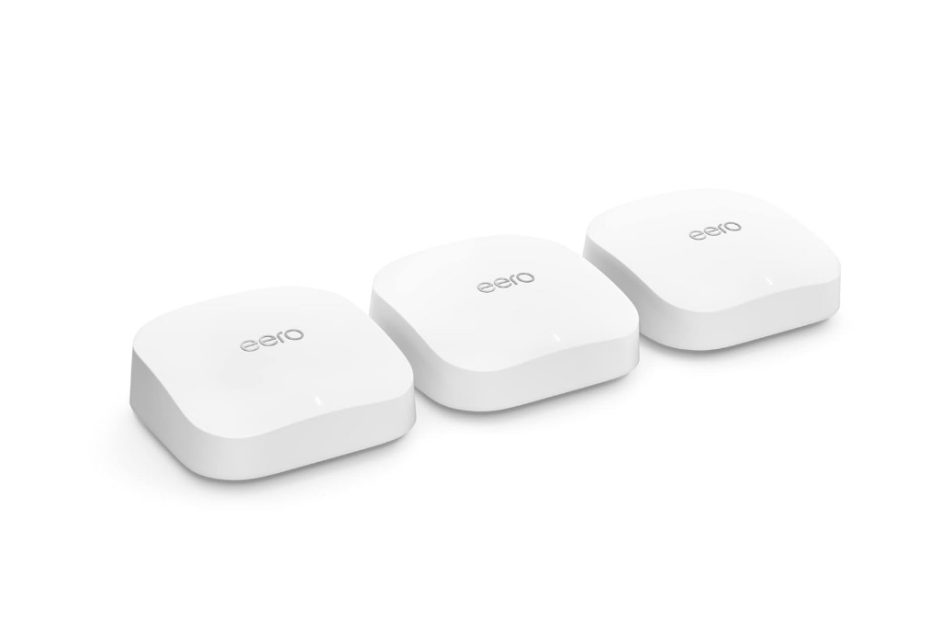
Eero Pro 6e was the ultimate model before eero7 comes to the market. Eero is claimed to be the pioneer of mesh wifi system, it was a startup product and today it is acquired by Amazon. The latest product released today is eero pro 7, and this article will focus on previous model of pro 6e series.

How this eero pro 6e series is compared with one of asus zenwifi products, the asus et8?

In this article

Eero pro series

There are two models of eero series in general, the standard one with dual band and the pro series with three radio bands for each of wifi technology applied to the product series. The first generation of eero-pro is based on wifi5, the second generation is eero 6 pro, while the 3rd generation is eero-pro 6e based on latest wifi 6 with three distinct radio bands with the addition of 6ghz radio band for fast lane. And the latest one is eero pro 7. See also eero pro 6 vs Orbi.

eero pro 6

EeroPro series comparison

Before eero7 pro is available, you could find three models of eeropro series based on the last three available wireless technologies, wifi 5, wifi 6 and the enhancement version wifi 6e with new 6ghz radio band.

Loyal customers hoped that the eero pro 6e was the highest generation of all technical aspects of the eeropro series. And in fact the price of the pro6e series was the most expensive one. Are technically the specs applied to this series the highest?

You can refer to table 1 below which provides an overview of the technical spec comparison between the three eero pro series from the first to the third generation.

Wifi capacity

Out of the all eero series that had been released, from each generation of wifi technology starting from wifi5, wifi 6, wifi 6e and finally wifi7, amazon did not introduce products with the maximum bandwidth capacity it can support in each wifi generation.

You can take eero pro 6 which uses wifi 6 technology with ax4200 network segment. Compare it with asus which had released asus zenwifi xt12 with ax11000 network segment. Likewise on wifi 6e technology, eero pro 6e works on the axe5400 network segment. Compare it with asus with its asus zenwifi pro et12 series with axe11000 capacity, twice as wide bandwidth as eero pro 6e.

Backhaul link

Out of the two eero pro series, the legacy eero pro and eero 6 pro series, both use wifi backhaul link approach with both @2.4ghz and @5ghz radio bands dynamically. However, on pro 6e it is not specifically explained that wifi backhaul uses all three radio bands dynamically, however wifi backhaul link uses @6ghz radio bands shared with other connected existing 6e devices. See also few models of wifi 6e adapters.

Embedded Processor

What’s surprising about the latest release of the eero pro 6e is the setback of the processor embedded into this eero pro 6e machine board. Notice in the processor row on the table, the eero 6 pro uses a quad core processor, however it’s surprising that the latest pro 6e series that is expected to have the highest spec and features instead uses a dual core cpu.

Is the dual core processor on the eero pro 6e sufficient for tasks processing with three distinct radio bands compared to the three band eero 6 pro from two different radio bands? Or is this spec reduction to dual core meant to reduce production costs? I have no idea.

Read more details the following eero pro comparison table below.

Spec comparison eero series

Table 1 eero pro series comparison

Eero modelLegacy Eero proEero 6 proEero pro 6e
wifi technologySimultaneous tri-band ac2200 2×2 mu-mimoSimultaneous tri-band ax4200 4×4 mu-mimoSimultaneous three distinct radio bands axe5400
Signal rate300Mbps @2.4GHz 2×2 864Mbps @5GHz 1 2×2 864Mbps @5GHz 2 2×2600 Mbps @2.4GHz 2×2 1,200 Mbps @5GHz 1 2×2 2,400 Mbps @5GHz 2 4×4600 Mbps @2.4GHz 2×2 2,400 Mbps @5GHz 1 2×2 2,400 Mbps @6GHz 2 2×2
BackhaulWifi backhaul and optional wired backhaulDynamic wifi backhaul over both radio bands 2.4ghz and 5ghz; optional wired backhaul is also acceptedBackhaul @6GHz share with 6ghz-based connected devices; Wired backhaul is also available
Ethernet Ports2x 1.0 Gigabit2x 1.0 Gigabit1x 2.5 Gbps 1x 1.0 Gbps
Maximum internet plan550 Mbps1.0 GbpsMulti-gig 2.0 Gbps
Coverage6,000 sq ft / 3-pack6,000 sq ft (3-pack)6,000 sq ft (3-pack)
Processor700 MHz quad-core processor1.6 GHz quad-core processor,1 GHz dual-core processor,
Memory512MB RAM and 4GB flash1 GB RAM, 4 GB flash1 GB RAM, 4 GB flash
Dimension4.76 in x 4.76 in x 1.26 in (121 mm x 121 mm x 32 mm)5.6 in x 5.4 in x 1.9 in (142 mm x 138 mm x 48 mm)5.50 in x 5.50 in x 2.20 in (139 mm x 139 mm x 55.23 mm)
MSRP$149.00 (3-pack)$299.00 (3-pack)$399.00 (3-pack)

With the introduction of latest addition of eero pro 7, the prices of the previous models are dropped significantly.

Eero pro 6e is still more expensive than similar products on the market. How the competition between this product with other ones available in the market? let’s take asus et8, the middle tier of asus products with wifi 6e technology.

Eero pro 6e vs asus et8

Asus released two models of mesh wifi 6e zenwifi series products; they are asus zenwifi et12 which is the top notch series and asus zenwifi et8 which is targeted to compete with other similar products in the middle network segment. One of the strengths of asus wifi products on the market is the free lifetime aiprotection feature, a network security protection system against any internet attacks.

Asus Zenwifi ET8

Let’s compare the eero pro 6e with asus et8, this comparison is quite fair considering that  the two products are in the same network segment and the price difference between these two products is not far apart, you can say the price is almost the same.

Bandwidth capacity

The total bandwidth difference between the two products is slightly different, asus provides a bandwidth allocation @6ghz that is twice as wide as the eero pro 6e, however the bandwidth allocation @5ghz is half the bandwidth of the eero. Does this matter? Of course there is a difference in mesh network performance when using wifi backhaul.

Backhaul

Eero pro 6e uses dedicated backhaul link 26ghz, however this band is also shared with all other compliant connected wifi 6e devices. Even if you don’t have any available wifi 6e connected devices, the system will run with great performance using 6ghz band backhaul and both 2.4ghz and 5ghz radio bands are used for all connected devices other than wifi 6e devices.

Compare with the backhaul link method on asus which selects the best available radio band automatically. It could be that when a lot of wifi 6e devices are connected, the system will choose @5ghz backhaul when there are not much clients in this band.

When you have more wifi 6e devices than wifi 5 ones, asus et8 would be the better solution. On the other hand when you have more wifi 5 devices than wifi 6e ones, eero pro 6e would be preference choice.

Besides wifi backhaul, both products provide option to use wired ethernet backhaul in addition of wifi backhaul. Even though you configure backhaul link to use wired ethernet backhaul, there is still portion of wifi backhaul reserved to enable later when the wired backhaul connection is disrupted. It is thing like failover when the main connection fails.

For entry level of wifi7, asus offers Asus BD4 and BD5. This wifi 7 products offer aggregated combined wired and wireless backhaul for optimum data throughput. Click here for Deco BE25 vs Asus BD5, the entry level of wifi 7 series.

Ethernet Ports

In certain situations you need more ethernet connections such as for desktops, internet tv, game consoles, etc. which do provide a more reliable connection than wifi which is prone to signal interference. eero only provides two ethernet ports, compare with asus which provides 4 ports. The best part is both products come with multi-gig 2.4Gbps WAN port. You can subscribe multi-gig internet plan and make sure your modem is also ready for multi-gig connection such as Surfboard s33 or Netgear cm2000 which support high speed internet plan with 2.5Gbps ethernet port.

Processor

The embedded a dual-core CPU in the latest eero flagship product has become a question for many customers, considering that the previous two eero pro and eero 6 pro series were both embedded with quad-core CPUs. If it is said that this wifi 6e toy does not require a quad core cpu because it is too powerful, on the other hand its competitors with the same wifi 6e products actually use quad core cpu.

Security protection

Although for most novice users, security is the last task to consider in building home wifi network, it’s better to choose a system that is already equipped with a protection system like the one offered by Asus in its flagship product. That way, those who are not aware of security protection don’t need to worry about their network security system.

Spec comparison table Eero 6e vs et8

Table 2 below shows you spec comparison table between eero pro 6e and asus et8 to help you decide which one is suitable to meet your business.

table 2 eero pro 6e vs asus et8

ModelEero pro 6eAsus zenwifi et8
Wifi capacitySimultaneous three distinct radio bands axe5400Simultaneous tri-band axe6600 with 8 streams and supports AiMesh technology
Signal rates600 Mbps @2.4GHz 2×2 2,400 Mbps @5GHz 1 2×2 2,400 Mbps @6GHz 2 2×2574Mbps @2.4GHz 2×2 1201Mbps @5GHz 2×2 4804Mbps @6GHz 4×4
Backhaul linkBackhaul @6GHz share with 6ghz-based connected devices; Wired backhaul is also availableSystem will select the wifi backhaul automatically the best band available. Or you can select which band for dedicated backhaul manually. Wired backhaul is also available.
Ethernet Ports1x 2.5 Gbps 1x 1.0 Gbps1x 2.5Gbps WAN port; 3x 1.0Gbps LAN ports;
USB PortsN/A1x USB 3.1 gen 1
ProcessorDual core 1.0 GHz processor with 1 GB RAM, 4 GB flash memory storage 1.5GHz quad core processor with 256MB Flash and 512 MB RAM
Security Protection30-days of Eero secure planFree lifetime asus aiprotection pro powered by Trend micro
Other featuresBuilt-in Zigbee and Thread Smart home hub N/A
Price$399.99 (3-pack)  $396.99 (3-pack)
Price Points

The price different between the two products is not too much. Click the product’s link below to learn more details each of the product and read customer’s reviews in Amazon (#ads).

Related products

You may also like to consider similar products, the TP-Link Deco XE75 pro, hot product with best budget for small to medium sized home network. Or you may also like Google Nest pro which is also coming with wifi 6e.

Deco BE25 vs Asus BD5 Entry Level Wifi 7 that Kill Legacy Wifi 6

Following its success of its debut in mesh wifi 6 products, deco x30 and deco x60, TP-Link introduces new lines of entry level wifi 7 products: Deco BE23, and Deco BE25. Its counterpart Asus does the same with Asus BD4 and Asus BD5. These affordable products will kill the legacy wifi 6 products.

In this article

Affordable Mesh wifi 7 products

TP-Link was the pioneer in introducing the wifi 7 products on the market with its Deco BE95 and Deco BE85. Those two products are mesh wifi 7 lineups in addition of Archer BE900, BE800 wifi 7 routers. Those wifi 7 lineups are costly, and for people with low budget will think twice to purchase those costly products. The first Netgear wifi 7 with its Orbi RBE973 is also tagged with the price more than $1,000, still costly.

Entry level wifi7

How can you taste the wifi 7 product without breaking your bank, since those high end lineups are still costly? For small to medium sized homes, spending those costly products is too dear.

It is therefore, TP-Link introduces entry level products, the Deco BE23 and BE25, in additions of middle class network Deco BE63. Its counterpart Asus also does the same with its Zenwifi lineups, Asus BD4 and BD5, in additions of Asus BT6, BT10 and Asus RT-BE96U wifi 7 routers.  

Deco Lineups

Deco x60 was very popular at the first time it was released to the market, together with its counterpart Orbi and Asus. it was when wifi 6 was emerged and today when wifi 7 is emerging, deco x60 will be obsolete products and soon you will need to choose the next generation of entry level of wifi7, deco BE23 and deco BE25. And its counterpart, Asus introduced Zenwifi BD4 and BD5.

TP-Link Deco BE25

Let’s see how deco x60 sits among deco be23 and deco be25, you can use table 1 below. All the three deco series are dual band products; it looks unusual that the wifi7 products don’t come with 6GHz radio band which is the prominent feature of wifi7.

Deco x60 vs be23 vs be25

In terms Ethernet ports embedded on each of the board, both BE23 and BE25 come equipped with twin 2.5Gbps Ethernet ports, as opposed to its predecessor deco x60 which comes with 1.0Gbps. all of those ports feature autosensing, you can use either to work as WAN or LAN port.

Both BE23 and BE25 are ready for the next generation of multi-gig Internet plan. The premium wifi7 products mostly come equipped with 10 Gbps ports either for WAN or LAN ports.

Both wifi7 lineups feature MLO (multi link operations), the aggregated multi bands operation as the main feature of wifi 7 which is absent for deco x60. These MLO and Multi-RU (multi-resource units) are wifi7 features that are not available in legacy wifi 5/6.

 Table 1 Deco Lineups  

Deco LineupsDeco BE25Deco BE23Deco X60
Wifi TechnologyDual band BE5000 Ai-driven meshDual band BE3600 Ai-driven meshDual band AX3000
Signal speeds4,324 Mbps @5GHz
688 Mbps @2.4GHz
2882 Mbps @5GHz
688 Mbps @2.4GHz
867 Mbps @5GHz 400Mbps @2.4GHz
Ethernet Ports2x 2.5Gbps2x 2.5Gbps2x 1.0Gbps
MLO (Multi-link operations)YesYesN/A
Channel320 MHz160 MHz80 MHz
Multi-RUs (Multi Resource Units)YesYesN/A
Price$249.99$239.99$174.99

Another TP-Link product with wifi6 which becomes hot item on the market to date is Deco X50-POE, the Deco AX3000 that comes equipped with Ethernet POE port. This POE port is ideal in reducing clutter of the wires.

In addition of Deco X60, TP-Link adds the richer features of this lineup with its Deco X55 which comes equipped with three Ethernet ports.

Deco x60 vs Deco x55

Both deco x60 and deco x55 are designed with the same ax3000 network segment. There are few differences between these two deco ax3000 series, which can be presented in the following spec comparison table below.

More Ports

All previous wifi 6 deco series ranging from tplink deco m5, deco m9 plus, deco x20, deco x25 (new series of deco ax1800), deco x60, and also deco x90 all come with only two Ethernet ports. The tplink deco x55 comes equipped with three Ethernet ports, adding one more port compared to deco x60 series which only has two ports.

With three Ethernet ports, the deco x55 provides a wired backhaul option using a star wired backhaul topology for a three-node package, without adding a switch. Meanwhile, with the deco x60 which only has two ports, to use the wired backhaul option, the daisy chain topology can be used without adding a switch. To deploy using star you need separate switch.

Now, with Deco BE23 and BE25, the backhaul can work aggregately that combine wired and wireless backhaul in terms of its MLO feature. This will create stronger and more flexible, easier to deploy as opposed to legacy wifi 6 products such as deco x60, deco x55.

The x60 uses 4x internal antennas, while the x55 only uses two internal dual band antennas with AI-driven technology as adopted in the deco x90 by giving a unique touch to each of your home wifi networks.

Spec comparison table deco x60 vs x55

See more details on the following comparison table below.

Table 1. tplink deco x60 vs deco x55

Deco ax3000Tplink deco x60Tplink deco x55
Simultaneous dual band ax3000 (867Mbps + 400Mbps)YesYes
Internal antennas4x internal antennas with beamforming2x internal antennas with beamforming and AI-driven mesh
Number of data streams6 streams4 streams
Ethernet Ports2x Gigabit WAN/ LAN ports3x Gigabit WAN/ LAN ports
Network security: Malicious Site Checker Port Intrusion Prevention Infected Device IsolationYes: Antivirus with the addition of notification and log  Yes, HomeShield security with real-time IoT protection; DDoS attack prevention; Home network scanner.
Guest network each radio bandYesYes
Quality of servicesQoS by Device and ApplicationQoS by device
Router mode or AP modeYesYes
1GHz dual core CPUYesYes
Dimension: 4.33 × 4.33 × 4.99 in / (110 × 110 × 114 mm)YesYes

Either tplink deco x60 or x55 are designed to work at ax3000 network segment, few features are different and the number of Ethernet ports is also different.

Both deco be23 and be25 come embedded with dual Multi-gig Ethernet ports, investing the latest entry level of Deco wifi7 lineups is more advantages than deco x60 or deco x55 which will soon to be obsolete products.

So what about its counterpart products that Asus offers?

Asus BD4 and BD5

In additions of middle range wifi 7 network segment including Asus Zenwifi BT6 and BT10, Asus introduces entry level dual band wifi7 mesh system products, the Asus BD4 and BD5. These two alternative products instead of previous models including Asus Zenwifi XD4 and XD5 come with wifi 6 standards. Wifi 6 products will soon become obsolete.

Asus Zenwifi BD5

Both BD4 and BD5 come with similar features as its counterparts Deco BE23 and BE25, two 2.5Gbps Ethernet ports, MLO, Multi-RUs, and the same processors on the board.

Table 2 below shows main differences between Asus BD4 and BD5, see that only the aggregated bandwidth difference between the two.

Table 2. Asus BD4 vs BD5

 Asus BD4Asus BD5
Wifi StandardsDual band BE3600AiMeshDual band BE5000 AiMesh
Signal rates688Mbps @2.4GHz 2×2
2882 Mbps @5GHz 2×2
688 Mbps @2.4GHz 2×2
4323 Mbps @5GHz 2×2
Ethernet Ports2x 2.5Gbps2x 2.5Gbps
Price$299.99$319.99

Instead of purchasing the previous wifi 6 models including Asus XD4 and XD5; considering the entry level of wifi7 BD4 and BD5 is more advantages knowing that the legacy models will soon become obsolete.

Deco vs Asus Entry Level Wifi 7

Like its wifi 6 products that sit on entry level network segments, the demand of entry level wifi 7 products are likely high, the market share will be huge enough. No wonder that each vendor is racing to introduce few models of entry level wifi7 series with price point under $300. As we know that the ultimate models of wifi7 products are still costly. For small-sized homes, investing expensive top notch wifi7 products would be too much.

When it comes to choose entry level series between Deco and Asus, which one is suitable to meet your home business network? The following tables represent spec comparisons between deco be23, be25, asus bd4, and asus bd5.

Deco be23 vs Asus BD4

Table 3 below shows spec comparison between TP-Link Deco be23 and Asus Zenwifi bd4. Both series sit at the same BE3600 network segment. Technically both feature the same including signal rates, multi-gig 2.5Gbps, channel bandwidth, etc.

TP-Link doesn’t specify what kind of processor embedded on the board, but asus does with quad core processor and memory.  

Table 3 Spec comparison Deco BE23 vs Asus BD4

Entry level model TP-Link Deco BE23Asus Zenwifi BD4
Wifi TechnologyDual band BE3600 Ai-driven meshDual band BE3600AiMesh
Signal speeds2882 Mbps @5GHz 2×2
688 Mbps @2.4GHz 2×2
688Mbps @2.4GHz 2×2
2882 Mbps @5GHz 2×2
Ethernet Ports2x 2.5Gbps2x 2.5Gbps
MLO (Multi-link operations)YesYes
Channel160 MHz160MHz
Multi-RUs (Multi Resource Units)YesYes
ProcessorUnspecified1.5GHz Quad core processor with 512MB RAM; 128MB Flash
Channel bandwidth160 MHz160MHz
Dimensions150 mm x 150 mm x 62 mm140 mm x 70 mm x 140 mm
Price$239.99$299.99

Asus offers around $50 more expensive than deco be23, these prices are at the time they are released to the market. their prices will drop gradually over time.

Deco BE25 vs Asus BD5

The higher level bandwidth models introduced by the two vendors are Deco be25 and Asus BD5 which sit at the same BE5000 network segment. All features are almost the same including signal rates, twon 2.5Gbps Ethernet ports, but the channel bandwidth is not the same.

BE25 offers more channel bandwidth @5GHz band, 240MHz instead of 160MHz on Asus BD5. With more bandwidth the more data can be transmitted at once and directly affects network speed and performance.

This will affect the backhaul communication link between the nodes, knowing that the two models offer the same multi-link aggregated combined wired and wireless backhaul. With higher bandwidth channel the faster link can deliver. However, in the same normal operation when the network tasks are not overloaded, the performance would be the same. But in overload network traffic, the higher channel bandwidth the faster data can be transmitted.

Spec comparison table be25 vs bd5

Table 4 Spec comparison Deco BE25 vs Asus BD5

Entry level model TP-Link Deco BE25Asus Zenwifi BD5
Wifi TechnologyDual band BE5000 Ai-driven meshDual band BE5000 AiMesh
Signal speeds4,324 Mbps @5GHz
688 Mbps @2.4GHz
688 Mbps @2.4GHz 2×2
4323 Mbps @5GHz 2×2
Ethernet Ports2x 2.5Gbps2x 2.5Gbps
MLO (Multi-link operations)YesYes
Channel240 MHz (5GHz only)160 MHz
Multi-RUs (Multi Resource Units)YesYes
ProcessorUnspecified1.5GHz Quad core processor with 512MB RAM; 128MB Flash
Dimension150 mm x 150 mm x 62 mm140 mm x 70 mm x 140 mm
Price$249.99$319.99
Which one to choose

Now, with almost the same technical spec and feature, except that Deco be25 offers higher channel bandwidth and cheaper price, this be25 looks like more value than asus bd5.

Click the product’s link below to see more detail manufacturer’s description and see the current price and availability on Amazon (#Ads).

Related products

Previous wifi 6e models are still worth of considering, knowing that the prices are getting dropped over time. You may consider premium models Asus ET12 and Orbi RBKE963 wifi 6e models and see which one is more value.

Hot Buys Deco X50-POE vs Orbi Which One is Better Value

TP-link offered new Deco X50-poe, ax3000 mesh wifi 6 system with simplified POE connection. How good this deco x50-poe compared with Orbi.

In this article:

Deco X50-POE

With the emerging of wifi7 products, wifi6 products are still worth considering, particularly the ones with specific feature.

TP-Link offered various models of wifi 6 products including the deco series, ranging from its debut with its deco x20, deco x60, and followed by richer feature series with its AI-based driven mesh technology for unique networking environment based on your home environment. These AI-driven mesh technology series includes newer Deco x90, deco x95, deco xe75 wifi6e, and also deco xe200 with latest wifi 6e technology.

Deco X50-POE

Let’s discuss this deco x50-poe and its previous version deco x55, and then later compare this poe model with other competing model offered by Netgear Orbi. 

Deco X55 vs Deco X50-POE

Previously TP-Link introduced Deco X55 ax3000 mesh wifi 6 which typically sold in three deco x55 packs. The Deco X55 features a compact and sleek design. Each unit has a minimalist appearance, with a cylindrical shape and a clean white finish and black on the top body. The compact size allows for easy placement and blending into any environment.

On the other hand, deco x50-poe offers sleek, compact, but wider footprint than deco x55, and easy placement and installation you can mount on the ceiling, on the wall without worrying clutter of power outlets, or you can mount it on top of the table or book shelf.  

Advantages of Deco with POE port

Having Power over Ethernet (PoE) connectivity in the TP-Link Deco X50-PoE offers several benefits compared to the Deco X55 without PoE. Please note that TP-Link will soon release its wifi7 based mesh POE product: the Deco BE65-poe.

POE-based Advantages

So what what are the advantages of POE-based mesh system? Here are some advantages of having PoE-based products including this Deco X50-poe.

Simplified Installation:

PoE eliminates the need for separate power adapters for each Deco unit. With PoE, you can power the Deco X50-PoE directly through an Ethernet cable, making installation easier and more streamlined. It reduces cable clutter and simplifies the setup process.

Flexible Placement Options:

With PoE, you have greater flexibility in placing the Deco units since they don’t need to be located near power outlets. You can strategically position the Deco X50-PoE units in optimal locations for better WiFi coverage without being limited by the availability of power sockets.

Centralized Power Management:

PoE allows for centralized power management. You can use a PoE switch or PoE injector to power multiple Deco X50-PoE units from a single power source, simplifying power management and reducing the number of required power outlets.

Reliable Power Supply:

PoE provides a reliable power supply to the Deco X50-PoE units. Since power is delivered over Ethernet cables, you don’t have to worry about power interruptions due to lose power connections or individual power adapter failures.

Scalability:

PoE simplifies scalability and expansion of your mesh WiFi network. It enables easy addition of new Deco units without the need for additional power infrastructure, making it convenient to extend your WiFi coverage as needed.

The inclusion of PoE connectivity in the TP-Link Deco X50-PoE offers convenience, flexibility, and scalability benefits, making it an attractive option for users who prefer a streamlined installation process, centralized power management, and more placement options.

Take a look at the comparison table (Table 1) below, which illustrates the specifications of the Deco X55 and Deco X50-PoE. Both models offer almost identical specs, with only a couple of differences worth noting.

Ethernet Ports

The first distinction lies in the Ethernet ports. The Deco X50-PoE features a multi-gig 2.5Gbps Ethernet port that can serve as a WAN connection. This enables you to connect to a cable modem with a 2.5Gbps port like the Arris Surfboard S33 or the Netgear CM2000 DOCSIS 3.1 cable modem. Alternatively, if a 1Gbps internet speed meets your requirements, you can utilize the 2.5Gbps port. This is for a high-speed connection to a 2.5Gbps-capable NAS device, such as the QNAP TS-932PX-4G High-Speed NAS that comes with Two 10GbE and 2.5GbE Ports.

One notable advantage of the Deco X50-PoE is its support for Power over Ethernet (PoE) on each Ethernet port, which the Deco X55 lacks. On the other hand, the Deco X55 provides three gigabit Ethernet ports, which proves advantageous when configuring the three-pack kits in a star backhaul topology, as you can establish wired Ethernet backhaul without the need for an additional switch.

Support POE

Considering the Deco X50-PoE, having two ports is sufficient as you can connect each Deco unit to a PoE switch using UTP cables to simultaneously transfer data and supply power.

The remaining technical specifications remain consistent between the two models, offering the same WiFi technology that delivers dual-band AX3000 capability. This ensures backward compatibility with legacy devices, including USB adapters.

Spec comparison table Deco POE

Both Deco series models can function as either a wireless router or a wireless access point. The Deco X50-PoE is particularly well-suited for use as a wireless access point. Its POE support allows for flexible installation, making it convenient to set up in locations where power outlets may not be readily available.

Table 1 Deco X55 vs Deco X50-poe

Deco ax3000 seriesDeco X50-POEDeco X55
Mesh wifi ax3000YesYes
Signal rates (2402Mbps @5GHz + 574Mbps @2.4GHz) YesYes
Auto sensing WAN/LAN Ethernet Ports1x 2.5Gbps port 1x 1.0Gbps port  3x 1.0Gbps Ports
Coverage6,500 sq ft / 3-pack  up to 150 devices6,500 sq ft up to 150 devices / 3-pack
Power802.3at PoE 12V DC with DC adapter12V DC with DC adapter
Router Mode / Access Point ModeYesYes
Price$229.99$139.99

The deco x50-poe is tagged with more expensive than standard deco x55. Please remember that prices are always fluctuated over time.

Now, let’s take this POE version of Deco series and compare it with one of popular Orbi series.

Deco X50-POE vs Orbi

Like TP-link, Netgear offers various models of Orbi series ranging from entry level up to ultimate Orbi Rbke963 axe11000 wifi 6e series. To make the comparison fair enough, we take Orbi rbk752 as the competitor for deco. See also the gateway model: Orbi CBK752 which comes with built-in DOCSIS 3.1 cable modem.

Refer to the comparison table (Table 2) below, which highlights the specifications of both Deco and Orbi systems. It’s important to note that Orbi distinguishes between the router and satellite units, clearly identifying their roles within the system.

Orbi RBK753

In the case of Orbi RBK753, the package includes one Orbi router and two Orbi satellites. The router unit features one Gigabit WAN port and two Gigabit LAN ports, while the satellite units are equipped with two Gigabit LAN ports.

Wifi technology

One notable difference lies in the WiFi technology utilized by each product. The Deco system is designed with dual-band AX3000 WiFi, while the Orbi system operates on tri-band AX4200 WiFi. As indicated in the comparison, the Orbi system offers approximately 40% higher aggregated bandwidth compared to Deco.

Furthermore, it’s important to consider the approach to backhaul connectivity. Deco does not employ dedicated WiFi backhaul, whereas Orbi does. With Orbi’s three radio bands, two of them cater to connected devices, providing speeds of up to 1200 + 600 Mbps (1800 Mbps). The remaining band operates at 5GHz and is exclusively dedicated to backhaul communication, offering a speed of 2400 Mbps between nodes.

With wired backhaul in use, not all the bands are utilized for device connectivity; instead, they serve as a reserve bandwidth. In the event of a disruption to the wired backhaul, the system can seamlessly transition to utilizing WiFi backhaul.

Ports

With the inclusion of a 2.5Gbps port, the Deco X50-PoE offers the flexibility to subscribe to multi-gig internet speeds. Alternatively, you can opt for the standard 1Gbps internet speed, similar to the Orbi RBK753, and utilize the multi-gig port for high-speed wired connections to NAS devices.

It’s important to note that the Orbi RBK753 is limited to internet speeds of up to 1Gbps. If you desire multi-gig internet speeds, you can consider the newer Orbi models such as the Orbi RBK852, Orbi RBK862, Orbi RBK863, and even the ultimate Orbi RBK963. These models feature multi-gig capabilities, with the Orbi RBK863 and Orbi RBK963 boasting a 10Gbps WAN port that can be connected to high-speed fiber optic modems or next-generation DOCSIS 4.0 cable modems supporting up to 10Gbps internet speeds.

Another notable advantage of the Deco system is its Power over Ethernet (PoE) support, allowing for flexible installation with just a single UTP network cable. This eliminates the need for separate power outlets, making it convenient to install Deco units in locations where installing power outlets may be challenging, such as on ceilings.

Spec comparison Deco POE vs Orbi

Take a look more details on the following comparison table below.

Table 2 Deco X50-POE vs Orbi Rbk753

Mesh wifi 6 productsDeco X50-POEOrbi RBK753
Wifi technologyDual band ax3000 with 2×2 MU-MIMOSimultaneous Tri-band AX4200 with 8 streams MU-MIMO
Signal rates2402Mbps @5GHz 574Mbps @2.4GHz) 2.4GHz @600Mbps 2×2 5GHz  @1200Mbps 2×2  for WiFi devices connection 5GHz  @2400Mbps 4×4 for dedicated backhaul
Coverage7,500 sq ft / 3-pack7,500 sq ft /3-pack
Ethernet Ports1x 2.5Gbps port 1x 1.0Gbps port  Router: 1x Gigabit WAN + 3x Gigabit LAN Satellite: 2x Gigabit LAN
Backhaul methodsWifi backhaul and recommended using POE both for power and wired backhaulDedicated backhaul @2400Mbps Wired backhaul
Power802.3at PoE 12V DC with DC adapter12V/2.5A power adapters
Network protectionHome Shield for network threat protectionsNetgear Armor powered by Bitdefender
Prices$349.99$599.99

The prices listed may varies with the current ones listed on Amazon or Best Buy. Click the products link below for manufacture’s details and see the current prices and get the best deals from Amazon (#as).

Related products

For faster wifi 7 environment network, instead of mesh wifi 7 products with costly prices, you may consider standalone wifi 7 router offered by TP-Link, Asus or Netgear. See Asus rt-be96u wifi 7 router vs tp-link vs netgear.

Asus ET12 vs Orbi Rbke963 Which One Gives You Better Value

The competition in the premium top-notch axe11000 network segment has intensified with the release of several similar products following Netgear’s Orbi rbke963. The latest additions include the asus zenwifi et12 and tplink dexo xe200.

In this article

So, how does the asus et12 compare to the netgear orbi rbke963 and other mesh axe11000 wifi 6e systems? Can those products survive since the emerging of wifi 7 products on the market?

Asus Zenwifi Pro ET12

Amid the emerging of wifi7 products, Asus introduced various models of wifi7 products including Asus RT-BE96U be19000 router, as well as Asus BT6 and BT10 mesh wifi7. All the previous products that come with wifi6 and wifi6e are still worth buying, and it turn out that the prices drop significantly.

Asus has been a popular player in the mesh WiFi 6 market since the emergence of WiFi 6 products, with the Asus ZenWiFi XT8 leading the way as one of the top competitors against the Orbi RBK852. Asus then raised the bar with the introduction of two new mesh WiFi 6e products: the Asus ZenWiFi ET8 and Asus ET12. Recently, Asus also debuted their premium model, the Asus ZenWiFi XT12.

Asus Zenwifi ET12

So, what sets apart these three  asus zenwifi series: et8, et12 and xt12?

Zenwifi ET8 vs ET12 vs XT12

Unlike typical three-radio band mesh WiFi 6 models that feature two 5GHz radio bands and one 2.4GHz band, the Asus ZenWiFi ET8 and ET12 models take advantage of the new WiFi 6e technology, with three distinct radio bands at 2.4GHz, 5GHz, and 6GHz.

In terms of network segment perspective, the ET12 works on a network segment that’s twice as large as the ET8, and it boasts different signal rates and number of data streams for each radio band. While the Asus ZenWiFi ET12 and XT12 differ significantly in their WiFi technology, they operate on the same network segment with an aggregated bandwidth of up to 11,000Mbps.

4×4 MU-MIMO

Note that all three radio bands for et12 and xt12 are capable of providing 4×4 data streams, either for clients or for wifi backhaul needs. Meanwhile, with et8 only the @6Ghz radio band is capable in sending 4×4 data streams for dedicated backhaul links between nodes. On the other hand, for the other two radio bands can deliver 2×2 MU-MIMO for connected devices.

The 4×4 MU-MIMO technology in the three radio bands of the Asus ET12 and XT12 offers faster and more efficient connectivity for your home network. This means that with a 2×2 MU-MIMO capable device, such as laptops or desktops with a USB AX1800 adapter like the Fenvi AX1800, the router can deliver two data streams to two laptops in one go. So you can experience enhanced speed and performance.

On the other hand, the Asus ET8, with its 2×2 MU-MIMO technology on two of its radio bands, can deliver only two data streams to a single computer with the USB AX1800 adapter, resulting in limited speed and performance.

With its advanced technology, the ASUS ET12 and XT12 mesh WiFi 6e models surpass the previous ASUS ZenWiFi ET8 by offering 4×4 MU-MIMO on each of its three radio bands. These are theoretical calculations and actual performance may vary based on real-world conditions.

Spec comparison table Zenwifi series

To better understand the difference, check out the detailed comparison table between the ASUS ZenWiFi ET8, ET12, and XT12.

Table 1 Asus Zenwifi et12 vs xt12 vs et8

ModelAsus Zenwifi et12Asus Zenwifi et8Asus Zenwifi XT12
Wifi technologySimultaneous tri-band axe11000 with 12-streamsSimultaneous tri-band axe6600 with 8-streamsSimultaneous tri-band ax11000
Signal speeds1,148 Mbps @2.4GHz 4×4; 4,804 Mbps @5GHz 4×4; 4,804 Mbps @6GHz 4×4574 Mbps @2.4GHz 2×2; 1,200 Mbps @5GHz 2×2; 4,804 Mbps @6GHz 4×41,148 Mbps @2.4GHz 4×4; 4,804 Mbps @5GHz 4×4; 4,804 Mbps @5GHz 4×4
Ethernet Ports1x 2.5 Gbps WAN 1x 2.5 Gbps LAN 2x 1.0 Gbps LAN1x 2.5Gbps WAN port; 3x 1.0Gbps LAN ports;1x 2.5Gbps WAN port; 1x 2.5Gbps LAN port; 2x 1.0Gbps LAN ports with link aggregation
Processor2.0GHz Quad Core 64-bit Processor 256 MB Flash + 1.0 GB RAM1.5GHz quad core processor with 256MB Flash and 512 MB RAM2.0GHz 64-bit quad-core CPU and Broadcom WiFi 6 chipset

The three ZenWifi series models are equipped with multi-gig WAN ports (2.5Gbps), which can be leveraged when a higher bandwidth internet connection is required, and your modem also supports multi-gig Ethernet ports. With the emergence of high-speed DOCSIS 3.1 cable modems such as the Arris s33, Netgear cm2000, and the more affordable Motorola mb8611, you now have options to choose from for a multi-gig internet connection.

Now, let’s see how the Asus zenwifi pro et12 stacks up against the top-of-the-line Netgear Orbi rbke963 in terms of performance and features.

Asus ET12 vs Orbi Rbk963

Asus has released three routers series with abundant bandwidth of 11000mbps, one series with ax11000 wifi 6 router (asus gt-ax11000), one series is axe11000 wifi 6e router (Asus rog rapture axe11000) and the latest one is this asus zenwifi pro et12 axe11000 mesh wifi 6e system we discuss here. And today you can find asus added another ax11000 mesh wifi 6 series, asus zenwifi xt12 as we just discussed above.

Netgear Orbi RBKE963

Table 2 below shows you spec and feature’s comparison between asus et12 and orbi rbk963 products.

Wifi design

The Asus Zenwifi Pro ET12 and the Netgear Orbi RBK963 are both high-performing mesh WiFi systems that offer fast and reliable internet speeds. Both devices offer a total bandwidth of up to 11,000Mbps, with the main difference between the two being in the distribution of bandwidth across their respective radio bands.

While the Orbi RBK963 comes with four radio bands, the Asus Zenwifi Pro ET12 has three. The Asus Zenwifi Pro ET12 utilizes the 6GHz radio band both as a dedicated backhaul link and for sharing with other compatible WiFi 6e devices. On the other hand, the Orbi RBK963 uses this band as a compatible connection for all devices, ensuring all connected devices can interact with the router faster and with multiple data throughput.

Both the Asus Zenwifi Pro ET12 and the Netgear Orbi RBK963 provide approximately the same 4×4 data stream for each radio band, ensuring all compatible devices can have faster interactions with both routers. This provides a smoother and more efficient internet experience for multiple clients simultaneously.

Backhaul link

Both the Asus Zenwifi Pro ET12 and the Netgear Orbi RBK963 utilize multiple radio bands to manage communication between the router and satellite nodes. While most mesh wifi systems communicate via a wifi connection, both products also offer the option for wired backhaul if that’s possible.

The Asus Zenwifi Pro ET12 uses the 6GHz radio band for both backhaul and as a connection to compatible 6GHz-based devices. It also has the option for automatic backhaul between wifi and wired, and the system will choose the best route for backhaul.

On the other hand, the Netgear Orbi RBK963 uses the 6GHz band for compatible 6GHz devices, while the dedicated 5GHz band is used for backhaul and another 5GHz radio band is used for all compatible 5GHz devices. This offers a slightly different approach, but both products aim to provide fast and efficient communication for all connected devices.

Wired backhaul

Both the Asus ET12 and Orbi RBK963 offer multiple LAN ports, allowing for the wired backhaul option to be utilized. This is beneficial as it eliminates the need for data to be transmitted through one or multiple satellite nodes before reaching the mesh router, as seen in daisy chain topology. Instead, a star topology can be employed, connecting satellite nodes directly to the mesh router for improved performance.

Ethernet Ports

Both the Asus ET12 and the Netgear Orbi RBK963 are equipped with multi-gig Ethernet ports, providing more connectivity options than traditional Wi-Fi routers. Both routers can be connected to multi-gig modems, such as the Arris S33, Motorola MB8611, or Netgear CM2000, all of which are DOCSIS 3.1 cable modems that work with major cable providers.

What sets the Orbi RBK963 apart is its 10Gbps WAN port, providing incredibly fast internet speeds of up to 10Gbps. Currently, not many consumers have access to internet plans that are capable of utilizing such speeds, but you can look into providers like Sonic Fiber to see if they offer 10Gbps plans.

The 10Gbps WAN port is ahead of its time and is likely preparing for the future implementation of 10G internet and DOCSIS 4.0 cable technology in the next few years.

Spec comparison table ET12 vs RBKE963

For more information, see the detailed specs and feature comparison between the Asus ET12 and the Netgear Orbi RBK963.

Table 2 Asus axe11000 vs Orbi Rbk962

ModelAsus Zenwifi Pro ET12Orbi Rbke962
Wifi technologySimultaneous tri-band axe11000 with 12 streams with AiMesh either Aimesh router or Aimesh nodeSimultaneous four-band axe11000 with 16 streams
Signal rates1,148 Mbps @2.4GHz 4×4; 4,804 Mbps @5GHz 4×4; 4,804 Mbps @6GHz 4×4 (backhaul)1200 Mbps @2.4GHz 4×4   2400 Mbps @5GHz 4×4;  2400 Mbps @6GHz 4×4 ;   4800Mbps @ 5GHz 4×4 (backhaul)
Antennas10x internal antennas12x high-performance internal antennas with high-power amplifiers
Processor2.0GHz Quad Core 64-bit Processor 256 MB Flash + 1.0 GB RAMPowerful Quad-Core 2.2GHz processor 512MB NAND Flash and 1GB RAM
Ethernet Ports1x 2.5 Gbps WAN 1x 2.5 Gbps LAN 2x 1.0 Gbps LANRouter:  1x 10.0 Gbps WAN port;  1x 2.5 Gbps LAN port;  3x 1.0 Gbps LAN ports     Satellite:  1x 2.5Gbps LAN  3x 1.0Gbps LAN ports 
USB PortN/AN/A
BackhaulDedicated backhaul @6GHz and optional wired Ethernet backhaul4800Mbps @5GHz dedicated backhaul and optional wired backhaul
Coverage6,000 Sq ft / 2-pack6,000 sq ft
SecurityWPA2; WPA3-personal Guest network 9 rules RADIUS server Free Aiprotection pro  WPA2; WPA3 Guest network Netgear armor plan
Smart FeaturesWorks with Alexa and Ok GoogleWorks with Alexa and Google assistant
Dimension4.5 in x 4.5 in x 9.4 in (115 mm x 115 mm x 241 mm)11 in x 7.5 in x 3.3 in (279.0 mm x 190.5 mm x 83.8 mm)
Weight3.3 lb (1,500 g)3.0lb (1,360 g)
Price$459.99 (2-pack)$1,099.99 (3-pack)
Prices Points

Both asus zenwifi et12 and Orbi rbk963 were costly at the first time it was released, however their prices have been dropped amid the emerging of wifi 7 products. Click the product’s link below to see current price, learn more details and get best deals in Amazon (#ads).

Related products

You may also like the Amazon eero 6 pro which also comes with wifi 6e standards, three radio band with Zigbee smart home hub. The ultimate model with wifi 7 is Amazon eero 7 max pro.

Asus RT-BE96U vs TP-Link vs Netgear Which One is Best Value

Cutting-edge Wifi 7 technology has been making waves in the market for a while now. Asus, a prominent player in the networking industry, has recently introduced its highly anticipated entry into the Wifi 7 realm with the groundbreaking Asus RT-BE96U router. Netgear, another leading brand, has also stepped up to the plate with its own debut, the impressive Nighthawk RS700. Additionally, TP-Link has made a strong statement by launching not one, but two models of their Deco Wifi 7 series, along with two models of their Archer Wifi 7 routers.

In This Article:

Now, the burning question arises: How does Asus’s exciting Wifi 7 router debut, the Asus RT-BE96U, stack up against the fierce competition from TP-Link and Netgear in the Wifi 7 router market? Are its cutting-edge features and performance enough to outshine its rivals? as Asus RT-BE96U vs Netgear, and Asus RT-BE96U vs TP-Link compete head-to-head in the world of Wifi 7 routers.

What Asus RT-BE96U does

Just prior to the highly anticipated release of Asus’s Wifi 7 debut, the RT-BE96U, the brand had already made waves in the networking world with its ultimate Wifi 6E product, the Asus ROG Rapture GT-AXE11000 and GT-AXE11000. TP-Link, too, stepped up to the plate with their Archer AXE300, which is a similar offering to Asus’s GT-AXE16000, both being top-of-the-line products leveraging the latest Wifi 6E technology. While they share the same 6GHz radio band, there are significant differences between the two.

Asus RT-BE96U

Asus RT-BE96U vs Rog Rapture GT-AXE16000

Wifi 6E technology boasts a data throughput capacity using a 160GHz channel bandwidth, but Wifi 7 technology takes it to the next level by offering up to twice the channel bandwidth of Wifi 6E. With an impressive capacity of up to 320MHz channel bandwidth, Wifi 7 stands as the highest capacity Wifi technology to date.

Asus AXE16000

MLO Technology

Another noteworthy distinction lies in the multi-link operation (MLO) support. The latest Wifi 7 products, such as Asus RT-BE96U, are equipped with MLO, which enables simultaneous connections across multiple bands, including the aggregation of 5GHz and 6GHz bands. On the other hand, products like the Asus GT-AXE16000, as well as other Wifi 6 or Wifi 6E devices, lack the ability to connect with aggregated bands, making Wifi 7 a clear winner in terms of speed and performance.

Thanks to aggregated bands, Wifi 7 systems can deliver even faster speeds, taking advantage of the combined bandwidth, a capability not present in single-band connections found in Wifi 6 and Wifi 6E devices. Embrace the future of wireless technology with the power-packed Asus RT-BE96U and experience unparalleled speed and efficiency like never before. We’ll see shortly how Asus RT-BE96U vs Netgear and Asus RT-BE96U vs TP-Link will perform.

Seamless Switching

Both products offer support for multiple SSIDs on each band. However, there is a notable distinction in the way compatible Wifi 7 connected devices handle the concurrent connection to multiple SSIDs, along with the added feature of aggregated bands.

While the Asus ROG Rapture GT-AXE16000 lacks support for aggregated bands and seamless switching, the Asus RT-BE96U stands out by providing both of these advanced functionalities. This means that with the RT-BE96U, your compatible Wifi 7 devices can connect seamlessly to multiple SSIDs while taking advantage of the benefits of aggregated bands, resulting in a smoother and more efficient wireless experience.

Wifi 7 Adapters?

However, to fully unlock all the remarkable benefits of Wifi 7 features, it’s essential that your connected devices also support Wifi 7 technology. For instance, the 6GHz capability of Wifi 6E falls short in delivering data using the impressive 320MHz channel bandwidth achievable with Wifi 7. As of now, there are few available Wifi 7 adapters on the market, such as Asus PCE-BE92BT and TP-Link BE9300. Both are PCI-e wifi 7 adapters for desktop and support 320MHz channel bandwidth. There are also few models of wireless PCI-e card for laptops; however you require opening the complicated laptop casing to install it into the PCI-e slot.

Let’s delve into a comprehensive spec comparison table between the two Asus products, highlighting the differences in Wifi generations. One notable dissimilarity lies in the gaming feature present in the GT-AXE16000, which is part of the ROG (Republic of Gamers) product line, specifically designed with gamers in mind.

Spec Comparison Table Asus Series

Table 1 Asus RT-BE96U vs Asus ROG Rapture

Asus ProductsAsus RT-BE96uAsus ROG Rapture GT-AXE16000
Wifi technologyTri-band be19000 wifi 7 routerQuad band axe16000
Signal rates1,376Mbps @2.4GHz 4×4; 5,764Mbps @5GHz 4×4; 11,529Mbps @6GHz 4×4  2.4GHz up to 1148Mbps 5G-1Hz up to 4804Mbps 5G-2Hz up to 4804Mbps 6GHz AX: up to 4804Mbps
Channel bandwidthUp to 320MHzUp to 160GHz
Multi-Link Operation (MLO)YesN/A
Seamless SwitchingYesN/A
Antennas8x external antennasExternal antenna x 8 (non-detachable) Internal antenna x 4
Processor2.6GHz quad core processor 256MB Flash and 2 GBRAM2.0GHz quad-core processor 256MB NAND flash and 2GB DDR4 RAM
Ethernet Ports1 x 10Gbps for WAN/LAN 1 x RJ45 10/100/1000Mbps for WAN/LAN 3 x RJ45 10/100/1000Mbps for LAN, 1 x 10Gbps for LAN1 x 2.5 Gigabit WAN Port 2 x 10 Gigabit WAN/LAN Ports 4 x Gigabit LAN Ports
USB Ports1x USB 3.2 Gen 1 1x USB 2.01 x USB 3.2 Gen 1 Port 1 x USB 2.0 Port
SecurityAsus AiProtection ProAiProtection Pro
Gaming featuresStandard QoS featureGame Boost/acceleration Game Radar WTFast ROG_First OpenNAT (Game Profile)
Weight 2,425 grams
Price$469.99$399.99

Both the RT-BE96U and asus rog rapture series include AiProtection Pro powered by Trend Micro for any kinds of internet threats to help defend the network.

Now, let’s see how asus rt-be96u vs netgear and asus rt-be96u vs tp-link will perform, we’ll see shortly in the following paragraphs.

Asus vs TP-Link vs Negear wifi 7 routers

All the three products are sitting in the same BE19000 network segment based on the same next generation of wifi-7 technology with total aggregated bandwidth up to 19,000Mbps when connecting to the same wifi 7 devices. 

Archer BE800

They are all having the same next coming Multi-Link Operation (ML)) and seamless switching features. Both of these features are available yet, probably end of Q4 2024 which is wifi 7 is officially released.

Ethernet Ports

All the three products have the same number of two 10.0Gbps; however they have different model and role. All the three products support 10Gbps Port for WAN connection to the high speed modem.

Asus offers one 10Gbps Port dedicated for WAN port, and the other 10Gbps is for LAN port, and if your internet plan is under 1Gbps, you can use the other 1x1Gbps for WAN port instead of using the 10Gbps.

Netgear RS700

TP-Link BE800 (and also its higher level series TP-Link Archer BE24000) on the other hand offers two types of 10Gbps Ports. 1x 10Gbps is auto sensing you can use either for WAN or LAN port. And the other 10Gbps is RJ45 /SFP+ combo port, you can only use it either the RJ45or SFP+ in a time. SFP+ port id typically used for fiber optic connection, either fiber modem or LAN fiber connectivity.

Aggregated Link

Netgear RS700 has slightly different feature as Asus as previously discussed, the 1x10Gbps is dedicated for WAN port is featured aggregated link with other LAN port. And the other 1x 10Gbps is used for LAN port. Both Asus and Netgear don’t come equipped with 2.5Gbps Ethernet ports, but Archer does with four ports for LAN.

So what is the function of 10Gbps for WAN port, so far the available cable modem comes mostly with 2.5Gbps port such as Arris S33 or Netgear CM2000?   

You know that the next generation of cable lab technology is DOCSIS 4.0 that supports 10Gbps WAN internet connection. Currently the DOCSIS 3.1 technology applied to most high speed DOCSIS 3.1 cable modem come with 2.5Gbps Ethernet port WAN connection to the wireless routers. So that’s why all of these three products and those upcoming models based on wifi 7 standards are designed with 10Gbps WAN port. Actually today you can find few fiber optic internet services support 10Gbps internet plan such as Sonic. 

Security protection

With the emerging of connected devices to your wifi network in home that are exposed to the wild internet, you need at basic need of network protection against any internet threads. Asus offers lifetime AiProtection network protection powered by Trend Micro.

On the other hand, both TP-link offers HomeShield and Netgear with Netgear Armor, each are not free, but they are paid security plan services.

Spec comparison table Asus vs TP-Link vs Netgear

Read more details on the following spec comparison table for the three wifi 7 products.

Table 2. Asus vs TP-Link vs Netgear wifi 7 routers

wifi 7 Router ProductsAsus RT-BE96U TP-Link BE800Netgear Nighthawk RS700
Wifi 7 technologyYes, with AiMesh supportYes, with EasyMesh supportYes,
BE19000 (1,376Mbps @2.4GHz; 5,764Mbps @5GHz; 11,529Mbps @6GHzYesYesYes
Antennas8x external antennas8x Optimally Positioned Antennas8X high performance internal antennas with high-powered amplifiers
10.0 Gbps Ethernet Ports1 x 10Gbps for WAN/LAN 1 x 10Gbps for LAN1x 10 Gbps WAN/LAN 1x 10 Gbps SFP+/RJ45 Combo WAN/LAN  (1x) 10Gbps WAN port (Ability to aggregate the Internet port and a LAN port) (1x) 10Gbps Ethernet LAN port
2.5Gbps Ethernet PortsN/A4x 2.5 Gbps LANN/A
1.0 Gbps Ports1 x RJ45 10/100/1000Mbps for WAN/LAN 3 x RJ45 10/100/1000Mbps for LAN,  N/A4x Gigabit LAN wit aggregated feature
USB Ports1x USB 3.2 Gen 1 1x USB 2.01x USB 3.01x USB 3.0 Type-A
Processor2.6GHz quad core processor 256MB Flash and 2 GBRAMUnknownQuad-core 2.6GHz processor 512MB NAND Flash and 1GB RAM Powered by Broadcom’s powerful BCM6726/3 WiFi 7 chips
Security FeatureFree lifetime AIProtection ProTP-Link Home ShieldNetgear Armor
DimensionUnspecified11.9 x 10.3 x 3.8 in (302 x 262.5 x 96 mm)11.09in (281.70mm) x 4.88in (124.03mm) x 5.59in (142mm)
Price$469.99$379.99$439.99
Price Points

Both Asus RT-BE96u and Netgear Nighthawk RS700 come tagged with the same price point around $700 each unit at the first time they come to the market, and today the prices drop significantly. On the other hand, TP-Link Archer BE800 come with $100 cheaper price than the other two products.

Click the product’s link below to learn more details, see the current price and possible best deals on Amazon (#ads).

Related products

You may like to see new introduction of TP-Link Deco BE85 Mesh wifi 7, a new series in addition its ultimate wifi 7 model Deco BE95. See here Deco BE85 vs Asus BT10 mesh wifi 7.

For the entry level of wifi 7 products, you may also like to consider Asus BT6 vs Deco BE63, new lines of BE10000 network segment which comes with lower budget.

Exit mobile version