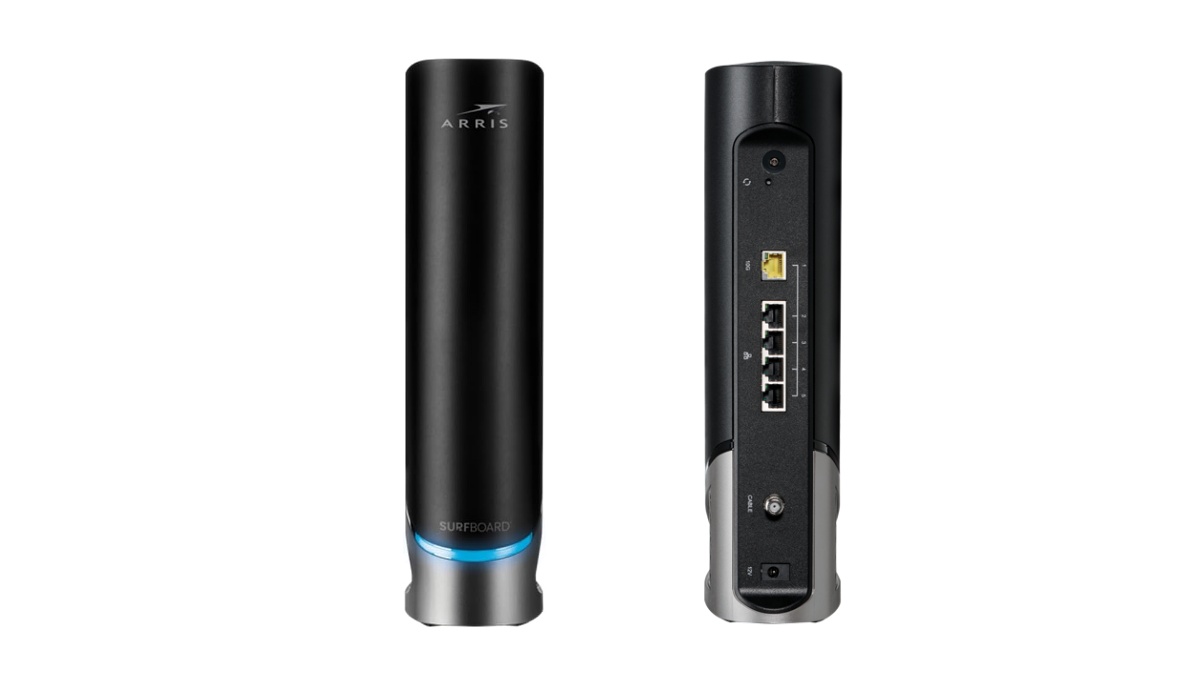
Maecenas sollicitudin

California, United States.

Category title

Autem vel eum iriure dolor in hendrerit in vulputate velit esse molestie consequat, vel illum dolore eu feugiat nulla facilisis at vero eros et dolore feugait.

Category Archive Cable Modem

Arris G20

Arris G20 vs Netgear Cax30 Which One is Suitable for you
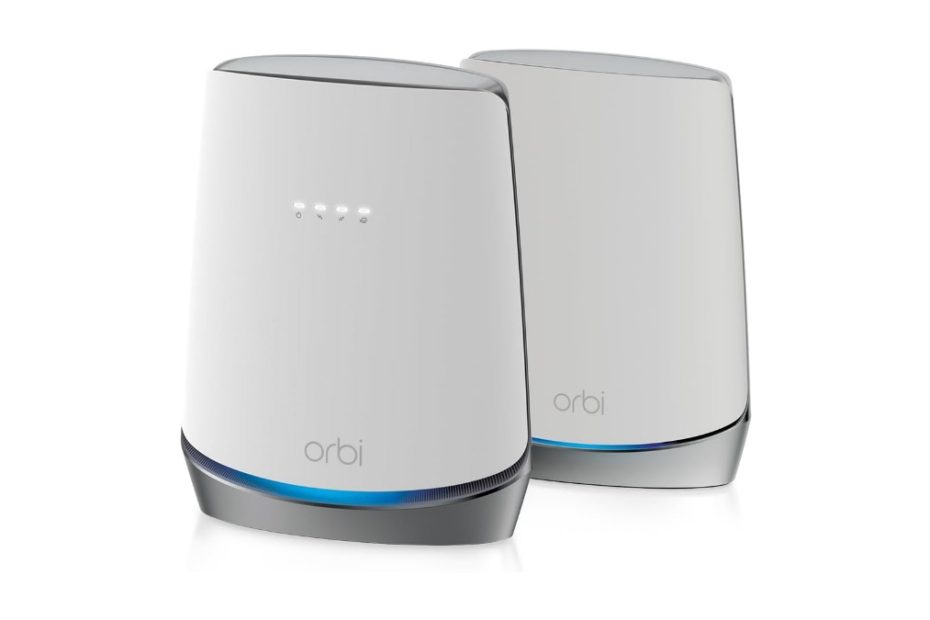
Arris introduced few models of cable modem router combo, wifi router with built-in cable modem including G18, G20, G34, G36 and the latest G54. Netgear is one of its rival with its products: Netgear cax30 and cax80.

In this article:

Arris cable modem router combo

Arris is a well-known manufacturer of cable modems, best known for its Surfboard series. If you look at the market today, you’ll find several Arris cable modems and cable modem–router combos, with Netgear being one of its main competitors.

One of Arris’s most popular standalone cable modems is the Surfboard S33, which uses the latest DOCSIS 3.1 technology and competes closely with the Netgear CM2000. Beyond standalone modems, Arris also offers a range of cable modem–router combo devices. These all-in-one units combine a cable modem and a Wi-Fi router into a single device. Arris’s G-series models – such as the G18, G20, G34, G36, and G54—are all built on DOCSIS 3.1 technology.

Arris G20

Products Comparison

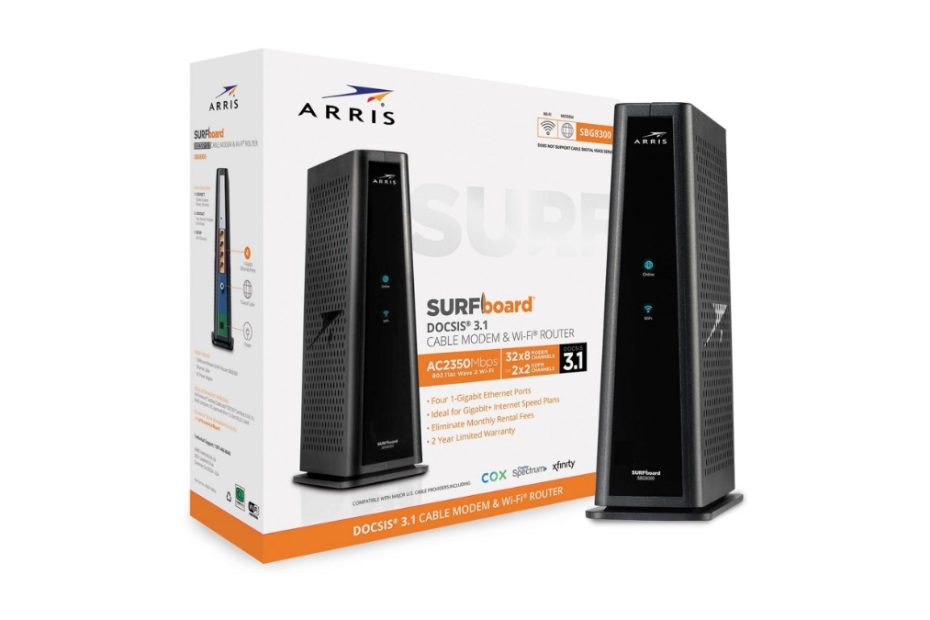
The Arris Surfboard SBG8300 is another DOCSIS 3.1 cable modem–router combo, but it uses the older Wi-Fi 5 (AC2350) standard. In contrast, the newer G-series models support more modern Wi-Fi standards, with most offering Wi-Fi 6 and the latest G54 model stepping up to Wi-Fi 7.

So what sets the Arris G-series apart from one another? Table 1 below outlines the current Arris G lineup using DOCSIS 3.1 technology. The key differences come down to supported internet speeds, built-in Ethernet ports, and the Wi-Fi performance tier.

Table 1 Arris G Series comparison

 Built-in WifiEthernet PortsInternet Speed
G18AX1800  Wifi 62x 1GUp to 1Gbps
G20AX3000 Wifi 62x 1GUp to 1Gbps
G34AX3000 Wifi 64x 1GUp to 1Gbps
G36AX3000 Wifi 61x 2.5G 4x 1GUp to 2.5Gbps
G54BE18000 Wifi 71x 10G 4x 1GUp to 10Gbps

The G18, G20, and G34 come with built-in DOCSIS 3.1 cable modem with maximum internet speed up to 1Gbps, G36 supports up to 2.5Gbps. While the ultimate G54 series leveraging Wifi 7 standards support up to 10Gbps. You will find that the next generation of DOCSIS 4.0 supports multi-gig Internet speed up to 10Gbps and beyond.

Arris vs Netgear

One of the main rivals for Arris is Netgear. Netgear offers Cax30 and Cax80 that are main competitors for Arris G20, G34 and G36. We’ll focus on Arris G20 and compare it to Netgear Cax30 which the price gap is not much different.

Netgear CAX30

See also comparison between Arris G36 vs Netgear cax80, has been discussed on separate article.

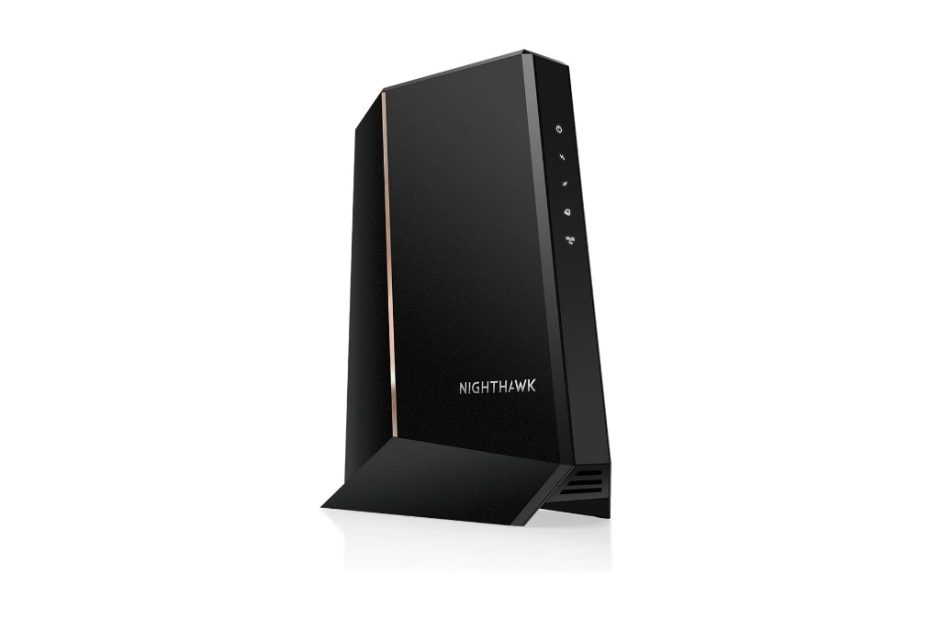
Table 2 below represents spec comparison between Arris Surfboard G20 and Netgear CAX30. Both products come with built-in DOCSIS 3.1 cable modem featuring OFDM 2×2 and 32 x 8 Channel bonding. Both support cable internet speed up to 1Gbps, appropriate for home internet need for work and play. You can work from home remotely with your Logitech or Nexigo 4k webcams smoothly, your kids play online games responsively and other family members connect to media social simultaneously with no lagging.

Port interfaces

With home wifi network in place, all the laptops, computer and mobile devices connect wirelessly. However, in some instances you also need wired connection such as game console, printer or other desktop computers and NAS.

Arris G20 allows you to connect up to 2 devices with wired connection. On the other hand Netgear cax30 gives you double number of Ethernet ports for wired connection (4x 1G LAN ports).

Another advantage for Netgear Cax30 is the USB port you can connect USB disk for storage share across the network.    

Comparison table

Table 2 Arris G20 vs Netgear cax30

ModelSurfboard G20Netgear Cax30
Wifi technologyDual band AX3000Dual band ax2700 wifi 6 with 6 streams
Signal rates1,200Mbps @2.4GHz; 
1,800Mbps @5GHz
0.9Gbps @2.4 GHz;
1.8Gbps @5GHz;
ModemBuilt-in DOCSIS 31 cable modem OFDM 2×2 + 32 x 8 Channel bondingBuilt-in DOCSIS 31 cable modem OFDM 2×2 + 32 x 8 Channel bonding
Ethernet ports2x 1G LAN Ports4x 1.0Gbps LAN Portsdual gigabit Ethernet port aggregation
USB portN/A1x USB 3.0 port for share storage
ProcessorUnspecified1.5GHz dual core processor
Dimension10.87 in x 9.92 in x 3.31 in / (276 mm x 251,9 mm x 84 mm)10.0 in x 8.3 in x 4.3 in / (254 mm x 211 mm x 110 mm)
Weight3.15 pounds / 1043 gram2.10 lb / 0.95 kg
Price$297.00$282.00

Price gap between the two products is not too much, almost the same over the time. Click the product’s link below to learn more details of manufacturer’s descriptions and spec on Amazon.

 All-in-one or separate devices

An all-in-one product is a compact device, eliminating clutter of devices at home. However, an all-in-one product such as Arris G20 or Netgear Cax30 is a single point of failure product. In case of you need to upgrade your network to the latest wifi 7 standards, you need to get rid of this device and replace it with faster one such as Arris G54. Arrs G54 comes with the latest wifi7 standards.

So if you like to be flexible in the future, a separate modem device plus wifi router is a better solution instead of an all-in-one device like G20 and Cax30. In this case, when you invest for example Arris S33 you can add the wifi router leveraging from previous wifi standards (wifi 5, wifi 6) up to latest wifi 7.

Related products

For large homes with high dens connected devices, you may consider mesh wifi system, consider popular Orbi or eero 7 products, you can select suitable products ranging from the entry level, middle range tier, or high end products.

For standalone routers, you may like to consider either Asus ax3000 or entry level be3600 wifi 7 routers. Click here Asus ax3000 or be3600 wifi 7 routers.

Netgear Orbi Cbk752 vs Arris G36 Cable Modem with Wifi Router

Want to reduce the clutter of network wiring in homes? Netgear gives you solution with its Orbi rbk752 product, an all in one compact device of wifi 6 router with built-in docsis 3.1 cable modem. 

To reduce the clutter of devices and wiring, the compact all-in-one wireless router with built-in cable modem is preference. It is therefore, Netgear offers Orbi cbk752, Arris offers G36 and G20, and there are still more from other vendors.

In this article:

Netgear Orbi Cbk752

To create a wireless network at home what you need is a modem (commonly given by your internet provider when you sign up) and a wireless router. For cable internet subscriber, typically the provider gives you cable modem and you need to connect the wireless router to create wifi network. With separate cable modem and wifi router, there will be wired clutter that may mess the room.

Orbi CBK752

All-in-one device

To reduce cable clutter in the room, Netgear offers you an all-in-one compact device which combines the cable modem and wifi router, Orbi cbk752. What this product does?  

Netgear Orbi cbk752 is mesh wifi 6 system with built-in cable modem. It’s an all-in-one mesh wifi 6 router with built-in cable modem. Orbi cbk752 is a two-pack of one unit Orbi cbr750 router and one Orbi rbs750 satellite. Orbi cbr750 is an ax4200 mesh wifi-6 router with built-in docsis 3.1 cable modem. A single Orbi cbr750 can cover up to 2,500 sq ft and when you need to cover wider coverage you need to add one or two orbi rbs750 satellites.

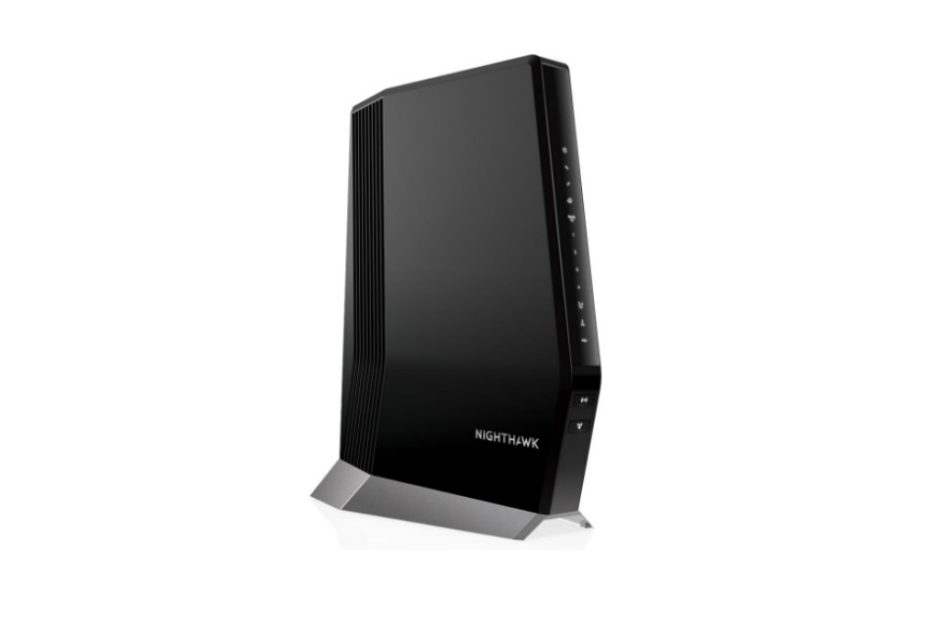
Another all-in-one compact device you may also consider is netgear cax80. Netgear cax80 is wifi 6 router (not mesh wifi 6 router like Orbi) with built-in docsis 3.1 cable modem. With netgear cax80 when you need to extend the coverage, what you need is to add wifi 6 range extender like Nighthawk ax80 (Eax80) range extender.

What is the difference between cax80 and Orbi cbr750?

Orbi Cbk752 vs Netgear cax80

Orbi cbk752 is one of netgear Orbi lines of products with mesh technology, however this cbk750 is an all-in-one device as discussed above. On the other hand, netgear cax80 is a wifi router (not a mesh system like orbi) with built-in docsis 3.1 cable modem like what Arris with its surfboard g34 and g36 products offers. This is the main difference between the two models of cable modem gateway.

Netgear CAX80

What are the spec differences between the two gateway modes? Table 1 below shows spec difference between orbi cbk752 and netgear cax80.

Aggregated bandwidth

The first spec difference is the total aggregated bandwidth between the two models. See that cax80 is a dual band ax6000 wifi 6 router, while cbk750 is tri-band ax4200. The 4200Mbps total bandwidth for orbi here is not totally used for connected clients; however one band is used as dedicated backhaul link between orbi nodes. So only the other two bands @1800Mbps (600 + 1200) are used for connected devices.

What about netgear cax80? It is a dual band with total aggregated bandwidth up to 6000Mbps used for connected clients totally. So, more bandwidth capacity is provided by cax80 as opposed to cbk752 which is only 1800mbps.

When mesh is used

However, if your house is large enough, especially multi-storey building, the Orbi cbk750 with one or two Orbi satellites (Orbi rbs750) is more profitable because it can provide even signal coverage throughout your multi storey house. However, you only have 1800Mbps bandwidth for clients.

For more details, please refer to spec comparison table below.

Table 1 Netgear Orbi cbk752 vs Netgear Cax80

Netgear GatewayNetgear Orbi CBK752Netgear CAX80
Wifi technologySimultaneous tri-band ax4200 mesh wifi-6 with 8-streams MU-MIMOSimultaneous dual band ax6000 wifi 6 router
Wifi signals600Mbps @2.4GHz 2×2 MU-MIMO 1,200Mbps @5GHz 2×2 MU-MIMO 2,400Mbps @5GHz 4×4 MIMO (dedicated backhaul link)4,800Mbps @5GHz 1,200Mbps @2.4GHz
Coverage2,500 sq ft / each node3,000 sq ft
Backhaul linkdedicated backhaul link  @5GHz @2,400Mbps 4×4 MIMO you need to add Orbi rbs750 for extending coverageN/A, doesn’t support mesh, you need range extender to extend coverage
Ethernet PortFour (4) 10/100/1000Mbps Gigabit Ethernet LAN portsFour (4) Gigabit Ethernet LAN ports with Dual Gigabit Ethernet Port Aggregation. One (1) 2.5Gbps Ethernet Port
USBN/A1x USB 3.0 port for storage
Cable modemDOCSIS 3.1 cable modemDOCSIS 3.1 cable modem
Price$179.99 (2-pack with Orbi satellite)$229.99 (1 unit)

With a single unit device, cax80 covers slightly wider coverage and wider bandwidth, all the bandwidth is used for connected devices. With mesh system, orbi cbk752 uses one of its radio bands as dedicated backhaul. When it comes to select CAX80 is appropriate to cover your home, this solution is preference instead of using Orbi mesh wifi.

What about other competing product from different vendor? You may consider Arris surfboard g36 to compare, see which one is suitable to your home. 

Orbi Cbk752 vs Arris Surfboard G36

Arris is one of most popular vendors in cable modem device products. Its latest product additions are Arris G34, Arris G36, and the Arris G20. All the three products come with the same AX3000 network segment. What makes them set apart?

Arris G36
  • Arris G20 comes with two 1.0Gb Ethernet Ports, internet plan up to 1Gbps
  • Arris G34 comes with four 1.0Gb Ethernet Ports, internet plan up to 1.0Gbps
  • Arris G36 comes with four 1.0Gb Ethernet ports, 1×2.5Gbps, plan up to 2.5Gbps

Let’s take Arris G36 and compare it with Orbi Cbk752, see which one is suitable to meet your home network. Take a look at table 2 below as reference.

Network Capacity

When it comes to compare Orbi cbk752 with arris g36, you have similar thought as you compare cbk750 with netgear caax80 as discussed above. With arris g36, the aggregated bandwidth is 3,000Mbps that can be used for connected devices. This is half the bandwidth capacity of cax80.

When you compare g36 with Orbi cbk750, arris g36 still provides more bandwidth than orbi cbk752 knowing that half portion of orbi’s bandwidth is used as dedicated backhaul link. However, when you require twice coverage than arris can cover, Orbi cbk752 with 2-pack is more advantage.

Multi-gig LAN port

One thing that you may also consider in selecting which one is suitable with your need is the availability of multi-gig ethernet port when the requirement for this multi-gig port exists. Cbk752 doesn’t come with multi-gig port, but arris g36 does. What this multi-gig port is used for? When it comes the demand of high speed NAS device with 2.5Gbps port, G36 is ready to support this.

When the client density is very high and requires intensive NAS access tasks, you need a NAS product that is also equipped with a multi-gig port that is also connected to a network that supports the same 2.5gbps Ethernet port to provide optimal data throughput. Call it a NAS product with multi-gig port like Asustore Lockerstor 2 gen2 as6702t that comes with two 2.5Gbps Ethernet ports.

Spec Comparison table

Take a look at the following spec comparison table between Orbi cbk752 and Arris surfboard g36 to help you understand the product’s comparison.

Table 2 Orbi Cbk750 vs Arris Surfboard g36 

Cable modem routerOrbi CBR750Arris Surfboard G36
Wifi technologySimultaneous tri-band ax4200 mesh wifi-6 with 8-streams MU-MIMOSimultaneous dual band AX3000 Wifi 6 Router
Wifi speeds600Mbps @2.4GHz 2×2 MU-MIMO 1,200Mbps @5GHz 2×2 MU-MIMO 2,400Mbps @5GHz 4×4 MIMO (dedicated backhaul link)2,400 Mbps @5GHZ 4×4 MIMO 600 Mbps @2.4GHz  2×2 MIMO
Coverage2,500 sq ft / each node2,500 sq ft
Antennas6x high performance internal antennas with high-powered amplifiersInternal antennas
Docsis 3.1 Cable modemYesYes
Ethernet PortsFour (4) 10/100/1000Mbps Gigabit Ethernet LAN ports4 x 10/100/1000 Base-T Ethernet (RJ-45 connector) MDI /MDI-X 1x 2.5Gbps LAN port
USB PortsN/AN/A
ProcessorPowerful Quad-Core 1.4GHz processorUnspecified
SecurityNETGEAR Armor advanced cyber threat protection service, subscription neededThird party security protection when required
Dimension9.6 in x 7.7 in x 3.5 in10.87 in x 9.92 in x 3.31 in (276 mm x 251,9 mm x 84 mm)
Price$179,99 (2-pack)$179.99 (1pc)
Price Tagged

Prices are always fluctuated by time, and today with the emerging of wifi 7 products, the prices of wifi 6 products are getting dropped. So far, both products are tagged with almost the same price on Amazon. When you require home coverage of around 2,500 sq ft, arris g36 is enough. However, when you require double coverage Orbi is appropriate.

Click the links below to learn more details and see current price and best deal from Amazon (#ads).

Related products

If your connected devices are still based on wireless ac, you can also use similar model such as the Arris Surfboard sbg8300 or Motorola mg8725 wireless AX600 router with built-in DOCSIS 3.1 cable modem.

When you like to taste the next generation of wifi 7 technology, Arris has released its Surfboard G54, BE18000 wifi 7 router with built-in DOCSIS 3.1 cable modem.  

Arris Sbg8300 vs Netgear C7800 Which One is Better

Arris Sbg8300 is a wireless cable modem gateway with legacy wifi 6, a wireless ac2350 router with built-in DOCSIS 3.1 cable modem. How does Arris sbg8300 vs Netgear c7800 perform?

In this article:

Legacy Cable Modem Gateway

Arris enters the WiFi-6 arena with the release of the Surfboard G36 wireless gateway, following the success of its predecessor, the Surfboard SBG8300, which relied on legacy WiFi-5 technology. And Arris just unveiled its ultimate product with the flavored of next generation wifi 7 technology – the Arris Surfboard G54.

The question arises: is it still a wise choice to invest in the Arris SBG8300, or is the new Arris G36 a more compelling option?

See also Netgear CM2000 and Motorolla MB8611 DOCSIS 3.11 cable modem, native cable modem you may add to wifi router such as Deco X95, or connect to new eero 7.

Similarly, Netgear introduces the CAX80 and CAX30 with WiFi-6 technology after the triumph of the Netgear C7800, a device based on legacy WiFi-5 technology. In a dilemma between Arris SBG8300 and Netgear C7800, especially if you’re sticking with a legacy WiFi-5 network, which one offers a more economical solution?

Arris Cable Modem Gateway

So far Arris introduced few numbers of cable modem gateway products – the compact device that integrates wifi router and cable modem for simple installation and reduce network cable cluttering, ranging from legacy wifi-5, wifi-6 and the latest one is wifi 7.

  • Arris SBG7400
  • Arris SBG7600
  • Arris SBG8300
  • Arris G34 / G36
  • Arris G54

Before the Surfboard SBG8300 series, Arris had already unveiled cable modem wireless router products that were popular at that time including Surfboard SBG7400 and SBG7600 series. These cable modem gateway products, with varying speeds, shared a commonality – an integrated wireless router boasting wave 2 WiFi AC2350 simultaneous dual-band capabilities. Technically, each model promises WiFi speeds of up to 1733Mbps @5GHz and up to 600Mbps @2.4GHz.

Arris SBG8300

Distinguishing factors

The primary distinctions lie in the cable modem types and speeds integrated into the wireless router. Refer to the following table for a detailed breakdown. While both Surfboard SBG7400 and SBG7600 operate on DOCSIS 3.0, the Arris SBG8300 steps into the DOCSIS 3.1 realm, offering speeds ten times faster than its predecessor.

The second differentiation is in the downstream internet speed, particularly in the number of channel bonding. The SBG7600 boasts 32x channel bonding with speeds up to 1.23Gbps, a notable difference compared to the 24x channel bonding of the SBG7400. Given the backward compatibility of the DOCSIS 3.1 cable modem with existing DOCSIS 3.0 infrastructure, investing in the SBG8300 proves worthwhile for those seeking blazing internet speeds of up to 4Gbps. As a reference, the ultimate Arris G54 supports double blasting internet speed of up to 10Gbps.

Spec comparison table Surfboard Series

Table 1 Surfboard Sbg8300 vs Sbg7600 vs Sbg7400

 Surfboard sbg7400Surfboard sbg7600Surfboard sbg8300
Cable modemDOCSIS 3.0DOCSIS 3.0DOCSIS 3.1
Channel bonding24 x 832 x 82×2 OFDMA / 32 x 8 DOCSIS 3.0
Downstream Internet speed1.0Gbps1.23Gbps4Gbps
Upstream speed240Mbps240Mbps1Gbps

As the Arris SBG8300 hits the market, its primary contender emerges in the form of the Netgear C7800 (aka Nighthawk X4s), which debuted a few months before the SBG8300 release. The competition between these two products sets the stage for a comprehensive comparison.

With the advent of WiFi 7 technology, Arris expands its lineup by introducing the ultimate Arris Surfboard G54 alongside the popular Arris G34 and Arris G36, both still grounded in WiFi 6 technology with built-in DOCSIS 3.1 cable modems. The Arris G54 boasts two multi-gig 10Gbps Ethernet ports and two additional 2.5Gbps ports. To delve into further details about the Arris Surfboard G54, click here Arris Surfboard G54.

To learn more details about Arris G34 and G36, click here Motorola Mg8725 which discusses those two Arris g34 and g36 cable modem gateway which are still based on wifi 6 standards.

Now let’s discuss which of the arris sbg8300 and Netgear C7800 is worth buying if you don’t want to switch to wifi-6 network or super fast wifi 7 technologies.

Arris Sbg8300 vs Netgear C7800

Upon its initial release, the Arris SBG8300 was competitively priced at around $100 less than the Netgear C7800, strategically positioning itself as a more economical alternative. This pricing strategy aimed to capture the attention of customers seeking a similar product at a more budget-friendly rate, despite a few technical specification differences.

Netgear C7800 Cable Modem Wifi

So, what sets these two products apart? The spec comparison table below outlines the primary distinctions between the Arris SBG8300 and Netgear C7800, aiding you in identifying the main differences, if any.

See also comparison Motorola DOCSIS 3.1 cable modem vs Arris, both native DOCSIS 3.1 cable modem and gateway.

Cable modem

Both products share a commonality in featuring a built-in DOCSIS 3.1 cable modem, offering speeds up to 10Gbps. This ensures compatibility with cable providers employing DOCSIS 3.1 infrastructure, such as Cox, Spectrum, Xfinity, and other US cable providers. The backward interoperability with DOCSIS 3.0 infrastructure provides added flexibility and peace of mind.

Wifi router

While both devices utilize simultaneous dual-band technology, they operate in different network segments. The Surfboard SBG8300 employs wave-2 AC2350 technology with a total aggregated bandwidth of up to 2,350Mbps. In contrast, the Netgear C7800 utilizes wave 1 AC3200 technology, delivering a total aggregated bandwidth of up to 3,200Mbps.

Port interfaces

And one more physical difference is the existence of two USB 3.0 ports on the Nighthawk X4s (Netgear C7800) that is absent on the Arris Sbg8300. This USB port is typically used for sharing printer or hard disk storage. However, when you use Windows PC platform at home you can utilize printer and file sharing feature offered by Windows series as well as Mac platform.

Table 2 Arris Sbg8300 vs Netgear C7800

ModelArris Surfboard SBG8300Netgear C7800 (aka Nighthawk X4s)
Cable modemDOCSIS 3.1DOCSIS 3.1
Cable speeds10Gbps download speed (2 x 2) OFDM 32 x 8 Modem Channel , up to 1Gbps downstream2×2 OFDM ready up to 9Gbps / 32 x 8 channel bonding speeds of up to 1Gbps internet downstream
Wifi technologyDual band AC2350 wave 2Dual band AC3200 wave 1
Wifi speeds1,733Mbps @5GHZ 600Mbps @2.4GHz2,200 Mbps @5GHz 1,000 Mbps @2.4GHz
Antenna3 x 3 and 4 x 4 MIMO antenna arraysFour (4) high performance active antennas
Ethernet ports4 x 10/100/1000 Base-T Ethernet (RJ-45 connector) MDI /MDI-XFour (4) Gigabit Ethernet LAN ports
USB portsN/ATwo (2) USB 3.0 ports
ProcessorUnspecifiedDual core 1.5GHz processor with 128MB Flash and 256MB RAM
Price$249.00$199.99
Which One to choose

With few technical advantages on Netgear C7800 Nighthawk x4s cable modem wireless router, you can choose between Netgear c7800 with better technical features, however this products has been marked as discontinued. So, it’s much better to choose Arris SBG8300, or you also like to opt Arris G36.

To learn more spec details and manufacturer’s description, click the product link below to shop in Amazon (#ads).

Related products

To taste the next generation of wifi 7 technology, you may start with lower level wifi 7 network segment product, try this Archer BE550 BE10000, instead of Asus Rog Rapture AXE11000.

Netgear CM2000 vs Motorola MB8611 DOCSIS 3.1 Cable Modem

Netgear CM2000 is of popular DOCSIS 3.1 cable modems that support high speed internet plan from your cable provider. This product competes tightly with another popular products – the Motorola MB8611.

In this article:

The need for wider internet bandwidth is becoming increasingly pronounced considering our lifestyle and all connected devices depend on an internet connection. This is especially for gamers in mind that demand smooth and responsive online gaming with no lags and also the needs of video streaming. It is therefore Netgear introduces new faster cable modem up to 2.5Gbps internet plan; CM2000 cable modems, and Motorola also offers competing product Motorola MB8611.

Netgear CM2000

If you’re currently using a DOCSIS 3.0-based cable modem at home and your internet speed is capped at 1Gbps, it may be worth considering a switch to a DOCSIS 3.1-based cable modem. With this upgraded technology, you could experience internet speeds up to 10 times faster than your current setup. Fortunately, most cable internet providers now offer DOCSIS 3.1 cable infrastructure, so making the switch should be relatively easy.

Netgear CM2000

While there are a few DOCSIS 3.0 cable modems available on the market with maximum speeds up to 1Gbps, such as the Netgear CM700 and Surfboard sb6190, upgrading to a DOCSIS 3.1-based modem would allow you to take full advantage of the faster speeds offered by your cable provider.

DOCSIS 3.1

Building on the success of their earlier model, the Netgear CM1000, Netgear has now released the updated CM2000 series. This new DOCSIS 3.1 cable modem features a powerful multi-gigabit 2.5Gbps Ethernet port, designed to handle the lightning-fast internet speeds available through DOCSIS 3.1 infrastructure up to 2.0Gbps.

For those who need additional phone lines, Netgear also offers the CM2050V, which is essentially the same as the CM2000 but includes two phone lines. While this product is certified by Xfinity, it is not currently compatible with Verizon, AT&T, or CenturyLink.

Upgrade your internet connection to the next level with Netgear’s latest series of DOCSIS 3.1 cable modems. The CM2000 and CM2050V offer impressive speeds and features that will keep your home connected and ready for the future.

Compared to its predecessor, the CM1000, the Netgear CM2000 offers a significant upgrade with its 2.5Gbps WAN port. This is particularly useful for connecting to newer Wi-Fi 6 routers that have 2.5Gbps WAN ports, such as the new Archer AXE300 or Asus Rog Rapture.

One of the great benefits of the Netgear CM2000 is that it remains backward compatible with DOCSIS 3.0 infrastructure. So even if your provider is still using DOCSIS 3.0, you can still benefit from the CM2000’s advanced features. The CM2000 is capable of 32×8 channel bonding DOCSIS 3.0, delivering speeds up to 2.0 Gbps.

Upgrade your home network with the Netgear CM2000, and experience faster speeds and better connectivity with your Wi-Fi 6 router. Whether your provider is using DOCSIS 3.0 or the newer DOCSIS 3.1 infrastructure, the CM2000 is a reliable and future-proof choice.

For Multi Gig Routers

To achieve optimal data throughput, it’s important to connect your premium Wi-Fi 6 router with a cable modem that has a multi-gigabit Ethernet port, such as the Netgear CM2000 or Motorola MB8611. Today, you can find several models of premium Wi-Fi 6 routers on the market that come equipped with multi-gigabit WAN ports, up to 2.5Gbps.

For example, the Orbi RBK860 series and its business model, Orbi SXK80, both feature 2.5Gbps WAN ports, as does the Asus Zenwifi XT8. For even higher bandwidth requirements, the new Orbi RBK963 is equipped with a lightning-fast 10Gbps WAN port, designed to welcome the next generation of cable lab technology – DOCSIS 4.0 – which can achieve speeds of up to 10Gbps.

Most new Wi-Fi router products with next-generation Wi-Fi 7 technology are expected to come with a multi-gigabit 10Gbps WAN port. Whether you’re a casual home user or a power user with demanding bandwidth needs, there’s a premium Wi-Fi 6 router on the market that’s perfectly suited to your requirements. Upgrade your home network today and experience lightning-fast connectivity and performance!

Highlights
  • DOCSIS 3.1 cable modem with internet speed up to 2.5Gbps
  • DOCSIS 3.1 32×8 channel bonding and OFDM(A) 2×2
  • Compatible with all major cable internet providers including Xfinity, COX and Spectrum. NOT compatible with Verizon, AT&T, CenturyLink
  • Ideal connecting to premium wifi routers with multi gigabit Ethernet port
  • Equipped with 1×2.5Gbps Ethernet Port

The Netgear Nighthawk CM2000 is a sleek and stylish cable modem designed with aesthetics in mind. Its wireless gateway model, the Nighthawk CAX80 DOCSIS 3.1 Wi-Fi 6 cable modem, is a mesh Wi-Fi 6 router with a built-in DOCSIS 3.1 cable modem. Unlike a cable gateway, the Nighthawk CM2000 is a native DOCSIS 3.1 cable modem that does not include a NAT feature. With its advanced features and sleek design, the Nighthawk CM2000 is an excellent choice for anyone looking to upgrade their home network.

This product is tagged with the price around $299.99 in Amazon (#ads).

Click here to SHOP Nighthawk cm2000 (#Ad)

Now, there is a competing product for this model offered by Motorola – Motorola MB8611 DOCSIS 3.1 cable modem.

Nighthawk CM2000 vs Motorola MB8611

The Motorola MB8611 is an excellent alternative to the Netgear Nighthawk CM2000, especially considering its price point which is only half of the Nighthawk CM2000. This DOCSIS 3.1 cable modem is backward compatible with 32×8 channel bonding DOCSIS 3.0 cable modem and boasts a 2.5Gbps Ethernet port, just like the Nighthawk CM2000. It is also approved for use with Comcast Xfinity and offers downstream speeds just below 2,500 Mbps and upstream speeds up to 800 Mbps.

Motorola MB8611
Spec comparison table

If you’re interested in comparing the Netgear Nighthawk CM2000 and Motorola MB8611 DOCSIS 3.1 cable modems, take a look at the following spec comparison table. These two products have a lot in common and offer similar features, so it’s important to compare them side by side to determine which one is the best fit for your needs.

Table 1 Netgear CM2000 vs Motorola MB8611

DOCSIS 3.1 cable modem modelNetgear CM2000Motorola MB8611
Cable modem technology: DOCSIS 3.1YesYes
1x 2.5Gbps Gigabit Ethernet port with auto-sensing technologyYesYes
Provider supported Compatible with all major US Cable SP and Works right out of the box with XFINITY from Comcast, Spectrum, Cox more – NOT compatible with Verizon, AT&T, CenturyLink, DSL providers, DirecTV, DISH and any bundled voice serviceWorks with Comcast XFINITY, Comcast Business, Cox Communications, Charter Spectrum and other US service providers
Dimension6.8 x 3.7 x 8.2 in / (172 mm  x 94mm  x 208 mm)7.25 x 2.25 x 7.88 In (184.1mm x 57.1mm x 200.1mm)
Weight1.02lb (482g)1.1 lb (498.9grams)
Price (Feb 2023)$299.99$219.99
Price Points

While the price difference between the Netgear Nighthawk CM2000 and Motorola MB8611 DOCSIS 3.1 cable modems is not significant, the Nighthawk offers a sleek and stylish design compared to the conventional look of the Motorola. Retail prices for both products may vary, so we recommend clicking the link below to check the current prices and learn more details on Amazon (#ads).

Click here to SHOP Motorola Mb8611 in Amazon (#ads)

Related products

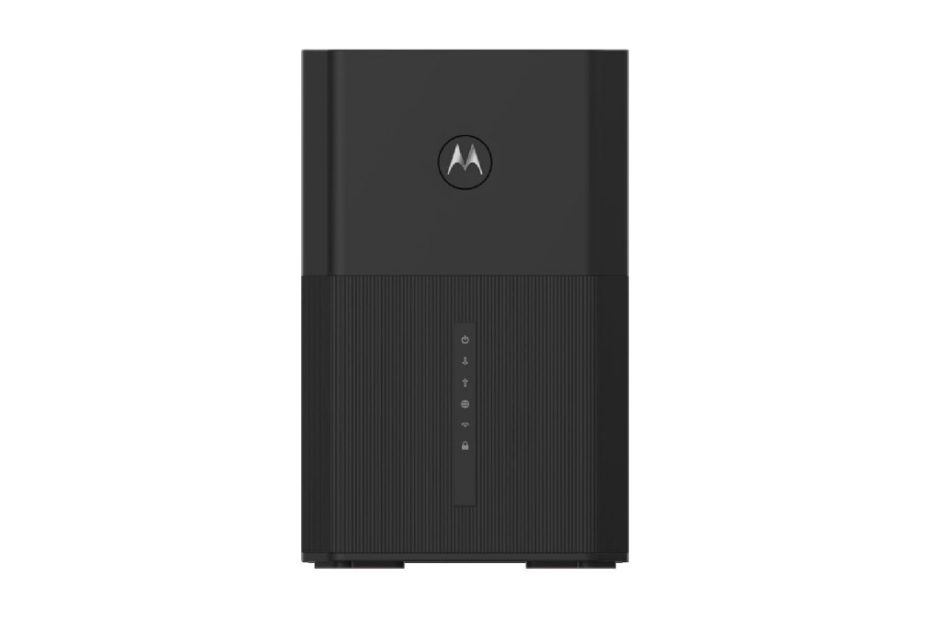
Should you prefer cable modem router combo, a combination of wifi router with built-in cable modem, you have a try Motorola MG8725. This comes with ax6000 wifi 6 router with built-in DOCSIS 3.1 cable modem.

For lower model, you may consider Netgear CAX30 that comes with AX2700 wifi 6 ad built-in DOCSIS 3.1 cable modem. Click here Netgear cax30 vs Motorola MG8702.

Motorola MG8725 Cable Modem Wifi vs Netgear vs Arris

If you’re in the market for cable modem products with a built-in Wi-Fi 6 router, you’ll be pleased to know that the previously dominant Netgear cax80 now has some competition from Motorola and Arris. With these new options, how is the competition shaping up for all-in-one cable modems with built-in Wi-Fi 6 routers?

In this article:

Cable Modem with Wifi 6

For nearly a year, the dominant player in the market for Wi-Fi 6 router products with built-in DOCSIS 3.1 cable modem was Netgear cax80, while competitors such as Arris and Motorola did not release similar products until the end of the last quarter of 2021. Now, consumers have a wider range of options with all-in-one Wi-Fi 6 router products featuring built-in DOCSIS 3.1 cable modems from both vendors.

Motorola has recently released two new models, the Motorola mg8725 and mg8733, following the success of their flagship product, the Motorola mg8702, which had been on the market for a few years. Meanwhile, Arris has released two new models, the Surfboard G34 and G36, in addition to their successful flagship product, the Surfboard sbg8300. The latest model introduced was Arris G54 that comes with wifi 7.

See also Orbi RBK863 vs Deco X90, medium class mesh wifi 6.

Motorola MG8725 and MG8733

Motorola has introduced two new models, the Mg8725 and Mg8733, which are nearly identical except for a few key differences. The main distinction between the two is that the Mg8733 includes two telephony interfaces, RJ11, which can be used with Comcast Xfinity, whereas the Mg8725 does not.

Motorola MG8725

In addition, the Mg8733 is equipped with a UPS battery backup system (sold separately), which can provide up to 8, 16, or 24 hours of backup power. Because of the two phone line feature, the LED lights on the Mg8733 also differ slightly from those on the Mg8725, with additional LEDs for Tel1, Tel2, and UPS.

Both of these products are all-in-one Wi-Fi 6 ax6000 routers with built-in DOCSIS 3.1 cable modem representing the next generation of Wi-Fi technology. In general, both products share the same specifications and features, with the exceptions mentioned earlier for the Mg8733.

Highlights

  • Simultaneous dual band ax6000 wifi 6 routers with 8 data streams
  • Wifi speeds up to 1200Mbps (4×4) @2.4GHz and up to 4800 Mbps (4×4) @5GHz
  • Multi SSIDs, up to 4x SSIDs (2 SSIDs / band)
  • Equipped with 4x internal dual-band antennas with power boost wireless amplifiers
  • Comes with 1x 2.5Gbps LAN port and 3x Gigabit LAN ports with auto sensing technology 
  • Comes with built-in DOCSIS 3.1 cable modem, supports up to 3,780Mbps downstream and up to 800Mbps upstream
Cons
  • No USB port for storage disk sharing
  • Ethernet LAN ports don’t support link aggregation

Given their impressive features, can these two products compete with other similar products in the market, particularly the widely popular Netgear Nighthawk cax80, which has been available for almost a year before Motorola released these new models?

See also wifi 6e routers offered by TP-Link and Asus. Click here TP-Link Archer AXE300 vs Asus ROG Rapture GT-AXE16000.

Motorola Mg8725 vs Nighthawk Cax80

To be able to see the spec and feature differences between Motorola and Netgear products, you can refer to table 1 below to make it easier to see the strengths and weaknesses of each product. We take mg8725 instead of mg8733 since mg8725 doesn’t come with Telephone line port, so doesn’t cax80.

Netgear CAX80

Both come with the same wifi technology, ax6000 wifi 6 with 8 data streams, each radio band supports 4×4 MU-MIMO technology.

Are there wifi card adapters that support wifi 6 technology available in the market today? Of course, there are many PCI-e adapters that support 2×2 mu-mimo dual band ax3000, such as the archer ax3000 adapter or the asus ax3000 adapter.

If there are two desktops in your home with this Asus or Archer adapter installed, a 4×4 router like Motorola and Cax80 can send two data streams to two desktops at once, without having to take turns one by one so that your network is more efficient and latency-free.

Port Interfaces

When it comes to Ethernet ports, the Netgear Cax80 surpasses Motorola by offering an additional Ethernet port. The benefit of both products, however, is that they each offer a 2.5Gbps multi-gig port that can be used for wired connections to desktops with multi-gig ports or to NAS storage with multi-gig ports, such as the Asustor Lockerstor 2 AS6602T.

Another factor worth considering is that the Cax80 offers support for teaming ports or link aggregation, which combines two Ethernet ports to achieve faster multi-gig network speeds. To take advantage of this feature, simply enable it and connect to a compatible network device that also supports link aggregation, such as the QNAP TS-231K NAS with its two 1Gbps Ethernet ports. It’s important to note that link aggregation is disabled by default on the Cax80, so you will need to enable it before connecting to a compatible NAS that supports link aggregation.

Link Aggregation

Access your web browser and type http://www.routerlogin.net and from the basic home page you need to select ADVANCED > Advanced Setup > Ethernet Port Aggregation, you need to enable the LACP-IEEE 803.3ad (by default is disabled).

The Cax80 outperforms Motorola in yet another aspect: it offers a USB 3.0 port, which Motorola lacks. This USB port enables users to share USB disk storage across the network using Netgear ReadyShare technology. To access the connected USB disk from the router on Windows-based devices, simply select Start > Run and enter \readyshare in the dialog box. You can also map the drive with the usual drive letter for easy access across the Windows network.

On the other hand, the Motorola MG8725 does not come with a USB port that allows for external USB disk sharing across the network. Therefore, the Netgear Cax80 offers more advantages than the MG8725 in terms of storage sharing. However, with the absence of USB port you still can use NAS device for network storage.

Security Protection

Network protection is not offered by Motorola, but the Cax80 does provide this feature. Netgear offers a paid subscription for network security protection with its Netgear Armor, powered by Bitdefender. Motorola does not have such security protection available, so if you want to safeguard your network environment, you’ll need to use third-party network protection software, such as Bitdefender, Norton 360 Deluxe, McAfee Total Protection, or Kaspersky Internet Security.

For more details see the following spec comparison table for Motorola mg8725 vs netgear cax80.

Table 1 Motorola Mg8725 vs Netgear Cax80

ModelMotorola MG8725Netgear Nighthawk Cax80
Simultaneous dual band ax6000 with 8 streamsYesYes
Signal rates: 1.2Gbps @2.4GHz 4×4  4.8Gbps @5GHz 4×4YesYes
Antennas4x dual band internal antennas with power boost wireless amplifiersInternal antennas
Ethernet Ports1x 2.5Gbps LAN; 3x Gigabit LAN ports ; with Auto-MDI/MDIX1x 2.5Gbps Ethernet LAN port; 4x 1.0Gbps Ethernet LAN ports, dual gigabit Ethernet port aggregation
USB PortsN/A1x USB 3.0 for storage device
ProcessorUnspecified1.5GHz Dual core processor
SecurityWireless Security: WPA-PSK/WPA2-PSK, WPA/WPA2,TKIP/AES, WPS, 802.1xNetgear Armor Powered By Bitdefender: 30-day free trial; Supports WPA/WPA2 wireless security protocols
SSIDs4x SSIDs (2 SSIDs / radio band )One network name or each band
DOCSIS 3.1 cable modem;2×2  OFDM  32×8 Channel bonding DOCSIS 3.0 Cable Modem  Yes  Yes
Dimension and weight8.8″ H x 5.7″ W x 3.5″ D Weight: 32 Ounces10.4 in x 8.5 in x 4.3 in / (264 mm x 215 mm x 110 mm) 2.55 lb (1.16 Kg)
Price in Amazon (Mar 2023)$399.99$369.99 (MSRP: $424)
Price Points

The prices are almost the same, not so much difference at the first time the products were released to the market. Generally the prices will drop when new products released with better technology. You may also like to consider Motorola MG8733 series, the same series as mg8725 with the addition of two phone lines.

Click the product’s link below to see current price and learn more details in Amazon (#ads).

Apart from Motorola and netgear, Arris also released two series of wifi 6 cable modem products after surviving for a long time with its flagship product Surfboard Sbg8300 that still based on wifi 5 technology. 

Arris Surfboard wifi 6 cable modem

Similar to Motorola, Arris has also released two models of Wi-Fi 6 routers with built-in DOCSIS 3.1 cable modems. ARRIS is a well-known manufacturer of cable modems, and two of their recent series are the Surfboard G36 and G34. Both modems offer impressive performance and are designed to work with most cable internet providers.

These two models are identical, except for the G36’s inclusion of a multi-gig 2.5Gbps port. Unlike Motorola and Cax80, which are both based on ax6000, Arris has released these two models based on ax3000.

In our previous discussion, we compared the Motorola MG8725 and the Netgear Nighthawk Cax80, which were comparable as they both operate within the same ax6000 network segment. This time, we’ll be comparing the Arris Surfboard G36 with the Netgear Nighthawk Cax30, which are also comparable as they both operate within the same ax3000 network segment.

Table 2 below shows you spec comparison between Arris Surfboard g36 and Netgear Nighthawk cax30s (the affix s means the purchase includes 90-days Netgear Armor network security subscription).

 Slightly different specs

Both of these products operate on the same network segment, although there is a slight difference in the signal rate at the 2.4Ghz radio band. However, the signal rate is the same at the high band of 5GHz. The Netgear Cax80 series is designed for the middle-class product segment, while the Netgear Cax30 series is designed for the entry-level product segment.

Arris Surfboard G36

When compared to the Cax30, which lacks a multi-gig Ethernet port, the G36 comes equipped with a 2.5Gbps Ethernet LAN port. However, unlike the Cax30, the G36 does not have a USB port. If you do not require high-speed NAS capabilities using the multi-gig port on the G36, the Cax30’s USB port can be used to share USB disk storage across the network.

Spec comparison Surfboard vs Cax30

Table 2 Arris Surfboard G36 vs Nighthawk cax30s

ModelSurfboard G36Nighthawk Cax30s
Wifi technologySimultaneous dual band ax3000 wifi 6Simultaneous dual band ax2700 wifi 6 with 6 streams
Signal rates1,200Mbps @2.4GHz; 1,800Mbps @5GHz 3×30.9Gbps @2.4 GHz 3×3; 1.8Gbps @5GHz 3×3
ModemBuilt-in DOCSIS 31 cable modem OFDM 2×2 + 32 x 8 Channel bondingBuilt-in DOCSIS 31 cable modem OFDM 2×2 + 32 x 8 Channel bonding
Ethernet ports1x 2.5Gbps LAN Port; 4x Gigabit LAN ports4x 1.0Gbps LAN Ethernet Ports, dual gigabit Ethernet port aggregation
USB portN/A1x USB 3.0 port for share storage
ProcessorUnspecified1.5GHz dual core processor
Dimension10.87 in x 9.92 in x 3.31 in (276 mm x 251,9 mm x 84 mm)10.0 in x 8.3 in x 4.3 in / (254 mm x 211 mm x 110 mm)
Weight3.15 pounds / 1043 gram2.10 lb / 0.95 kg
Price$299.99$282.00

When considering whether to purchase a separate cable modem with a WiFi 6 AX1800 router or an all-in-one device like the Surfboard G36 or Cax30s, which option is more cost-effective?

If we do the calculations, a DOCSIS 3.1 cable modem, such as the Motorola MB8611 or Surfboard SB8200, costs around $150, and a WiFi 6 AX1800 router costs around $100. Therefore, opting for the Surfboard G36 or Cax30 all-in-one device would be more economical and help reduce the number of devices cluttering your room.

However, if you opt for an all-in-one device, you may lose the flexibility to upgrade your WiFi network for faster speeds, since the cable modem cannot be separated from the router.

Click here to SHOP Arris Surfboard G36 On Amazon (#Ad)

Related products

To taste the mesh wifi 7 products, you may starts with lower level of wifi 7 products offered by Asus and TP-Link. Check here Asus BT6 vs Deco BE63 BE10000 mesh wifi 7.

For premium model you may like to check Asus BT10 and TP-Link deco BE85 which are designed on BE22000 network segment. Click here Deco BE85 vs Asus BT10 mesh wifi 7.

Netgear Cax30 vs Motorola MG8702 How They Compare

Netgear Cax30 is a wifi 6 router with a built-in Docsis 3.1 cable modem in one compact device. This product is an addition of previous most popular product offered by Netgear – the Netgear Cax80.

In this article:

When the cax30 was released, Arris and Motorola still had not released similar products based on wifi 6 standard. Today you can find Arris products with wifi6 standard were released with its flagships Surfboards g36 and g34 following its success with Arris surfboard Sbg8300 that come with wifi-5 standard. Meanwhile, Motorola has also released the Motorola mg8725 wifi 6 product continuing its success with Motorola mg8702 that still come with wifi5 standard.

Now back to this netgear cax30 product and compare it with Motorola mg8702 see which one is more valuable to your business?

Netgear Nighthawk Cax30

Previously, netgear had released the netgear nighthawk cax80 in addition to the mesh gateway version with its product Orbi cbk752 ax4200 DOCSIS 3.1 cable modem. Netgear always strives to be in the forefront with new technology-based products including modem gateway products with wifi-6 technology where its competitors such as Arris and Motorola had not released similar products at the same time.

Netgear cax30 vs cax80

Unlike Orbi cbk752 which is a mesh gateway with wifi-6 router, both cax80 and cax30 series are wifi-6 routers with built-in DOCSIS 3.1 cable modem, not mesh routers. What is the difference between cax30 and cax80? Please refer to table 1 below which provides a spec comparison between the two gateway series.

Netgear CAX30

Different wifi-6 segment

Both are gateway products based on wifi 6 routers, both of which have built-in DOCSIS 3.1 cable modem, however they have different wifi network segment design. For the needs of a small to medium size home wifi network and for those who need a single device product, the Cax30 netgear is sufficient.

For those who need a wifi network with a wider range of around 3000 sq. ft they can choose cax80 series that coms with faster network performance with ax6000 network. Both support mu-mimo concurrent data streams.

Netgear cax80 with 8-streams can send data streams to multiple clients faster than cax30 which comes only with 6-streams. Fortunately today you can find few models of usb adapters available in the market with wifi-6 technology such as Asus usb-ax56 with 2×2 mu-mimo supports.

Cax80 with 4×4 can send two data streams to two connected devices with USB ax1800 adapters that support 2×2 mu-mimo concurrently.   

Hardware

Although the nighthawk cax80 is designed for higher network segment (ax6000), both of these product series use the same processor in their machine board, embedded with dual core 1.5ghz CPU. Probably we might expect the cax80 series to be equipped with a quad core processor.

Besides that, on the cax80 you can find an additional 2.5Gbps multi Gig Ethernet port that you can use to connect to high speed NAS that comes with 2.5Gbps port as well such as the Asustor Lockerstor 2 AS6602T – 2 Bay NAS.

Spec comparison table

Table 1 Netgear cax30 vs cax80

Gateway modelsNetgear cax30Netgear cax80
Cable modem certifiedDOCSIS 3.1 cable modem / compatible with 32×8 DOCSIS 3.0DOCSIS 3.1 cable modem / compatible with 32×8 DOCSIS 3.0
Internet speed  Max1Gbps1Gbps
Wifi technologySimultaneous dual band ax2700 wifi -6 with smart connect with 6-streamsSimultaneous dual band ax6000 wifi -6 with smart connect with 8-streams
Signal rate0.9Gbps @2.4GHz 3×3
1.8Gbps @5GHz 3×3
1.2Gbps @2.4GHz 4×4;
4.8Gbps @5GHz 4×4
Coverage2,500 sq ft up to 25 connected devices3,000 sq ft
Ethernet Ports4x Gigabit Ethernet Ports,
dual gigabit aggregation
4x Gigabit Ethernet Ports,
dual gigabit aggregation
1x 2.5Gbps Ethernet Port
USB port1x USB 3.0 port1x USB 3.0 port
Processor1.5GHz dual core processor1.5GHz dual core processor
Dimension10.0 in x 8.3 in x 4.3 in ( 254 mm x 211 mm x 110 mm)10.4 in x 8.5 in x 4.3 in (264 mm x 215 mm x 110 mm)
Weight2.10 lb / 0.95 kg2.55 lb / 1.16 kg
MSRP$329.99$429.99

The prices difference between the two series is quite a lot around $100 with different network segment.

We’ll take netgear cax30 to compare with latest product offered by Motorola which is still based in wifi5 technology – the Motorola mg8702.

Netgear Cax30 vs Motorola MG8702

When the Motorola mg8725 had not been released to the market, the Motorola mg8702 was quite successful in the market and became the main competitor product for netgear cax30. And today you can find the new release of Motorola mg8725 which works @ ax6000 network segment with a built-in modem. In this article we only discuss the comparison between cax30 and mg8702 so that you can have an idea which product suits your business needs at home.

Motorolla MG8207

Table 2 below shows you spec comparison between Netgear Cax30 and Motorola mg8702 that can be used as reference for spec comparison between the two products.

Network segment

Both products are single wifi router devices with built-in Docsis 3.1 cable modem that can support internet plans up to 1Gbps from your cable provider. The main difference is the wifi technology applied to each product. Motorola mg8702 is still using legacy wifi-5 (wireless ac), while cax30 is already using the 6th generation wifi-6 (wireless ax).

There are many questions which is more profitable between a router with wifi ac3200 and a router with ax2700. Regarding total aggregated bandwidth they are certainly different; moreover they are also different in terms of wifi technology applied.

If all your connected devices at home are still based on wifi-5, of course the choice of Motorola mg8702 is more profitable with a wider aggregate bandwidth. However, your gateway router cannot be maximized if some of your new devices are already based on wifi-6. You will find that wifi-5 devices connect faster to wifi-6 router than connect to the same wifi-5 router.

Spec comparison table

Take a look more details on the following spec comparison table below.

Table 2 Netgear cax30 vs Motorola mg8702

Gateway modelsNetgear cax30Motorola Mg8702
Cable modem certifiedDOCSIS 3.1 cable modem / compatible with 32×8 DOCSIS 3.0 2×2 OFDMA2×2 OFDM DOCSIS 3.1 up to 3.7Gbps downstream / 800Mbps upstream 32x 8 DOCSIS 3.0 compatible
Wifi technologySimultaneous dual band ax2700 wifi -6 with smart connect with 3×3 MU-MIMO1Simultaneous dual band AC3200 wave 2 with 4×4 MU-MIMO
Signal rate0.9Gbps @2.4GHz 3×3
1.8Gbps @5GHz 3×3
Up to 2167Mbps @5GHz 4×4
Up to 1,000Mbps @2.4GHz 4×4
Internet planUp to 1GbpsUp to 1Gbps
Ethernet Ports4x Gigabit Ethernet Ports, dual gigabit aggregation4x 1Gigabit LAN Ports  with Auto-MDI/MDIX
USB port1x USB 3.0 port1x USB 3.0 port with DLNA
Compliant withXfinity from Comcast, Spectrum, Cox & moreXfinity from Comcast Xfinity, Spectrum, Cox  & more
Processor1.5GHz dual core processorUnknown
Dimension10.0 in x 8.3 in x 4.3 in ( 254 mm x 211 mm x 110 mm)9.5 in x 2.8 in  x 8.8 in (241 mm x 225 mm x 71 mm)
Weight2.10 lb / 0.95 kg30.43 ounces / 862 grams
Price (Oct 2021 in Amazon)$329.99$268.99

In some retails shop you will find additional ‘s’ suffix on cax30 to cax30s means netgear cax30 plus free subscription of 90 days Netgear Armor, network threat protection powered by BitDefender.

Price Points

See that the price difference between the two products is around $50. Now you will judge which one gives you best value between the two products. Netgear cax30 is ready with the latest wifi 6 technology and works at ax2700 network segment. Click the product link below to read more details in Amazon (#ads).

Related products

If stepping to the next generation of wifi 7 technology is too much budget for premium wifi 7 network, while you still have Arris S33 cable modem in place, you may consider medium range wifi 6 network. You can start deploying Orbi RBK863 or deco x90, or you may consider lower budget by deploying Orbi 763 or Deco X75.

For easier deployment of wifi 6 network for small to medium sized building, you may consider POE-based mesh wifi network, TP-Link Deco X50-poe. With POE you can reduce complicated of installing network cable and power with onlu a single UTP cable network. Ideal for ceiling installation.

Netgear Cax80 vs Arris G36 Which One is Worthy

So far, the wifi 6 router products with built-in docsis 3.1 cable modem offered by netgear are nighthawk cax80 and cax30. Netgear cable modem routers combo become main competitors for most popular arris surfboard series.

In this article:

Netgear Cax80

Netgear nighthawk cax80 is an all-in-one device, a wifi-6 router with built-in docsis 3.1 cable modem. In general to create high speed wifi 6 network you require docsis 3.1 cable modem plus wifi 6 router. This router required gigabit wan port to support high speed internet plan from your provider. With netgear cax80 you don’t require separate cable modem; it comes with built-in cable modem on the machine board.

Netgear Cax80

Netgear cax80 vs cax30

After this nighthawk cax80 had been around in the market for a while, netgear added another similar product introduction – nighthawk cax30. What is the difference between the previous netgear cax80 and this newer model netgear cax30?

You can refer to table 1 below that represents spec comparison between netgear cax80 and cax30.

Different network segment

Netgear cax80 works at the middle range of ax6000 network segment. The lower segment is entry level ax1800 or something higher of up to ax3000 or ax4200. Netgear adds cax30 that works at ax2700, slightly below common ax3000 network segment. To me it seems not common to have cax30 with ax2700 instead of ax3000. Later you can compare with arris g36 that also comes with ax3000 network segment.  

Cax80 comes with ax6000 with 8 data streams (4×4 mu-mimo) each band, on the other hand cax30 does ax2700 with 6 data streams. Cax80 is like combination of netgear rax80 ax6000 wifi-6 router with  docsis 3.1 cable modem such as netgear cm2000, or Arris S33. On the other hand, netgear cax30 is like combination of netgear rax40 ax3000 wifi-6 router with netgear cm1000 docsis 3.1 cable modem.

Multi Gig Ethernet

The other difference is the high speed 2.5Gbps Ethernet port embedded on cax80 (1x) plus 4x 1.0 Gbps lan ports. You can compare to netgear cax30 series which only comes with 4x Gigabit LAN ports. Both machine boards come with the same USB 3.0 port you can attach a USB hard disk to share as disk storage across the network.

Thanks to the lan ports both products can support link aggregation when you require multi-gig lan port. Cax80 is ready with 2.5Gbps port and when more multi-gig port is needed you can configure two lan port for teaming port (link aggregation). What this multi-gig lan port is used for? When you need to connect high speed NAS product that supports two Gigabit lan ports and link aggregation, you can configure either cax80 or cax30 to support link aggregation.

Take a look table 1 below for spec comparison between these two products cax80 and cax30.

Table 1 Netgear cax80 vs cax30

Netgear cable modem routerNetgear cax80Netgear cax30 (s – for armor subscription)
Wifi technologySimultaneous dual band ax6000 wifi 6 with 8 streamsSimultaneous dual band ax2700 wifi 6 with 6 streams
Signal rates1.2Gbps @2.4GHz 4×4
4.8Gbps @5GHz 4×4
0.9Gbps @2.4 GHz 3×3;
1.8Gbps @5GHz 3×3
Built-in DOCSIS 31 cable modem OFDM 2×2 + 32×8 Channel bondingYesYes
Ethernet ports1x 2.5Gbps Ethernet LAN port;
4x 1.0Gbps Ethernet LAN ports, dual gigabit Ethernet port aggregation
4x 1.0Gbps LAN Ethernet Ports, dual gigabit Ethernet port aggregation
1x USB 3.0 for storage deviceYesYes
Processor1.5GHz Dual core processor1.5GHz dual core processor
Dimension10.4 in x 8.5 in x 4.3 in / (264 mm x 215 mm x 110 mm)10.0 in x 8.3 in x 4.3 in / (254 mm x 211 mm x 110 mm)
Weight2.55 lb (1.16 Kg)2.10 lb / 0.95 kg

Wider coverage

What if you need to add wider coverage with this Cax80 or cax30? Netgear is ready with its wifi 6 range extender, you can add Netgear eax20 ax1800 range extender or you can add similar ax6000 technology – the Netgear eax80 range extender.

The other model that Netgear offers is Orbi cbk752. Unlike cax80 and cax30 that combines wifi-6 router, Orbi cbk752 is combination of mesh wifi 6 router plus DOCSIS 3.1 cable modem. Orbi cbk752 consists of Orbi cbr750 router and one Orbi cbs750 satellite.

Cbk752 is like combination of Orbi rbk752 with built-in DOCSIS 3.1 cable modem delivering total bandwidth up to 4200Mbps.

Netgear cax80 vs Arris Surfboard G36

Today you can find few models of all-in-one wifi-6 routers with built-in cable modem from various vendors including Arris, Netgear, Motorola or Asus. The new products introduction by Motorola is mg8725, and you can also find arris with its twin products arris surfboard g34 and g36. The major difference between these two series is that arris g36 comes with multi-gig 2.5Gbps port while g34 doesn’t. 

Arris Surfboard G36

So what is difference between netgear cax80 and arris g36? Please refer to table 2 below for spec comparison between netgear cax30 and arris g36. The spec comparison between cax80 and cax30 has been discussed above, so comparing cax80 ax6000 with arris g36 from my point of view is not fair.

Same Network segment

Like netgear cax80 with ax6000 network segment is common, so is arris g36 with ax3000. You can see that netgear cax30 is designed with uncommon ax2700 segment instead of ax3000 like arris g34 or g36. So with slightly different network segment, you can recon those two products work at the same segment.

LAN Ports

If you require multi-gig 2.5Gbps you may consider netgear cax80 or arris g36. Cax30 doesn’t come with 2.5Gbps port; however you can combine two lan ports to create a teaming port with its link aggregation feature support. It looks complicated for folks with non savvy tech. Moreover, if you require high speed NAS product to support your wifi network environment, arris g36 with 2.5Gbps port is preference knowing that today you can find bunch of NAS products come with 2.5Gbps port, even two ports that support link aggregation as well.  

Spec comparison table

Table 2 below gives you details of spec comparison between netgear cax30 and arris g36.

Table 2 Netgear cax30 vs Arris g36

Gateway ModelNetgear cax30Arris Surfboard G36
Wifi routerSimultaneous dual band ax2700 wifi 6 with 6 streamsSimultaneous dual band ax3000 wifi 6
Signal rates0.9Gbps @2.4 GHz 3×3;
1.8Gbps @5GHz 3×3
1,200Mbps @2.4GHz; 4×4   1,800Mbps @5GHz 3×3
Built-in DOCSIS 31 cable modem OFDM 2×2 + 32 x 8 Channel bondingYesYes
Ethernet Ports4x 1.0Gbps LAN Ethernet Ports, dual gigabit Ethernet port aggregation1x 2.5Gbps LAN Port; 
4x Gigabit LAN ports
USB Port1x USB 3.0 port for share storageN/A
Dimension10.0 in x 8.3 in x 4.3 in / (254 mm x 211 mm x 110 mm)10.87 in x 9.92 in x 3.31 in (276 mm x 251,9 mm x 84 mm)
Weight2.10 lb / 0.95 kg3.15 pounds / 1043 gram
Price$299.00$329.00

Instead of cax30, you may find different label on netgear cax30s with the ‘s’ addition, this refers to the inclusion of one year netgear armor subscription. This is a kind of network protections against any wild internet threats. Prices on online stores such as Amazon, Bestbuy or else are always fluctuating over time, click the product’s link below to learn more details in Amazon (#ads).

Previous model of arris product is arris surfboard sbg8300 which is so popular before arris released these twin models of arris g34 and g36 ax3000. And the latest product is Arris G54 wifi 7 cable modem combo.

Arris surfboard sbg8300 is still based on legacy wireless ac standard with total aggregated bandwidth of up to ac2200. When you have already upgraded your connected devices with latest wifi 6 technology you may consider arris g34 or g36 that come with wifi 6 instead of surfboard sbg8300 which is still based on legacy wifi5.

Arris Surfboard S33 vs Netgear CM2000 Cable Modem

Arris Surfboard S33 is one of popular DOCSIS 3.1 cable modem products on the market, the main competitor of Netgear CM2000. How good Arris S33 vs Netgear CM2000 is performed?

In this article

Surfboard S33 is one of  Arris flagship cable modem products. It’s considered one of the best options available in the market and competes closely with the Netgear CM2000. How do these two products stack up against each other?

When it comes to online gaming, a fast and reliable internet connection is crucial. Gamers also want to ensure their game console is connected solidly to the Wi-Fi router, without any interference from other devices that could slow down the network or cause latency issues.

Arris Surfboard S33 DOCSIS 3.1

To ensure you have fast and reliable internet, it’s important to use a high-speed cable modem and a broadband internet plan with sufficient bandwidth from your cable provider. One option for a high-quality modem is the Surfboard S33 cable modem, which is manufactured by Arris – a leading vendor in this space.

Arris Surfboard S33

The Arris Surfboard S33 is a cable modem that is designed to provide fast and reliable internet connectivity to users. Arris is a well-known brand in the networking industry and has been producing modems and other networking equipment for many years. The popularity of the brand can be attributed to its focus on quality, performance, and innovation.

The Surfboard S33 is a popular cable modem model from Arris that has gained a lot of attention from users due to its high performance and advanced features. It is designed to support the latest DOCSIS 3.1 standard, which allows for faster internet speeds and improved stability. The modem also support DOCSIS 3.0 infrastructure with 32 downstream and 8 upstream channels, which further enhances its speed and connectivity.

In terms of competitors, the Surfboard S33 faces stiff competition from other modem models such as the Netgear CM2000 and the Motorola MB8611. These modems offer similar performance and features, and users often choose between them based on personal preferences and pricing. So far, these three products are so popular to allow you subscribe blast internet plan up to 2.5Gbps from your cable providers.

Overall, the Arris Surfboard S33 is a high-quality modem that provides fast and reliable internet connectivity. It is a popular choice among users and competes well with other leading modem models in the market.

When is DOCSIS 4.0 coming?

The DOCSIS 3.1 cable technology is currently the fastest cable technology available in the market. However, the next generation of cable technology, DOCSIS 4.0, is expected to support up to 10Gbps – also known as 10G internet technology. It’s unclear when this technology will become available, but it could be in the next few months or years.

In the meantime, there are already a few high-speed WiFi 6E products on the market that come with a multi-gig 10Gbps WAN port. This port is designed to be ready for the future release of DOCSIS 4.0, which will support even higher internet speeds. For example, the Netgear Orbi rbke963 axe11000 and TP-Link Deco Xe200 Axe11000 are both equipped with this multi-gig 10Gbps WAN port.

The next generation of WiFi technology, WiFi 7, is just around the corner and has already been applied to a few models of WiFi 7 products such as Linksys Velop Pro 7, and TP-Link Deco Be95 Be33000, or TP-Link Archer BE550 wifi7 router, which are available on the market. And today, you can find Arris offers the ultimate cable modem with wifi 7 router, click here to read more details Arris G54 Cable modem wifi 7.

If you require a high bandwidth internet plan, it’s essential to have a high-speed DOCSIS 3.1 cable modem. The Arris Surfboard S33 and its competitor, the Nighthawk CM2000, both offer high-speed cable modem options that are compatible with DOCSIS 3.1 and can support fast and reliable internet connectivity.

Stylist Design

The Surfboard S33 has a stylish design that features a beautiful model with smooth curves and no sharp corners. The body of the modem has vents on the upper side, as well as on the lower left and right sides, with deep grooves that give it an artistic appearance.

In comparison, the Nighthawk CM2000 from Netgear has a solid and sturdy body without the graceful curves offered by the S33. While it may not be as visually appealing as the Surfboard S33, the Nighthawk CM2000 is designed to be robust and durable, ensuring that it can withstand regular use without any issues.

Multi Gigabit Ethernet port

There are many WiFi 6 routers available today that come equipped with a multi-gigabit Ethernet WAN port, allowing them to take full advantage of the multi-gigabit Ethernet port of the DOCSIS 3.1 cable modem. One example is the TP-Link Archer ax11000, which comes with a 1×2.5Gbps WAN port.

Both the Nighthawk CM2000 and the Arris Surfboard S33 are equipped with a 1×2.5Gbps Ethernet port. However, the Surfboard S33 also comes with an additional 1x Gigabit Ethernet port that can be used as a separate network. This port can be used to connect to other WiFi 6 routers with a gigabit WAN port, such as the Asus rt-ax55 ax1800 router. This allows for even greater flexibility and control over your home network setup.

Doesn’t Support LAC

It’s worth noting that while the Surfboard S33 comes with two Ethernet ports, it does not feature link aggregation. If you plan to use the second Ethernet port as a separate network, you would need two separate public IP addresses if you want to create two separate networks from a single Arris S33 modem. This is because each network would need its own unique public IP address to communicate with the internet.

Normally, internet service providers (ISPs) only provide one public IP address per residential account. However, some ISPs may provide additional public IP addresses for an additional fee or for business accounts. Without a second public IP address, it may be possible to create a second network using Network Address Translation (NAT) or a Virtual Local Area Network (VLAN) setup, but this can be more complex to configure and may not be suitable for all network setups.

S33 vs CM1100

The Surfboard S33 sets itself apart from other cable modems that have link aggregation between their two Ethernet ports, such as the Netgear CM1100. While there are several models of WiFi routers that come with a WAN port that supports aggregated link, which combines the WAN port and one of the LAN ports (usually the first LAN port), the S33 does not offer this feature.

For example, the Netgear Nighthawk RAX78 comes equipped with 1x Gigabit WAN port and 4x Gigabit LAN port. You can take advantage of the WAN port and the first LAN port (located next to the WAN port) to activate the aggregated link WAN port and connect to the Netgear CM1100 cable modem. However, this feature is not available with the Surfboard S33.

If your current WiFi router only has a 1 Gigabit WAN port and supports an aggregated WAN port with a LAN port, it may be a good idea to invest in the Netgear CM1100 cable modem. This modem is equipped with two Ethernet ports that support an aggregated WAN port, allowing you to take advantage of the faster speeds offered by a multi-gig Ethernet port.

Highlights

  • High speed DOCSIS 3.1 cable modem for high speed Internet up to 2.5Gbps
  • 1x Multi gigabit 2.5Gbps for new high speed Multi gigabit Wifi router and 1x Gigabit Ethernet port for separate second network
  • 2×2 OFDM DOCSIS 3.1 channels and 32 x 8 channels bounded DOCSIS 3.0
  • Compatible with major US cable providers including Cox, Spectrum, Xfinity and still more.
  • Modern and stylist style looks nice in your room
Cons
  • comes with two ports but doesn’t support link aggregation

The Arris Surfboard S33 DOCSIS 3.1 cable modem is currently priced at around $170 on Amazon. If you’re looking for a comparison, the competing product Nighthawk CM2000 is priced higher at around $350 on Amazon.

Additionally, if you’re interested in other Surfboard series modems that come with an AC3200 wifi-5 router, you can compare the Surfboard Sbg8300 vs Nighthawk X4s by clicking here. However, if you would like to invest the recent DOCSIS 3.1 cable modem with wifi combo, check here most popular cable modem router combo 2023.

Surfboard S33 vs Nighthawk CM2000

The Arris Surfboard S33 is available at a much lower price compared to its competitor, the Nighthawk CM2000. Although both products are technically similar, the Surfboard S33 has an added advantage of having two Ethernet ports, while the CM2000 only has one.

Netgear CM2000 Cable Modem

Ethernet Ports

Notably, the Surfboard S33 comes equipped with two Ethernet ports, which allows for the creation of two separate networks. If you have two different wifi routers, you can establish two distinct wifi networks. However, as mentioned earlier, a second public IP address is necessary to create the second network.

A premium wifi-6 router that features a multi-Gigabit WAN port, such as the TP-link Archer ax11000 wifi-6 gaming router, can maximize the 2.5Gbps multi-Gigabit Ethernet port of the Surfboard S33.

Take a look at table 1 below which shows technically a comparison table between Arris Surfboard s33 and Netgear Nighthawk cm2000.

Table 1 Surfboard s33 vs Nighthawk

ModelArris Surfboard S33Netgear Nighthawk CM2000
Cable modemDOCSIS 3.1 cable modemDOCSIS 3.1 cable modem
Speed2×2 OFDM DOCSIS 3.1 up to 2.5Gbps and 32×8 channel bonding DOCSIS 3.0 up to 1Gbps 2×2 OFDM DOCSIS 3.1 up to 2.5Gbps and 32×8 channel bonding DOCSIS 3.0 up to 1Gbps 
Ethernet ports1x 2.5Gbps high speed Internet port 1x Gigabit Ethernet port 1x 2.5Gbps
Price in Amazon$170.00$299.00

Price Points

Currently, the price difference between the S33 and CM2000 is not as much as when they first released to the market. In fact, the prices for both modems have decreased significantly since last year. However, the prices on online stores like Amazon are fluctuating over time, and frequently they over best deals.

Click the product links below to learn more details the product in Amazon (#ads).

The Ultimate Arris G54 BE18000 Cable Modem Wifi 7 Router

Arris takes a significant leap ahead of other cable modem vendors with the groundbreaking introduction of the Arris Surfboard G54 BE18000 WiFi 7 Router, featuring a built-in DOCSIS 3.1 cable modem.

In this article

WiFi 7 represents the next evolution in wireless technology, supporting three distinct radio bands: 2.4GHz, 5GHz, and the newly introduced 6GHz band. While the 6GHz radio band is present in WiFi 6E products, there hasn’t been a compact DOCSIS 3.1 cable modem product with WiFi 6E technology until now. Arris makes its mark in the WiFi 7 arena with the debut of the Arris G54.

Arris Surfboard G54

What this Arris G54 does

Similar to its predecessors, the Arris G34 and Arris G36, the Arris G54 stands out as an all-in-one compact device seamlessly integrating a DOCSIS 3.1 cable modem and WiFi router. In contrast to the initial two products featuring WiFi 6 technology, this latest iteration, Arris G54, is meticulously designed based on the cutting-edge WiFi 7 technology.

Cable modem with quad band wifi

The Arris G54 takes the lead as the first DOCSIS 3.1 cable modem with quad-band WiFi, making it the inaugural cable modem-router combo crafted with WiFi 7 technology. While its predecessor, the Arris G36, competed vigorously against the likes of Motorola MG8725 and Netgear C80, the G54 stands unrivaled in its class.

Based on BE18000 wifi 7 technology, this G54 delivers total bandwidth of up to 18,000Mbps:

  1. Up to 11,520 Mbps @6GHz band 1
  2. Up to 2.880 Mbps @5GHz band 2
  3. Up to 2.880 Mbps @5GHz band 3
  4. Up to 574 Mbps @2.4GHz band 4

The extensive bandwidth coverage of the Arris G54’s quad bands ensures a robust signal envelops your entire home, offering solid connectivity across each of its four bands and spanning up to 5,000 sq ft.

Curious about adapters that support the 6GHz radio band? Rest assured, several WiFi 6E adapter models are available in the market today, including options such as the Asus PCE-AXE58T, Archer TX75E, and Fenvi FV-AXE3000 WiFi 6E adapters. All the three are PCI-based wifi 6e adapters. what about USB adapters? you can find Netgear A8000, TP-Link Archer TXE50UH, and still more. Click here to see Netgear A800 details on Amazon.

 10Gbps Internet Plan

The perennial question arises: Why invest in multi-gigabit speed router when your internet plan doesn’t support multi-gig speed? This is a valid inquiry, especially considering that the fastest DOCSIS 3.1 cable modems currently feature a 2.5Gbps Ethernet port, linking to your multi-gig WiFi routers like the Arris S33 or Netgear CM2000.

The advantageous aspect of the Arris G54 is its compatibility with multi-gig internet plans, supporting speeds of up to 10Gbps if your cable internet provider already facilitates this level of speed. The maximum download speed of DOCSIS 3.1 cable technology is complemented by an upstream speed of up to 1Gbps.

Conversely, CableLabs unveils that the forthcoming generation of DOCSIS 4.0 will usher in support for multi-gig internet speeds up to 10Gbps through its cutting-edge 10G technology, boasting a downstream speed of up to 6Gbps.

Highlights

  • Wifi 7 router with built-in DOCSIS 3.1 cable modem
  • Supports cable internet plan up to 10Gbps downstream
  • High speed BE18000 quad band wifi 7 router
  • Comes with 1x10Gbps and 4x Gigabit Ethernet ports

Cons

  • Doesn’t come equipped with USB ports

Arris G54 vs Arris G36

The previous products of Arris G36 is based on wifi 6 technology, generally the next model should be based on wifi 6e. However, Arris jumps higher from the product with AX3000 segment up to BE18000 with different wifi generation.

Arris G36 supports internet plan up to 2.5Gbps, this is appropriate for most homes with solid AX3000 signal up to 2,500 sq ft. if the requirement of multi-gig internet plan up to 10Gbps, and covering larger homes up to 5,000 sq ft, and connecting higher dense connected devices, you need to invest more bucks to get the newer Arris G54 model to support all your network business needs.

Take a look at the following spec comparison table between Arris G54 and G36.

Table 1 Arris G54 vs G36

Arris LineupArris G54Arris G36
WifiQuad band BE18000 wifi 7Dual band AX3000 wifi 6
Internet PlanUp to 10Gbps cable internet planUp to 2.5Gbps cable internet plan
Ethernet Ports1x 10Gbps + 4x Gigabit LAN Ports1x 2.5Gbps + 4 Gigabit LAN Ports
CoverageUp to 5,000 sq ftUp to 2,500 sq ft
List Price$599.00$339.99

Separate Wifi 7 router plus modem

So far you can find few models of wifi 7 routers available in the market today including TP-Link Archer BE800, Netgear RS700S, and Asus RT-BE96U. With cable internet plan, you need to connect to high speed DOCSIS 3.1 cable modem that supports multi-gig internet speed plan, and so far you can find Arris S33, Netgear C2000, or Motorola MB8611 that come equipped with 2.5Gbps Ethernet port.

Let’s see the specs of the three wifi 7 router products in the following spec comparison table below.

Table 2. Wifi 7 routers

Wifi 7 routerArcher BE85Netgear RS700sAsus RT-BE96U
Wifi SegmentTri-band BE19000Tri-band BE19000Tri-band BE19000
Ethernet Ports1x 10 Gbps WAN/LAN 1x 10 Gbps SFP+/RJ45 Combo WAN/LAN 4x 2.5 Gbps LAN1x 10Gbps WAN Port with Link aggregated up to 20Gbps 1x 10Gbps LAN Port 4x 1.0Gbps LAN Ports with aggregated link1 x 10Gbps for WAN/LAN 1 x 10Gbps for LAN 1 x RJ45 1Gigabit for WAN/LAN 3 x RJ45 1Gigabit for LAN,
USB Port1x USB 3.01x USB 3.0 Type-A for network storage1x USB 3.2 Gen 1 1x USB 2.0
List Price$599.99$699.99$699.99

When you compare the three wifi 7 router products above, you can find that they come with the same wifi 7 technology, three radio bands and work at the same BE19000 network segment. Arris G54 is designed with BE18000 quad band wifi 7.

To connect to the multi-gig cable internet plan, you need separate DOCSIS 3.1 cable modem that so far only support internet plan up to 2Gbps. In contrast, Arris G54 is two devices in one, it come with built-in DOCSIS 3.1 cable modem that supports internet plan up to 10Gbps.

G54 is preference?

It means that Arris Surfboard G54 is preference, lower budget and more advantages as opposed to those three wifi 7 router products plus a DOCSIS 3.1 cable modem.

Click the link below to learn more details about this Arris Surfboard G54 product, and see current price and best deals on Amazon (#ad).

Clink here to see Arris G54 on Amazon (#Ad)

Related products

For ultimate mesh wifi 7 products offered by netgear, you may consider Orbi 973 quad band mesh wifi 7 system. This ultimate Orbi 970 series delivers speed up to BE27000 with quad bands. Or you may also like to see TP-Link with its Deco BE85 quad band BE33000 mesh wifi 7 system.

Exit mobile version