Maecenas sollicitudin

California, United States.

Author title

Autem vel eum iriure dolor in hendrerit in vulputate velit esse molestie consequat, vel illum dolore eu feugiat nulla facilisis at vero eros et dolore feugait.

Author Archive by admin

asus gtaxe11000

Asus Gtaxe11000 Gaming Router vs Netgear Which One is Better

One of the enhancements of wifi 6 technology is the addition of distinct @6ghz radio band in addition to the existing two radio bands @2.4Ghz and @5ghz. This makes wifi 6e routers provide three distinct radio bands, similar as wifi 7. Asus comes with its Gteaxe11000 and Gtaxe16000, and its counterpart Netgear comes with its Raxe500.

In this article

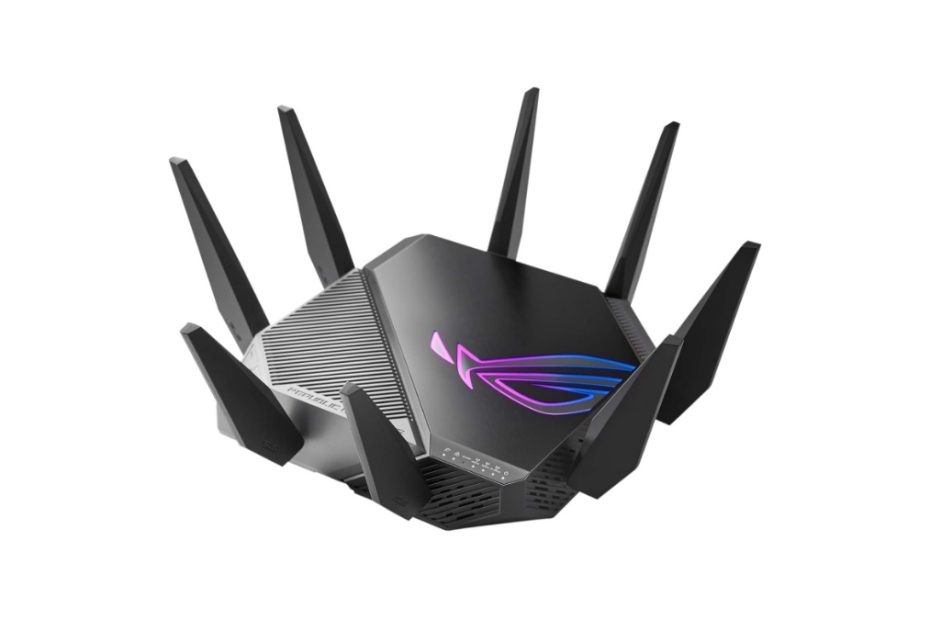
Asus rog rapture gtaxe11000

Before wifi7 emerges, there were several vendors released their wifi 6e routers to the market, including Asus, Netgear, tp-link and Linksys. And to provide a pair of wifi 6e routers, there are few vendors have also released 6GHz adapters, either for laptops or desktop computers.

What is wifi 6e?

The wifi 6e technology is the same as wifi 6 with the addition of the 6GHz radio band spectrum in addition to the two existing radio bands (@2.5GHz and 5GHz).

The Wifi 6e router implements a three different radio band instead of three bands consisting of two 5GHz radio bands and one 2.4GHz. All the features on wifi 6 routers are on wifi 6e plus a different 6GHz radio band. Asus rog rapture gtaxe11000 and netgear raxe500 are two of few wifi 6e router models available in the market today.  

Asus GT-AXE11000

In additions of wifi 6e routers, they also offer mesh wifi 6e systems such as Asus ET8 and Netgear Orbi RBKE963.

Wifi 6e adapter

It’s useless if your wifi 6e router can’t pair with an adapter device that it to get the optimum connection using @ 6GHz radio band. Luckily today you can find several models of PCI-e and USB adapters with wifi 6e technology.

The Wifi 6e adapter is backward compatible with wifi 6 routers using standard 2.5GHz or 5GHz radio band. Today you find wifi 6e adapters in the market such as Netgear A8000 AXE3000 USB 3.0 wifi 6e adapter, or you may consider similar product offered by TP-Link, Archer TXE70UH AXE5400 USB 3.0 adapter with base stand.

Back to Asus Gt-axe11000, what this product does?

Prior the released of gtaxe11000, Asus had released Rog Rapture Gt-ax11000 that came with three radio bands, one 2.4GHz and two 5GHz radio bands. And this new Asus Rog Rapture Gt-axe11000 is one of the best wifi 6e routers offered by Asus with wifi 6e, and the faster model is asus gtaxe16000.

Highlights

  • Simultaneous three distinct radio bands with aggregated bandwidth 11000Mbps, 12 data streams and 4×4 MU-MIMO
  • Triple-level game acceleration from the router to the game server
  • Comes with 1x 2.5Gbps LAN/WAN Ethernet port. You may connect it to high speed 2.5Gbps cable modem or connect to LAN with top priority and 5x Gigabit Ethernet ports
  • Powered by high performance 1.8GHz quad core processor with 256MB NAND Flash and 1GB DDR3 SDRAM memory
  • All features of to boost the speed including OFDM, beamforming, 1024-QAM, up to 160 MHz bandwidth channel

What are the differences between the previous Asus rog rapture gtax11000 and this new product Asus rog rapture gtaxe11000?

Asus Gtaxe11000 vs Gtax11000

The main difference is the distinct three radio bands (2.4GHz; 5GHz and 6GHz) on new Asus gtaxe11000, while the gtax11000 is only two distich bands (2.4GHz and two 5GHz bands). See table 1 below for spec comparison between the two models.

Regarding the Ethernet ports, both asus axe11000 and ax11000 have the same number of ports. However, the 2.5Gbps port on gt-axe11000 can be connected either as the WAN or LAN port, but gt-ax11000 cannot.

Table 1 Asus rog rapture gtax11000 vs gtaxe11000

Asus Rog Rapture modelAsus gtaxe11000Asus gtax11000
Wifi technologySimultaneous tri-band axe11000 wifi 6e technology with 12 streamsSimultaneous tri-band ax11000 wifi 6 technology with 12 streams
Wifi speedsUp to 1,200 Mbps @2.4Ghz band 4×4 Up to 4,800 Mbps @5Ghz band 4×4 Up to 4,800 Mbps @6Ghz band 4×4Up to 1,200 Mbps @2.4Ghz band 4×4 Up to 4,800 Mbps @5Ghz band 1 4×4 Up to 4,800 Mbps @5Ghz band 2 4×4
Ethernet ports1x Gigabit WAN port 1x 2.5Gbps WAN/LAN port 4x Gigabit LAN with Link aggregation1x Gigabit WAN port 4x Gigabit LAN ports with aggregate feature 1x multi-gigabit 2.5Gbps LAN port
Processor1.8GHz 64-bit Quad-core CPU with 1GB RAM1.8GHz 32-bit quad core processor with 1GB RAM

With 2.5Gbps port you can connect to high speed cable modem with 2.5Gbps available port such as Arris Surfboard s33 and Netgear CM2000 docsis 3.1 cable modems. Both come with 2.5 Ghz Ethernet ports.

Now we compare this asus axe11000 with netgear raxe11000 (nighthawk raxe500).

Asus gtaxe11000 vs Netgear Axe11000 raxe500

Few models of wifi 6e routers available on the market, and two of them are Asus rog rapture gtaxe11000 and Netgear raxe500 which are still popular. Thanks to the prices are getting dropped amid the emerging products based on wifi-7 technology. 

Netgear RAXE500

To delve the spec comparison between the two products, you can refer to table 2 below. This will help you choose the one that is suitable to meet your home network need.

AiMesh

Asus gtaxe11000 supports AiMesh technology which you can pair with other compatible Asus AiMesh devices (such as new series of Asus ax6000 routers or Asus rp-ax1800 extender) to create whole home mesh wifi network. However, the 6GHz radio band cannot be available via other AiMesh devices that do not support wifi 6e. On the other hand, nighthawk raxe500 is nature a wifi 6e router, it doesn’t support mesh wifi system.

Gamers in mind

Asus rog rapture gtaxe11000 is designed for gamers in mind with triple level game acceleration, Asus Rog devices, game packet prioritization (game boost) and shortest part to game server.

With the powerful Netgear axe11000 engine you can use it for any heavy duty networking tasks including responsive online games, 4k / 8k streaming etc.

Multi gigabit Ports

Both wifi 6e router models come equipped with one 2.5Gbps multi-gig port, however they have different functions. If you have high speed cable modem with 2.5Gbps port in place such as Netgear cm2000 or Motorola MB8611, asus axe11000 is ready for that. You can configure this 2.5gbps port either as a WAN or LAN port.

Netgear raxe500 with 2.5gbps port is especially useful for high speed LAN port that you can use for game consoles or connect to high speed NAS that comes with 2.5Gbps port such as the Asustor Lockerstor 2 AS6602T which is equipped with two 2.5Gbps ports.

With raxe500, when you require multi-gig internet speed you can combine the wan port and the lan port #1 as teaming port, aggregated link. You need to connect to cable modem with two ethernet ports and support link aggregation such as netgear cm1100 or cm1200 docsis 3.0 cable modem.

Gaming feature

Asus axe11000 features game boost to lift your gaming experience to the fullest speed possible by giving gaming traffic first prioritization that includes gaming port prioritization, game packet prioritization, game server acceleration, that can be done easily by only one click from the game boost tab.

The ease to make certain game devices to get top priority over other traffic is also very easy to do with the gear accelerator feature. With this feature you don’t have to worry about other devices that will hog up all the bandwidth when you are playing online game. Select and configure which device will receive prioritization.

Unlike asus gtaxe11000 with game boost, Netgear axe11000 doesn’t come with specific features to enable the router to boost the online gaming.

Comparison table Asus vs Netgear Axe11000

Table 2 below presents spec comparison between gtaxe11000 and raxe500 to help you see any spec differences.

Table 2 Asus gtaxe11000 vs Netgear axe11000

Wifi 6e router modelAsus Rog Rapture GTAXE11000Netgear Axe11000 Nighthawk Raxe500
Simultaneous tri-band axe11000 wifi 6eYes, with AiMesh supportYes
Signal rates: 2.4GHz @1148Mbps 4×4 5GHz @4804Mbps 4×4 6GHz @4804Mbps 4×4YesYes
Antennas8x external antennas with power amplifiers8x Internal antennas
Ethernet ports1xGigabit WAN port 1x 2.5Gbps WAN/LAN port 4x Gigabit LAN with Link aggregation1x Gigabit WAN port (can be aggregated 1x LAN for Multi-gig internet 4x  Gigabit LAN ports (two LAN ports aggregation support) 1x 2.5Gbps Multi-Gig port
USB ports2x USB 3.22x USB 3.0
SecurityAsus AiProtection Pro powered by Trend Micro with regular auto security signature updateNETGEAR ARMOR Advanced cyber security service –paid one subscription Support WPA3
Processor1.8GHz 64-bit Quad-core CPU with 256MB NAND flash and 1GB DDR3 SDRAMPowerful quad-core 1.8GHz processor
OtherWorks with Alexa Three level game acceleratorWorks with Alexa and Google assistant
Price (Sep 2022 in Amazon)$210.00  $259.99
Which One is Suitable

With the addition of new 6GHz radio band over the two 2.4GHz and 5GHz radio bands, either Asus rog rapture gtaxe11000 or Netgear raxe500 wifi 6e routers are ideal for connecting to any compliant 6GHz-based devices that are coming more in the future.

Click the product’s link below to shop Asus gtaxe11000 or Netgear axe11000 raxe500 in Amazon, and see best deal (#ads).

Related products

For simple all-in-one mesh wifi, consider Orbi cbr750 mesh cable router – Orbi mesh ax4200 wifi-6 with built-in DOCSIS 3.1 cable modem. You can add Orbi satellites for mesh wifi system.

With your available cable modem, upgrade your aging router with eero 6 Pro mesh wifi6, or Google Nest Pro. Both products come designed with wifi 6e standards.

Deco XE75 vs Asus ET8 vs Linksys Which One is Best Value

TP-link introduced deco xe75, deco xe5300 and deco xe75 pro axe5400. Which one is best value between deco xe75 pro, asus et8 and linksys atlas max?

In this article:

Deco wifi 6e series

Netgear has released mesh wifi 6e product with orbi rbke963 which is a premium one and works on the axe11000 network segment, so have asus and linksys. Asus also released a similar product in the medium network segment with its asus et8 series.

What about TP-Link that frequently offers more affordable products as opposed to its opponent: Netgear, Asus, or Linksys?

Middle tier network segment

Unlike netgear, linksys and asus, tplink precisely released wifi 6e-based product by targeting the medium network segment and at a more economical price than premium class products.

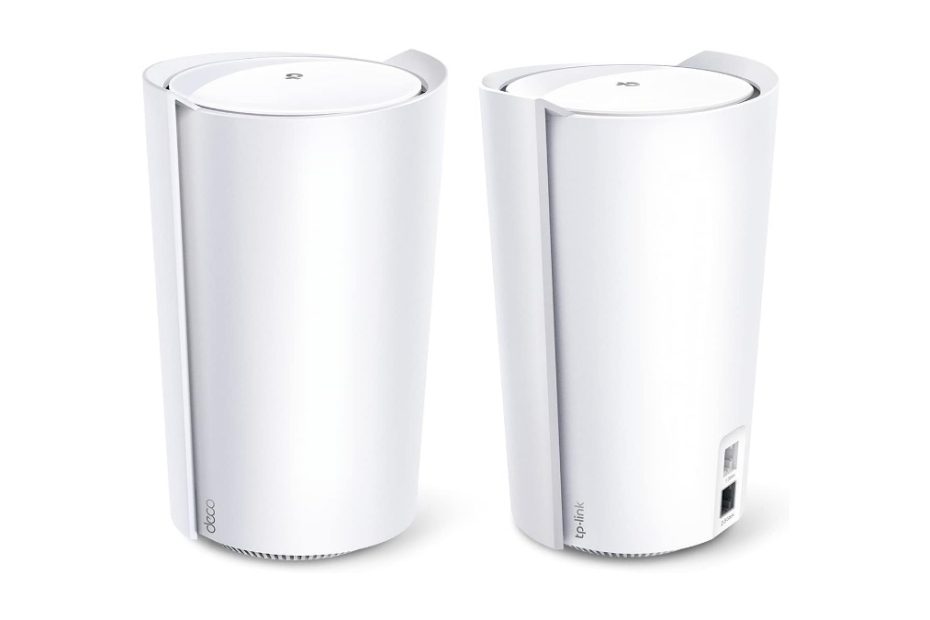
TP-Link Deco XE75

This is a make sense strategy considering that those folks who want to taste wifi 6e technology with its 6GHz radio band don’t have to spend more bucks with premium products. They include Orbi rbk963 which is the first quad band product, Linksys atlas max 6e, or Asus. For this reason, tplink released deco xe75 and deco xe75 pro series that sit at ax5400 network segment. In addition of those two series of xe5400, tplink added another model with its deco xe5300 series. With this middle range network segment products, you can work and play, including gaming and video streaming. See also video streaming and webcam products Logitech meetup vs jabra panacast.

Deco xe75 vs Deco xe5300

What is the difference between Deco xe5300 and Deco xe75? They are exactly the same technically, only slightly difference on the top of the body.  

If the specs are exactly the same why are they use different model names? Deco xe5300 is a series model for Costco wholesale, while deco xe75 is for other retail shops, although Amazon sells both models of these two deco series.

What about deco xe75 and xe75 pro? Exactly the same except that the pro version comes with multi-gig 2.5Gbps wan/lan port instead of 1.0Gbps port.

Deco xe75 vs Deco x90

Previously TP-link introduced deco x90 series which was so popular with higher total bandwidth than this deco wifi 6e series.

When should you select deco x90 instead of deco xe75 or deco xe5300? You can refer to the following spec comparison table below to get a better insight of these two products.

Both series are products with three radio bands; however deco xe75 comes with three distinct radio bands with an additional 6GHz in addition to two radio bands 5GHz and 2.4GHz. Today you can find adapter devices that come equipped with wifi 6e standards such as tp-link archer txe75e (pci-e based adapter) you can install on desktop computers. If you prefer the USB adapters, you can select Archer TXE50UH AXE3000 or the faster one is Archer TXE70UH axe5400 wifi 6e adapters.

If none of the devices in your home support wifi 6e (@6GHz) is it still worth buying a wifi6e-based router?

@6GHz radio band

Deco xe75, xe75 pro and deco xe5300 come by default to use @6ghz as dedicated backhaul link between nodes. If so, how can wifi 6e-based devices connect to @6GHz radio band if this band is used as dedicated backhaul?

To take advantage of the 6 GHz radio band connection, you need to enable this radio band so that it is accessible by compatible devices by changing the @6ghz radio band not as a dedicated backhaul. Change this radio band with an adequate SSID name as the @6GHz radio band so that your wifi6e devices can search and connect to this 6 GHz radio band.

Change default backhaul 

In wifi settings select the 6GHz Dedicated backhaul => Main network => select Wi-fi network (you can see the default is “Dedicated backhaul”). Default SSID name is Deco_6GHz, you need to give the password for security reason.

If there is no wifi 6e client, you should leave the @6GHz radio band as dedicated backhaul (leave it by default), so that the communication link between nodes is clean from all signal interference.

On the other hand, with deco x90 comes with two 5GHz radio bands you can select which one is used as dedicated backhaul. If your system comes with three units of deco x90, you may select 5GHz band @4808Mbps as dedicated backhaul for wider bandwidth communication between nodes.

For future compatibility, choosing deco xe75 is more advantage because your router is ready with wifi 6e-based connected devices. And when the requirement of multi-gig internet exists, deco xe75 pro series is preference, however the price is more costly when you compare it with standard xe75 series.

Spec comparison table Deco xe75 vs x90

Have a look at the following spec comparison table 1 between Deco xe75 and Deco X90.

Table 1 Deco xe75 vs Deco x90

Deco modelDeco xe75Deco x90
Wifi technologySimultaneous tri-band axe5400 wifi 6e with AI driven meshSimultaneous tri-band ax6600 0 wifi 6 with AI driven mesh
Signal rates574Mbps @ 2.4GHz; 2×2;  2402 Mbps @ 5GHz; 2×2;  2402 Mbps @ 6 GHz 2×2;574Mbps @ 2.4GHz; 2×2; 1201 Mbps @ 5GHz; 2×2;  4804 Mbps @ 5 GHz 4×4
Ethernet Ports3x Gigabit Ethernet Ports WAN/LAN auto sensing1x 2.5Gbps WAN/LAN port; 1x 1.0Gbps LAN port
BackhaulDefault is dedicated backhaul @6GHz  and optional wired Ethernet backhaulSelectable dedicated backhaul @5GHz either @1200Mbps or @4804 Mbps Optional wired Ethernet backhaul
Processor 1.7 GHz Quad core CPU1.5 GHz Quad core CPU
Dimension 4.1 x 4.1 x 6.7 in (105 x 105 x 169 mm)5.1 x 4.8 x 8.3 in (130 x 123 x 210 mm)           
Price$159.99 (2-pack)$174.99  (2-pack)

However, if you need wider internet bandwidth than 1Gbps, deco xe75 doesn’t support multi-gig internet speed but xe75 pro does. Deco x90 comes with 2.5Gbps WAN port you can enable to support multi-gig cable modem such as Surfboard S33, Motorola MB8611 or Netgear CM2000 that comes with 2.5Gbps port.

Deco Xe75 vs Asus Et8

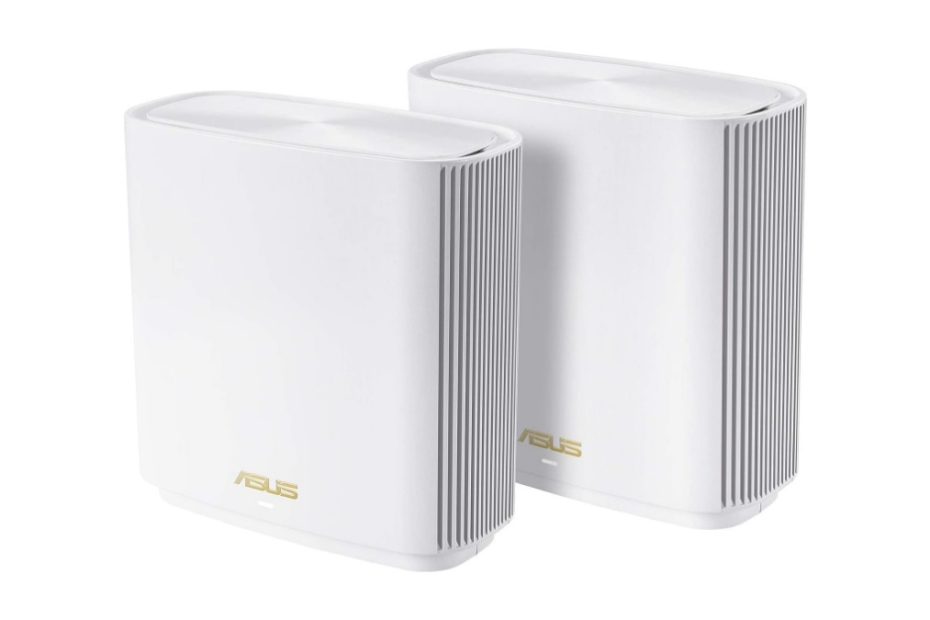
In the market there are several mesh wifi 6e products, most of which are premium products at a price that is more expensive than deco xe75 or deco xe5300, one of which is the asus zenwifi et8. Asus released two models of mesh wifi6e products, Asus Zenwifi et8 and Asus Zenwifi et12 pro. We will compare the deco xe75 pro with the asus et8.

The deco xe75 pro series is tagged with more expensive price than the standard xe75, 40% more expensive than xe75 series. On the other hand, when you compare the xe75 pro series with asus et8, you can find that et8 is more costly.

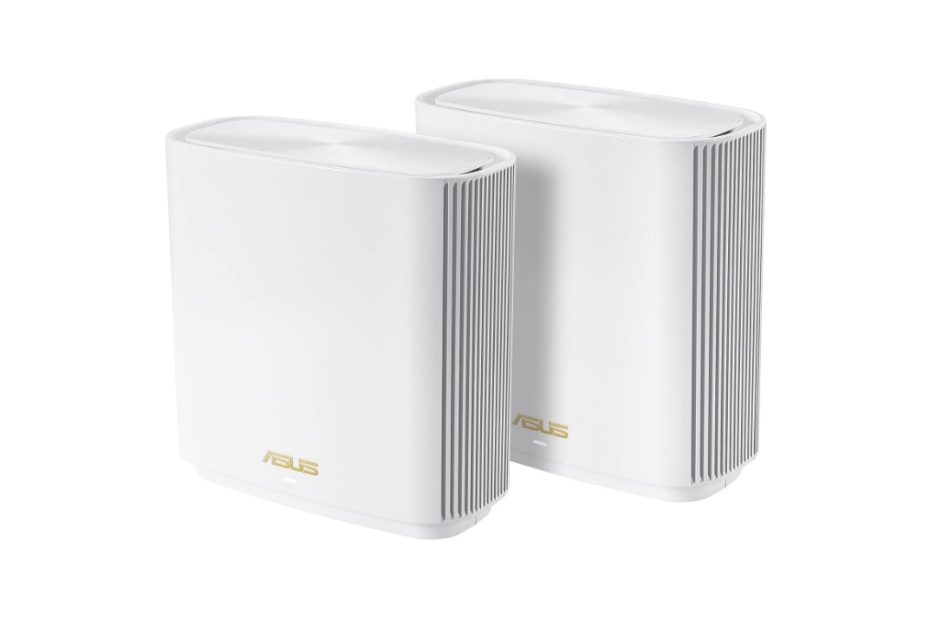
Asus ET8

What is the technical difference between these two products that causing the price difference is quite a lot?

Different network segment

As a reference, table 2 below shows you spec comparison between these two products. Both products come with the same wifi 6e standards; however each comes with different network segment. See that technically asus et8 provides wider bandwidth than deco xe75, however distribution each radio band is different. Et8 comes designed with twice as wide bandwidth as xe75.

Link communication between nodes

Unlike deco xe75 /xe5300 as discussed above, where the radio band @6GHz by default is set as dedicated backhaul, Asus et8’s default backhaul is auto selection. By default xe75 uses the 6ghz radio band as a dedicated backhaul, so clients with compatible wifi 6e cannot access dexo @6ghz unless you change the default 6ghz band as a network as discussed above.

Asus et8 by default gives wifi 6e compatible devices to connect to 6GHz band, unless you change the dedicated backhaul to use 6GHz band. See that Asus allows you to configure the dedicated backhaul either to use 5GHz or 6GHz band, or you may use the default setting is auto selection.

Wired backhaul

Both of these product series provide a wired backhaul option in addition to wifi backhaul. The addition of the wired backhaul option is essential considering that the wired connection is resistant to all signals interference. And both systems can provide auto signal path the best used for backhaul links with this wired backhaul configuration.

With deco xe75, you need to configure 6GHz band as accessible network, not as dedicated backhaul to allow all compatible wifi 6e devices to connect optimally using 6GHz radio band instead of 5GHz band.

Both deco xe75 and et8 come equipped with more than two Ethernet ports so that for three nodes system is possible to use wired backhaul configuration, either using star or daisy chain backhaul topology.

With default backhaul configuration, Asus et8 is more convenience to allow all connected devices to connect using 6GHz radio band.

Multi-Gig WAN port

Unlike deco xe75 / xe5300 that supports only up to 1Gbps internet, with Asus et8 you can connect to modem with multi-Gig internet up to 2Gbps. Et8 comes with 2.5Gbps WAN port you can connect to high speed cable modem such as Surfboard S33 or Netgear CM2000. However, deco xe75 pro series comes with multi-gig 2.5Gbps port same as et8 for multi-gig internet plan.

Security protection

Tp-link equips its deco xe75 series with tplink homeshield, this is a kind of network security protection. You can either subscribe the premium version or the free version. The free version of tplink homeshield provides your system with standard features including network assessment scan, parental control, QoS, and reporting. For richer security features you need to subscribe homeshiled premium for $5.99 / month.

What about asus et8? Most asus premium products come with free lifetime Asus Aiprotection pro powered by trend micro.

Spec comparison table XE75 vs ET8

Table 2 below shows you more spec comparison details between deco and asus with wifi 6e technology.

Table 2 tplink deco xe75 vs asus et8

Wifi 6e modelTPlink Deco XE75 ProAsus Zenwifi ET8
Wifi technologySimultaneous tri-band axe5400 with AI driven mesh technologySimultaneous tri-band axe6600 with 8 streams with AiMesh technology
Signal rates2402 Mbps @6 GHz; 2×2 2402 Mbps @5 GHz; 2×2 574 Mbps @2.4 GHz  2×2574Mbps @2.4GHz 2×2
1201Mbps @5GHz 2×2
4804Mbps @6GHz 4×4
Antennas4x High gain internal antennas6x internal antennas
Ethernet Ports1x 2.5Gbps (Pro version) 2x 1.0 Gbps1x 2.5Gbps WAN port; 3x 1.0Gbps LAN ports;
USB PortN/A1x USB 3.1 Gen 1
Coverage5,500 sq ft / 2-pack up to 200 devices5,500 sq ft
Backhaul LinkDedicated backhaul @6GHz and optional wired backhaulAuto backhaul selection or you may select which band to use either @5GHz or 6GHz
Operation ModeRouter / AP ModeAiMesh Primary AiMesh router AiMesh node
Security featureFree Tplink homeshield / TPlink homeshield Pro paid services $5.99 / monthFree life Asus AiProtection Pro; Instant Guard free VPN
QoSHomeShield QoS QoS by DeviceAdaptive QoS
Processor1.7 GHz Quad-Core CPU1.5GHz quad core processor with 256MB Flash and 512 MB RAM
Dimension4.1 in x 4.1 in x 6.7 in (105 mm x 105 mm x 169 mm)6,3 in x 2,9 in x 6.4 in (160 mm x 75 mm x 161.5 mm)
Price (Sep 2022 in Amazon)$244.99 /3-packs$349.99 /3-pack
Price Points

Price points are getting dropped by time amid the emerging of wifi7 product introductions available on the market today. Their prices mostly dropped around 30% from their original MSRP at the first time the products were released to the market.

Click the product’s link below to check the current price and read more details manufacturer’s description on Amazon (#Ads).

Related products

Similar products you may also consider are also offered  by Linksys and Orbi; check here Linksys Velop 7 pro and Orbi 960 series. Or you may also consider popular eero products with built-in smart home; check here eero pro 6 and Orbi.

Linksys Velop Pro 7 vs Orbi Best Value Wifi 7 Products

Linksys added its velop lineup with its ultimate Linksys Velop Pro 7 BE10000, the velop series based on next generation of wifi 7 technology. When it comes to choose between Linksys velop series and Orbi, which one gives you better value?

In this article:

The paragraphs below will focus on discussing the new Velop series and comparing each selected product with its counterpart from the Orbi series.

Introducing the New Linksys Velop Series

Linksys made its mark in the mesh WiFi arena with the Velop series, initially based on legacy WiFi 5 technology. Subsequently, the lineup expanded to include models built on WiFi 6 and WiFi 6e, still carrying the Velop label with the addition of the Atlas series. Today, Linksys has unveiled its pinnacle product, leveraging the latest WiFi 7 technology – the Velop Pro 7.

Positioned within the lower tier of the WiFi 7 network segment at BE11000, Linksys has priced this ultimate WiFi 7 product in a budget-friendly range. This enables users to experience cutting-edge WiFi 7 technology without breaking the bank. Many WiFi 7 products currently available on the market are categorized as premium offerings with hefty price tags.

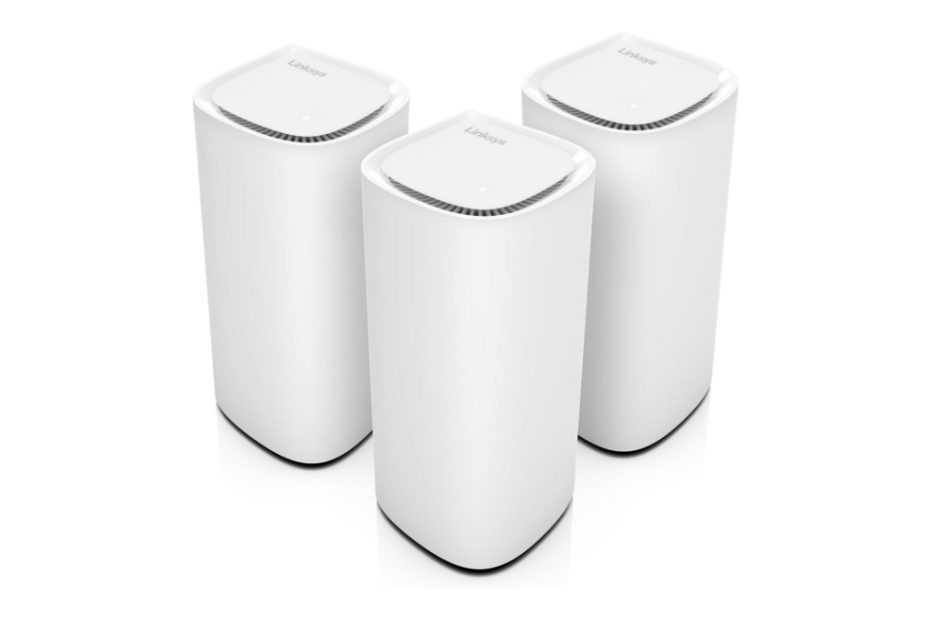
Linksys Velop Pro 7

See also other similar products: Asus Zenwifi BT6 and Deco BE63 which stand at the same BE11000 network segment.

Here are list of latest addition of Linksys Velop Series

  • Velop Pro 6e
  • Velop Pro 7

The Atlas series was introduced prior to the addition of these two series, both of which are designed with cognitive mesh WiFi technology. This intelligent mesh system optimizes network performance in real-time based on your current WiFi network. It automatically identifies and resolves network issues, manages signals, and selects the best available channel, all thanks to cognitive mesh technology.

Velop 7 pro vs velop 6e pro

The Velop 6E and 7 Pro series, equipped with cognitive mesh technology, distinguish themselves from the previous Linksys Atlas series. While the Atlas Max 6E boasts richer features compared to the new Velop Pro 6E, it lacks the cognitive technology feature.

See also similar products offered by TP-Link and Google: Google Nest Pro vs Deco XE75 Pro which come with wifi 6e.

Take a glance at the spec comparison table 1 below for the Velop 6E and Atlas Max 6E. Note the differences in aggregated bandwidth and the total number of Ethernet ports. The inclusion of a 5.0 Gbps WAN port in the Atlas Max 6E elevates this series above the Velop Pro 6E.

For a budget-friendly solution, the Linksys Velop Pro 6E with cognitive technology offers better value when a multi-gig internet requirement is not necessary. This is because this product does not come equipped with a multi-gig WAN port like the Atlas Max 6E.

Spec comparison table Linksys Velop vs Atlas

Table 1. Linksys Velop vs Atlas wifi 6e

Linksys modelLinksys velop pro 6e (MX6203)Linksys atlas max 6e (MX8503)
Wifi technologyTri-band AXE5400 Mesh wifi 6eTri-band AXE8400 mesh wifi  e
Signal rates600Mbps @2.4GHz
2402Mbps @5GHz
2402Mbps @6GHz
1147Mbps @2.4GHz
2402Mbps @5GHz
4804Mbps @6GHz
Ethernet Ports2x 1,0Gbps Ports1x 5.0Gbps WAN Port
4x 1.0Gbps LAN Ports
MSRP$499.99$799.99

When deliberating between the Linksys Velop Pro 7 and Pro 6E, it’s essential to evaluate your home requirements to ensure the best WiFi network environment that supports all connected devices for optimal performance.

For a budget-friendly solution, opting for the Linksys Velop 6E provides better value if you don’t require multi-gig internet service.

Spec comparison table velop pro 7 vs pro 6e

When deciding among the new lines of Velop series, the table below presents a spec comparison to help you understand the differences and make an informed decision.

Technically, the Velop Pro 7 offers more advantages than the Velop Pro 6E, with nearly double the total aggregated bandwidth of the Pro 6E series. While both models support the 6GHz radio band, the Velop Pro 7 series features MLO (Multi Link Operation), whereas the Pro 6E does not. In scenarios where multi-gig connections to connected devices are required, multiple bands can be combined to meet higher bandwidth demands, thanks to the MLO feature. Previous generations of WiFi technology lack this MLO technology, highlighting how WiFi 7 unlocks the best available WiFi features.

 Table 2. Velop pro 7 vs velop 6e pro

Velop SeriesLinksys Velop Pro 7Linksys Velop Pro 6e
Wifi TechnologyTri-band BE11000 mesh wifi 7 with cognitive mesh technologyTri-band AXE5400 Mesh wifi 6e with cognitive mesh technology
Signal rates1,148 Mbps @2.4GHz
4,804 Mbps @5GHz
4,804 Mbps @6GHz
600Mbps @2.4GHz
2402Mbps @5GHz
2402Mbps @6GHz
Ethernet Ports1x 2.5 Gbps internet WAN port
4x 1 Gbps Ethernet LAN ports 
 
2x 1,0Gbps Ports
Multi link operation (MLO)YesN/A
Price$559.99 /3-pack$299.99 /2-pack

Orbi High End Series

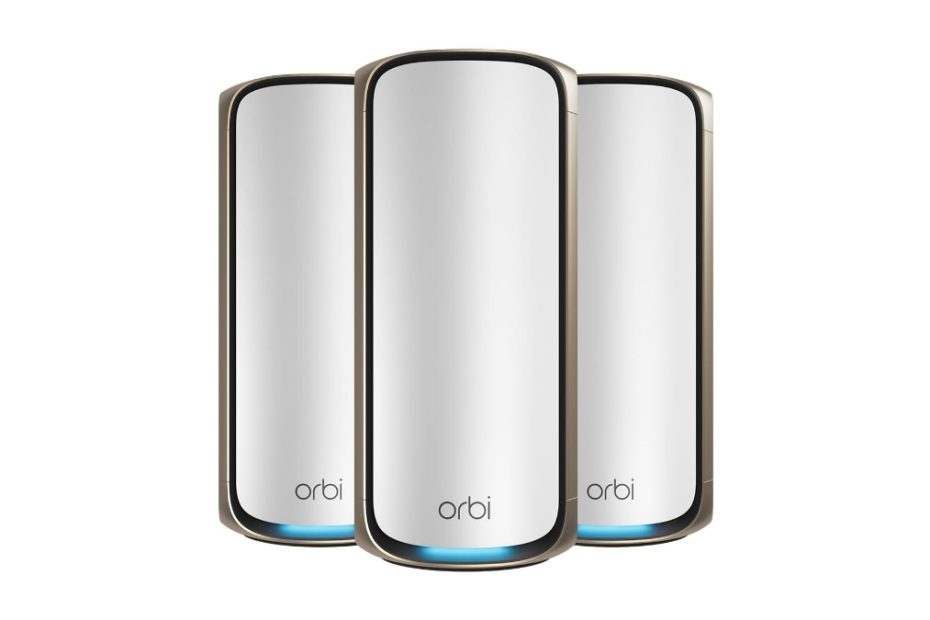
Unlike the Linksys Velop series, which positions its products as budget-friendly solutions, the Orbi series, on the other hand, boasts richer features and is priced at a higher point. Netgear has yet to offer a middle-range network segment for both WiFi 6E and WiFi 7. Below, you’ll find a spec comparison table showcasing the latest additions of WiFi 6E (Orbi RBKE963) and WiFi 7 (Orbi RBE973) products.

Orbi RBE973

As discussed earlier, both the Linksys Velop series and the Orbi series are not directly comparable. The latest Velop Pro 6E and Pro 7 are positioned in the middle-range network segment, offering budget-friendly solutions without compromising performance. Conversely, the latest additions to both WiFi 6E and WiFi 7 Orbi series are premium products that come with a higher price tag compared to the Velop series.

Orbi RBKE963
Orbi 7 vs Orbi 6e

The table below illustrates the spec comparison between the latest additions of the Orbi series, highlighting the richer features of both products.

Table 3. Orbi Rbe27000 vs Orbi Rbke963

Orbi ModelOrbi RBE973Orbi Rbke963
Wifi TechnologyQuad band BE27000Quad band AXE11000
Signal rates11,530Mbps @6GHz 4×4
5,765Mbps @5GHz 4×4
8,647Mbps @5GHz 4×4
1,147Mbps @2.4GHz
1200 Mbps @2.4GHz 4×4 
2400 Mbps @5GHz 4×4; 
2400 Mbps @6GHz 4×4 ; 
4800Mbps @ 5GHz 4×4 (backhaul)
Backhaul LinkEnhanced Dedicated: 5GHz 4×4
(dedicated, 240MHz) + 6GHz 4×4 (320MHz)
4800Mbps @ 5GHz 4×4 (dedicated backhaul)
Ethernet PortsRouter Node:
1x 10 Gig Internet WAN port
1x 10Gbps Ethernet LAN port
4x 10/100/1000/2500Mbps Multi-Gig Ethernet LAN ports  
Satellite:
1x 10Gbps Ethernet LAN port
2x 10/100/1000/2500Mbps LAN ports
Router:
1x 10.0 Gbps WAN port;
1x 2.5 Gbps LAN port;
3x 1.0 Gbps LAN ports    
Satellite:
1x 2.5Gbps LAN
3x 1.0Gbps LAN ports
Channel bandwidth 320Mhz 160Mhz
Multi Link Operation (MLO)YesN/A
ProcessorQuad-core 2.2GHz processor Memory: 4GB Flash and 2GB RAMPowerful Quad-Core 2.2GHz processor 512MB NAND Flash and 1GB RAM
Price$2,299.99 /3-pack$964.99 /3-pack

Velop vs Orbi

The latest additions to the Linksys Velop series are ideal solutions for establishing high-performance WiFi 6E or WiFi 7 networks at home. When multi-gig internet connections are necessary, Velop Pro 7 presents a budget-friendly option. It’s crucial to assess your network requirements when building the latest technology of WiFi networks at home.

For richer and higher technical specs, you may want to consider the Orbi series. Refer to the following two spec comparison tables for both WiFi 6E and WiFi 7 products from Linksys Velop and Netgear Orbi series.

Velop Pro 6e vs Orbi

Let’s take Orbi RBK863 and compare it with latest addition of Linksys Velop pro 6e. Why not just compare velop pro 6e with similar technology wifi 6e product Orbi RBKE963? RBKE963 is tagged with the price as much triple price as Velop pro 6e, so it’s not comparable. Let’s take Orbi RBK863 and compare it with Velop pro 6e, and you can refer to the following spec comparison table below.

Velop pro 6e is one step more advantage than RBK863 with its support of 6GHz radio band, even though Orbi is a bit higher bandwidth @2.4GHz band. Again, when the requirement of multi-gig internet service exists, orbi rbk863 that comes equipped with 10Gbps WAN port is more advantage.

Table 4. Velop 6e vs Orbi

 Linksys Velop Pro 6eOrbi RBK863
Wifi technologyTri-band AXE5400 Mesh wifi 6e with cognitive mesh technologySimultaneous tri-band ax6000 mesh wifi 6
Signal rates600Mbps @2.4GHz
2402Mbps @5GHz
2402Mbps @6GHz
1,200Mbps @2.4GHz 2×2
2,400Mbps @5GHz 1 2×2
2,400Mbps @5GHz 2 2×2
Ethernet Ports2x 1,0Gbps Ports1x 10.0 Gbps Multi-Gigabit WAN port (router) +
4x Gigabit LAN ports (router and satellite)
BackhaulDynamic backhaulDedicated backhaul @5GHz and optional wired backhaul
Coverage9,000 sq ft /3-pack2,700 sq. ft./ unit
ProcessorUnspecifiedPowerful Quad-Core 2.2 GHz processor with 512MB NAND Flash and 1GB RAM
Price$399.99 /3-pack$1099.99 / 3-pack

Please notice that Velop pro 6e is tagged with much cheaper price than Orbi RBK863. Click the product’s link below to see current prices and learn more details Linksys velop pro 6e on Amazon (#Ads).

Click here to learn more details Velop pro 6e on Amazon (#Ad)

Velop pro 7 vs Orbi

Now, let’s see how latest Velop series perform when compared with Orbi series. Orbi that comes equipped with wifi 7 is the ultimate Orbi 970 series. However, this Orbi 970 series sits at BE27000 network segment. While velop 7 sits at BE11000 network segment, they are not comparable. It is therefore we need to compare Linksys velop pro 7 with ultimate Orbi RBKE963 wifi 6e series.

Table 5 below represents spec comparison for Velop 7 vs Orbi RBKE963. Both models come equipped with 6GHz radio band. And they also deliver the same aggregated bandwidth up to 10000Mbps; the number of radio bands is different. Moreover, velop supports MLO but Orbi doesn’t.

Spec Comparison table Velop 7 vs Orbi 6e

Table 5 Velop 7 vs Orbi

Velop SeriesLinksys Velop Pro 7 Orbi RBKE963
Wifi TechnologyTri-band BE11000 mesh wifi 7 with cognitive mesh technologyQuad band AXE11000
Signal rates1,148 Mbps @2.4GHz 4 x 4;
4,804 Mbps @5GHz 4 x 4;
4,804 Mbps @6GHz  4 x 4
1200 Mbps @2.4GHz 4×4 
2400 Mbps @5GHz 4×4; 
2400 Mbps @6GHz 4×4 ; 
4800Mbps @ 5GHz 4×4 (backhaul)
Ethernet Ports1x 2.5 Gbps internet WAN port
4x 1 Gbps Ethernet LAN ports   
Router:
1x 10.0 Gbps WAN port;
1x 2.5 Gbps LAN port;
3x 1.0 Gbps LAN ports
    
Satellite:
1x 2.5Gbps LAN
3x 1.0Gbps LAN ports
Backhaul LinkWifi and optional wired backhaul4800Mbps @ 5GHz 4×4 (dedicated backhaul)
CoverageUp to 9,000 sq ft / 3-packUp to 9,000 sq ft / 3-pack
MLO supportYesN/A
Price$899.99 /3-pack $964.99 /3-pack

Both models support multi-gig Internet service up to 2Gbps. However, Orbi RBKE is ready for the future of DOCSIS 4.0 cable technology that supports 10Gbps Internet speed. Click the product’s link below to learn more details of manufacturer’s description, current price and probably best deals on Amazon (#Ads).

To learn more details, Click here to see Linksys velop pro 7 on Amazon (#Ad)

Related products

Amazon with its eero brand, unveiled its ultimate eero series – the Amazon eero 7 which its design is more stylist that its previous series. Eero max 7 series sits at BE22000 network segment, double bandwidth than Linksys velop 7.

Asus Zenwifi ET8 vs Linksys Atlas Which One is Better Value

Previously before wifi7 products emerge, only a handful of vendors embraced the new Wifi 6E technology for their routers. And then, both Asus and Linksys had joined the league, releasing mesh wifi products that integrate this advanced Wifi 6E technology. Asus introduced the Asus ZenWiFi ET8, while Linksys presented the Velop Atlas AXE8400, both of which are mesh wifi 6E products. Both products are still worth of buying amid the emerging of wifi7 products.

The question arises: which of these two mesh wifi 6E offerings delivers the most value for your home wifi network?

In this article:

Asus Mesh wifi 6e routers

Contrary to wifi 6E routers like the Asus GT-AXE11000, where a single router is sufficient to cover your entire household with solid connectivity across three distinct radio bands, there are instances where dead zones may persist. While you could add a wireless range extender, not much wifi 6E-based extender supporting the 6GHz band available.

This is precisely why a mesh wifi system is essential – it blankets your entire home, from basement to attic, with a mesh router and one or more satellite nodes. This approach ensures that the signal strength and all the advantages of mesh wifi are uniformly distributed throughout your living spaces.

Asus ET8

Both Asus and Linksys had introduced their mesh wifi 6E products to the market. The question remains: how do these two mesh wifi 6E products fare against each other in the competitive landscape?

Asus ET8 vs Asus XT8

Following the notable success of the Asus XT8 AX6600 mesh wifi 6 product, Asus had unveiled another addition to its ZenWiFi series: the Asus ET8, featuring the wifi 6E technology. Beyond the inclusion of the 6GHz radio band, are there any other differentiating factors?

See also other Zenwifi lineup with wifi-7 technology; you may start with Asus Zenwifi BQ16 Pro or Asus Zenwifi BT6.

Uniform Specifications

A thorough analysis of datasheet specifications for these two series prompts a closer look at the spec comparison table provided in table 1 below. Upon review, it becomes evident that no differences in specs exist, with the sole exception being the integration of the 6GHz radio band into the new wifi 6E model of the Asus ZenWiFi ET8.

See also Asus Zenwifi XT9 vs Deco XE75 Pro wifi 6e.

Probable Shared Foundation It’s plausible that Asus utilized the same underlying prototype as the Asus XT8, incorporating minor hardware design adjustments to accommodate the introduction of the 6GHz radio band. Naturally, firmware modifications are a requisite to enable support for the wifi 6E technology.

Spec comparison table Asus Zenwifi series

Table 1 Asus zenwifi xt8 vs Asus zenwifi et8

ModelAsus ET8Asus XT8 Zenwifi (2pk)
Wifi technologySimultaneous tri-band axe6600 with 8 streams with AiMesh technologyTri-band mesh wifi 6 ax6600 Mbps with 8 streams and aimesh support
Wifi speeds574Mbps @2.4GHz 2×2 1201Mbps @5GHz 2×2  4804Mbps @6GHz 4×4574 Mbps @2.4GHz 2×2
1201 Mbps @ 5GHZ-1 2×2
4804 Mbps @ 5GHZ-2 4×4
Backhaul linkAuto backhaul selection or you may select which radio band to use either @5GHz or 6GHzYou can configure which one of the two @5GHz radio band is used as backhaul link, or wired Ethernet backhaul
Antennas6x internal antennas6x internal antennas
Ethernet Ports1x 2.5Gbps WAN port; 3x 1.0Gbps LAN ports;1x RJ45 2.5G BaseT for WAN x 1,
3x RJ45 Gigabits BaseT for LAN x 3
USB Port1x USB 3.1 Gen 11x USB 3.1 gen 1
Processor1.5GHz quad core processor with 256MB Flash and 512 MB RAM1.5GHz quad core processor with 256MB Flash And  512 MB RAM
Price$179.99 (2-pack)$179.99 (2-pack)

There is not much price different between the two series today; both prices are dropped by time; asus et8 should be preference with three distinct radio bands instead of two. Now, let see what Linksys introduces in its new Atlas axe8400 mesh wifi 6e system.

Unveiling the Linksys Atlas Series

Linksys has introduced a duo of models under the Atlas series umbrella – the Atlas Pro 6 and the Atlas Max 6E. This follows the previous launch of Linksys’s Velop series, which included notable entries like the Velop MX10 and Velop AX4200. But what sets these two series apart? In both hardware and firmware, they stand as distinct entities. Let’s take a closer look at the hardware specifications between the two branches of the Linksys Atlas series, and later, we’ll draw a comparison with the Asus ZenWiFi ET8.

Linksys Atlas Max 6e

Differences in Wifi and Hardware

At a technical level, the wifi design between these two series diverges. The Atlas Pro operates on the foundation of wifi 6 dual-band architecture, whereas the Atlas Max 6E capitalizes on tri-band wifi 6E, bolstered by the addition of the 6GHz band, rendering all three radio bands unique. Naturally, this distinction extends to the hardware design of these two products, a fact evident in the comparison table below – from embedded processors to the intricacies of the motherboard and the array of interface ports.

Table 2 Linksys Atlas Max 6e vs Pro 6

Atlas seriesLinksys Atlas Pro 6Linksys Atlas Max 6e
Wifi technologySimultaneous dual band ax5400Simultaneous tri-band axe8400
Signal rates600Mbps @2.4GHz 2×2 4800Mbps @5GHz 4×41147Mbps @2.4GHz 4×4; 2402Mbps @5GHz 4×4; 4804Mbps @6GH 4×4
Ethernet Ports1x Gigabit WAN port; 3x Gigabit LAN ports1x 5.0Gbps WAN port; 4x 1.0Gbps LAN ports
USB portN/A1x USB 3.0
Processor1.0GHz dual core processor with 256MB Flash and 512MB RAM2.2GHz Quad core processor with 512MB Flash and 1GB RAM
Wifi chipsetQualcomm Immersive Home 216Qualcomm networking pro 1210

Empowering the Linksys Atlas Max 6E is a formidable array of specifications, ranging from robust internet capabilities boasting high bandwidth of up to 5Gbps, to an intricately embedded onboard processor designed to maximize the performance of this mesh wifi 6E marvel.

Now, let’s embark on a comparison between the Asus ET8 and the Linksys Atlas Max 6E.

Asus ET8 vs Linksys Atlas Max 6e

At first glance, it might seem that the Asus ZenWiFi ET8 is not a directly balanced contender against the Linksys Atlas Max 6E series. The price of a 3-pack Atlas Max 6E is nearly double that of the Asus ET8 3-pack. However, a higher price tag does not guarantee proportional performance, despite the investment. Those prices were the MSRP at the first time they were released, while today with the emerging of wifi7 products, the prices are dropped significantly.

Diverse Wifi Architectures

Each series boasts distinct wifi technologies and designs. Notably, the Asus ET8 arrives with a tri-band AXE6600 setup, offering 8 streams. Conversely, the Linksys Atlas Max 6E flaunts a tri-band AXE8400 setup, armed with an impressive 12 streams. With 12 streams dedicated to each band, a remarkable 4×4 MU-MIMO capability is delivered – the pinnacle of data streams a wifi band can simultaneously serve to numerous connected devices.

At present, there are lots of wifi 6E technology adapters are available, either for desktop or laptops. One such example is the wifi 6E PCI-e adapter from OKN and Fency, both of which support 2×2 MU-MIMO. If you install these wifi 6E adapters onto two desktop computers, your mesh wifi 6E routers can concurrently send two data streams to these desktops, effectively minimizing network latency and ensuring optimal network performance.

Backhaul

The majority of connected devices in a home predominantly utilize the @2.4GHz or @5GHz radio band connections. In this context, the @6GHz band can be utilized as a dedicated backhaul, if the option is available. The Asus ZenWiFi ET8 offers the flexibility of auto backhaul selection (@5GHz and @6GHz) or manual backhaul configuration. In contrast, the Linksys Atlas Max 6E exclusively provides a dedicated @6GHz backhaul option, which is also shared with other wifi 6E clients.

Both models also extend support for wired Ethernet backhaul using UTP network cables, connecting the Ethernet port of each router and satellite node. You have the choice of deploying either a daisy chain or star topology for Ethernet backhaul connection. In a star topology, you can directly link each satellite node to the router.

The Asus ET8, equipped with 3x LAN ports, can accommodate up to 3 satellite nodes. Meanwhile, Linksys, boasting 4x LAN ports, allows you to connect up to four satellite nodes in a star topology configuration, eliminating the need for an additional unmanaged switch.

In contrast with new Zenwifi BT10 that supports 10Gbps ports. See also Deco BE85 vs Asus BT10.

Elevated Speed Capabilities

Both mesh wifi 6E routers are primed to support high-speed internet up to 2Gbps, and notably, the Linksys model comes equipped with a 5Gbps WAN port, perfect for supercharged internet plans. Worth noting is the availability of DOCSIS 3.1 cable modems, featuring a 2.5Gbps Ethernet port such as Netgear CM2000 cable modem.

Security protection

The Asus ET8 goes a step further in safeguarding your network, providing network protection through the inclusive AiProtection Pro software. This security suite combats a range of networking threats, encompassing intrusion prevention systems (IPS), as well as malicious site blocking. Adding to its security arsenal, the Asus ZenWiFi ET8 also extends VPN protection through instant guard features, guaranteeing the safety of your VPN connection from internet-based threats.

In contrast, the Linksys Atlas Max 6E lacks the provision of such comprehensive, built-in security protection available in the Asus offering.

Hardware gear

Given the Atlas’s impressive 12 streams, it necessitates robust hardware to efficiently manage processing tasks. This is aptly reflected in the presence of a quad-core 2.2GHz processor and ample memory in the Linksys Atlas router. In comparison, Asus incorporates a quad-core processor, albeit with a lower clock rate, alongside memory capacity half that of the Atlas model.

Take a look at the following table 3 below that shows you spec comparison between asus zenwifi et8 and Linksys Atlas max 6e.

Comparison table Asus et8 vs Atlas Max 6e

Table 3 Asus et8 vs Atlas max 6e

Mesh Wifi 6e Model Asus zenwifi et8 (2-pack)Linksys Atlas Axe8400 (3-pack)
Wifi technologySimultaneous tri-band axe6600 with 8 streams with AiMesh technologySimultaneous tri-band axe8400 with 12 streams 4×4 MU-MIMO
Signal rates574Mbps @2.4GHz 2×2 1201Mbps @5GHz 2×2 4804Mbps @6GHz 4×41147Mbps @2.4GHz 4×4 2402Mbps @5GHz 4×4 4804Mbps @6GHz 4×4 (dedicated backhaul and wifi 6e compliant devices connection)
BackhaulAuto backhaul selection or you can select manually @5GHz, @6GHz or wired backhaul4,800Mbps @6GHz
CoverageUp to 8,000 sq ft (3-pack)9,000 sq ft (3-pack)
Network nameSingle name or separate name each bandSingle network name
Antennas6x internal antennas12 internal antennas
Ethernet Ports1x 2.5Gbps WAN port; 3x 1.0Gbps LAN ports;1x 5Gbps WAN port; 4x Gigabit LAN ports
USB Ports1x USB 3.1 Gen 11x USB 3.0
SecurityWPA2-PSK, WPA-PSK, WPA-Enterprise , WPA2-Enterprise;WPA2/WPA3 Mixed Personal (2.4GHz & 5GHz) WPA2 Personal (2.4 GHz and 5 GHz only) WPA3 Personal (all bands)
Others  Free life Asus AiProtection Pro; Instant Guard free VPNAuto firmware update; guest network; 
Processor1.5GHz quad core processor with 256MB Flash and 512 MB RAM2.2 Quad core processor with 512 MB flash and 1GB RAM
Dimension160 mm x 75 mm x 161.5 mm  (6,3 in x 2,9 in x 6.4 in)113.0 mm x 113.0 mm x 243.0 mm (4.45 in x 4.45 in x 9.57 in)
Price$197,99$1,199.99 (3-pack)
Which One is suitable to your home

If you have a large number of connected devices with high demand bandwidth applications, super-fast Internet requirement, you may consider Linksys atlas max 6e. Unfortunately, this product is difficult to find in the market knowing the new Linksys Velop lineup products with wifi 7 which the price is only around $580 /3-pack.

You may consider asus et8 with free aiprotection network protection and easy guard secure vpn. Click the product’s link below to see current price and read more details in Amazon (#ads).

Related products

For similar wifi6e products, you may consider popular eero 6 pro which support smart home. Or you may jump to consider eero 7 pro. See also new eero 7 pro vs Deco.

Eero 6 Pro vs Orbi Which One is Better Value

Amazon had unveiled the latest addition to the eero Pro series, featuring cutting-edge wifi 6e technology. With the emerging of wifi 7 technology, this wifi 6e series is still worth considering This release came alongside the well-received eero 6 Pro, creating a compelling competition with the highly-rated Orbi series available in select online stores.

If you’re considering an Orbi series that aligns with the capabilities of the eero 6 Pro, and which one offers the best value for optimizing your home wifi environment, let’s delve into the options.

In this article:

Eero-6 Pro

When it comes to pro series products, expectations naturally run high, anticipating distinct advantages over non-pro counterparts. Amazon consistently presents consumers with two tiers of eero series – the original and the pro series – each accompanied by a discernible price gap. It’s crucial to assess whether the investment in a pro-labeled product is justified by the added value it brings compared to the original variant.

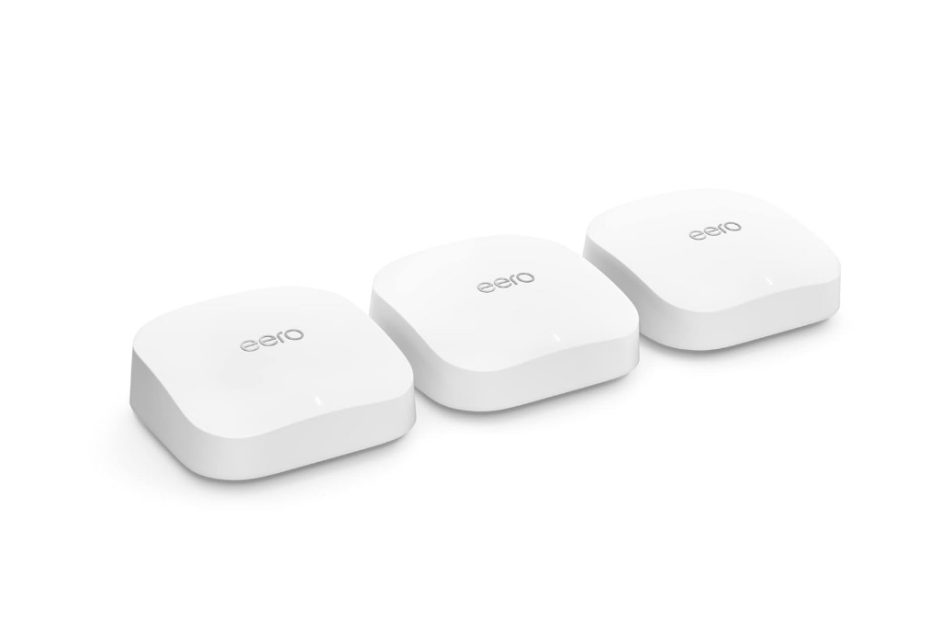
eero 6 pro

In the realm of wifi technology, the eero series has evolved from the first generation based on wifi 5 to the latest wifi 6. With this transition, both the standard and pro series have made their mark. In addition to the eero 6 Pro, Amazon has recently introduced two more notable additions – the eero 6 Plus and the pinnacle of their lineup, the eero 6e Pro. The latest addition offered by Amazon is the eero 7, based on the next generation of wifi 7 technology.

As you navigate the choice between eero Pro and Orbi, it’s worth noting that Orbi does not have a direct equivalent to the pro series. The Orbi series offers different models, adding an extra layer of consideration to your decision-making process. For example, Orbi rbk753 with ax4200 network segment and Orbi Rbk852 with ax6000. See also Orbi CBK752 which comes with built-in cable modem.

Now back to eero, what is the difference between the ori and the pro series?

Eero 6 vs eero 6 pro

Introducing the eero 6 Pro brings forth a substantial shift in price, exceeding double the cost of the standard eero 6. This cost disparity is reflective of a significantly enhanced performance that distinguishes the two series. To aid in discerning these differences more conveniently, refer to Table 1 below for a detailed spec comparison between the two.

Capacity

Setting itself apart from Orbi, which lacks a clear distinction between pro and original variants, the eero 6 Pro stands out by delivering more than double the bandwidth when compared to the original series. Furthermore, it is crafted with three radio bands as opposed to the dual-band setup in the original series. The expanded coverage of the pro series is particularly advantageous for larger homes, ensuring a seamless wifi experience.

An additional noteworthy aspect is the eero 6 Pro’s capacity to accommodate internet plans of up to 1.0Gbps, a notable leap from the original series, which caps at 500Mbps. If your online activities demand a high-speed internet plan, especially for smooth online gaming and 4K video streaming, the eero 6 Pro, despite being twice as expensive as the original series, emerges as the preferred choice.

For a comprehensive overview of other specifications and features, refer to the detailed table (Table 1) below.

Table 1 eero 6 pro vs eero 6

EeroEero 6Eero 6 Pro
WifiDual band ax1800Tri-band ax4200
Signal rate1,200Mbps @5GHz 2×2 600Mbps @2.4GHz 2×2600Mbps @2.4GHz 2×2 1,200Mbps @5GHz 2×2 2,400Mbps @5GHz 4×4
Coverage4,500 sq ft6,000 sq ft
Internet speedUp to 500MbpsUp to 1.0 Gbps
Antenna2.4GHz 2×2 5GHz 2×22.4GHz 2×2 5GHz 2×2 5GHz 4×4
Dimension (W x L x H)97 mm x 99.4 mm x 61.5 mm139 mm x 139 mm x 52.6 mm
MSRP$249.00$599.00

To get in depth insight about this eero 6 pro series, we will compare it with the Orbi product. You can also choose which orbi series to compare and make up your mind which one to choose.

Which Orbi to compare

There are two orbi series that can be compared with this eero pro 6 series, both of which can be considered as original and pro model like in eero, which are orbi rbk753 and orbi rbk853.

In order to cut the long discussion short, the following table 2 compares Orbi rbk752 and rbk852. The numeric notation on the tail of rbkxx3 indicates the number of units in the package. Orbi rbk852 or rbk752 indicates there are two orbi units in the kit. Orbi rbk853 means there are three orbi units in the kit.

Spec comparison Orbi series

Table 2 Orbi rbk852 vs Orbi rbk753

Orbi seriesOrbi Rbk853Orbi Rbk753
WifiSimultaneous tri-band ax6000 mesh wifi 6 with 12 streamsSimultaneous tri-band ax4200 mesh wifi 8 with 6 streams
Signal rate1200Mbps @2.4GHz 4×4
2,400 Mbps @ 5GHZ-1 4×4
2,400 Mbps @ 5GHZ-2 4×4
600Mbps @2.4GHz 2×2
1200Mbps @5GHz 2×2
2400Mbps @5GHz 4×4
Ethernet PortsOrbi router: 1x RJ45 2.5G BaseT for WAN;
4x RJ45 Gigabits BaseT for LAN;

Orbi Satelite (orbi rbs850): 4xGigabit LAN ports
Orbi router
1x Gigabit WAN +
3xGigabit LAN ports

Orbi satellite (Rbs750):
2x Gigabit Ethernet LAN
ProcessorPowerful Quad-Core 2.2 GHz processor
with 512MB NAND Flash and 1GB RAM
1.4GHz quad core processor with 512MB Flash
and 1GB RAM
MSRP$999.99$599.99

See that eero 6 pro (3-pack) is tagged with the price almost the same price as Orbi rbk753 (3-unit of orbi). So which is comparable to eero 6 pro? I already thought you would compare it with rb752 since both products have almost the same price, even though sometimes the prices are fluctuated by the time.

Eero vs Orbi

Now it comes to compare eero 6 pro with the middle tier of orbi series, rbk753. It looks like they are comparable since they are tagged with almost the same price in some online stores like in Amazon or Best buy.

As a reference, table 3 below represents spec comparison table between eero 6 pro (3-routers) and orbi rbk753 (instead of rbk752 in general which is two units orbi). With this orbi rbk753 selection, both eero 6 pro and orbi come with the same ax4200 network segment, so technically the wifi signal rates are the same with three radio bands.

Orbi RBK753
Backhaul links

Link communication between nodes in mesh wifi uses wifi radio band as backhaul links. However, you can use wired Ethernet backhaul as an option.

The eero 6 pro is designed with simultaneous tri-band where the need for connection between nodes (backhaul) uses all three bands both @ 2.4GHz and @ 5GHz radio bands and share with connected devices.

Unlike the eero 6 pro, the Orbi rbk753 series uses one of the radio bands @ 5GHz @2,400Mbps as dedicated backhaul, leaving two other radio bands for connected devices. So total bandwidth for connected devices is only 1,800Mbps (1,200Mbps @5GHz + 600Mbps @2.4GHz), the 2,400Mbps @5GHz is used as dedicated backhaul.

Wired backhaul option

With the wifi backhaul link is very susceptible to signal interference, both products provide wired Ethernet backhaul option using UTP network connection between the router and satellite nodes via the their Ethernet ports. Wired connection is more reliable than wifi connection, it is relatively very stable.  

Eero only provides two Ethernet ports, so you can only use a daisy chain topology for backhaul links. To use the star backhaul topology, with eero it is necessary to add a separate unmanaged Ethernet switch and connect all the eero units to the switch.

Unlike the eero which only has two ethernet ports, the orbi rbk752 has more ethernet ports on the router unit, while the orbi satellite only has two ports as well. Orbi distinguish which one is to work as Orbi router and which ones are Orbi satellites; they cannot be exchanged like the eero router.

WAN port

Both of these products are equipped with one 1.0 Gbps wan port that allows you to subscribe to internet plan up to 1.0gbps. However, if multi-gig internet speed is required, the eero 6 pro cannot support more than 1gbps. In contrast to orbi which supports link aggregation for wan by combining wan port and one of the LAN port for multi-gig internet plan up to 2Gbps. However, you also need a modem that is also equipped with two ethernet ports and supports port aggregation such as the Netgear cm1100 cable modem. See also Netgear CM2000 that supports 2.5Gbps Port.

Zigbee smart hub

One thing that makes eero series different from orbi and other mesh wifi routers in general is that eero series is designed with built-in zigbee smart hub. You know that in the future there will be more smart devices that can be controlled from your Smartphone seamlessly. In the past you had to come to make settings for each home device such as electric locks, lights, switches, temperature controllers etc. Now with smart devices in your home that support ZigBee protocol, with the Eero series all these smart devices can be connected and controlled via eero wifi network and can easily be controlled with Alexa.

Processor

Both eero 6 pro and orbi products are powered by Quad core CPU, however they come with different frequency clock and the memory capacity is also different. The eero 6 pro comes with larger Flash memory capacity. Flash memory is a solid-state chip that can still save stored data even if the router device is not powered or when the power is off. This flash memory is a kind of hard disk storage for storing configuration and firmware data for the mesh router or mesh satellite.

The larger Flash capacity the more complex program or firmware and system configuration can be stored to the memory. Read more detail the spec comparison between the two products, eero vs orbi mesh wifi 6 systems.

Spec comparison table eero vs Orbi

Table 3 below helps you understand the spec comparison table between eero 6 pro and Orbi Rbk753.

Table 3 eero 6 Pro vs Orbi rbk753

ModelEero Pro wifi-6 (-pack)Netgear Orbi Rbk753 (3-pack)
Wifi technologySimultaneous tri-band ax4200 mesh wifi-6 with TrueMesh technologySimultaneous tri-band ax4200 mesh wifi-6
Wifi speeds600Mbps @2.4GHz 2×2 1200Mbps  @5GHz-1 2×2  2400Mbps @5GHz-2 4×42.4GHz (600Mbps) 2×2 5GHz (1200Mbps) 2×2  5GHz (2400Mbps) dedicated backhaul 4×4
Coverage6,000 sq ft / 3-pack7,500 sq ft / 3-pack
Backhaul linkWifi backhaul via both 2.4GHz and 5GHz bandsDedicated backhaul link @5GHz 2,400Mbps
Ethernet Ports2x Gigabit Ethernet WAN/LAN port with auto sensing / unitRouter (rbr750): 1x 1Gigabit WAN port support Link aggregation using WAN port and one of Gigabit Ethernet port (2Gbps) 3x Gigabit Ethernet LAN ports   Satellite (rbs750): 2xGigabit LAN ports
Internet speedUp to Gigabit Internet planUp to 2Gbps internet plan (with link aggregation)
SecurityWPA2 / WPA3 supportsNETGEAR Armor – anti-virus and data theft protection for all connected devices
Processor1.6 GHz quad core processor with 1GB RAM and 4GB Flash storage1.4GHz quad core processor with 512MB NAND Flash and 1GB RAM
Smart featuresSupports Amazon Alexa, built-in Zigbee smart home hub, Thread, Bluetooth 5.0, auto firmware update  Supports Alexa, Google assistant
Price$599.00 (3-pack)  / $399.00 (2-pack)$419.99 (2-pack)
Which One to choose

Now you judge which one is suitable to meet your home business. For home with smart home devices with zigbee compliant, eero 6 pro will give you best value. On the other hand, if smart home with zigbee compliant is not a must, orbi would be the best choice with cheaper price.

Click the product’s link below to read more details and shop the product in Amazon (#ads).

Related products

Google so far offered similar product, the Google Nest Pro, this product comes with the same wifi 6e standards.

Similar products you may also consider are Deco XE75 and Asus XT9. Click here for comparison between Asus XT9 vs Deco XE75 Pro.

Netgear Orbi Cbk752 vs Arris G36 Cable Modem with Wifi Router

Want to reduce the clutter of network wiring in homes? Netgear gives you solution with its Orbi rbk752 product, an all in one compact device of wifi 6 router with built-in docsis 3.1 cable modem. 

To reduce the clutter of devices and wiring, the compact all-in-one wireless router with built-in cable modem is preference. It is therefore, Netgear offers Orbi cbk752, Arris offers G36 and G20, and there are still more from other vendors.

In this article:

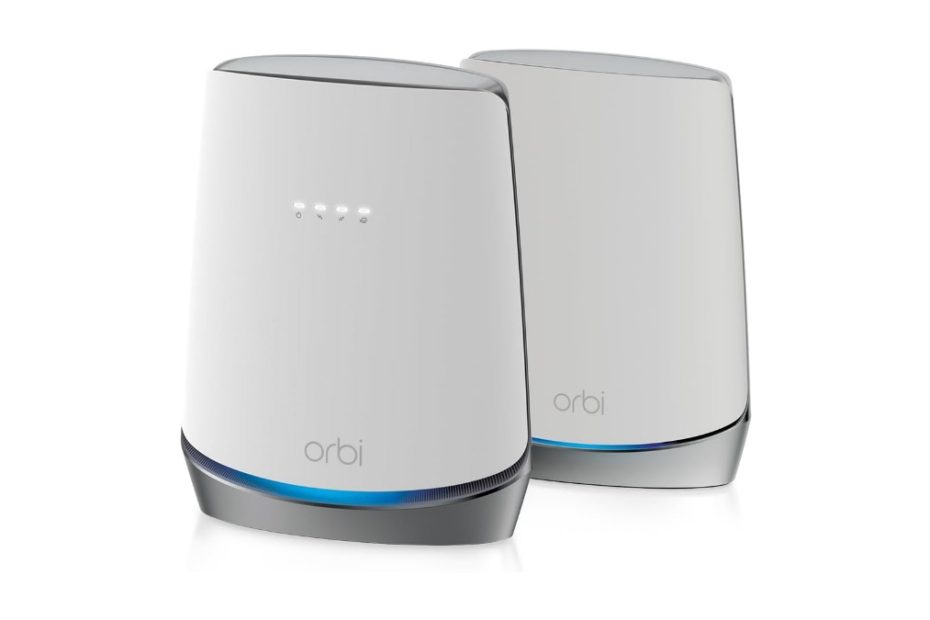
Netgear Orbi Cbk752

To create a wireless network at home what you need is a modem (commonly given by your internet provider when you sign up) and a wireless router. For cable internet subscriber, typically the provider gives you cable modem and you need to connect the wireless router to create wifi network. With separate cable modem and wifi router, there will be wired clutter that may mess the room.

Orbi CBK752

All-in-one device

To reduce cable clutter in the room, Netgear offers you an all-in-one compact device which combines the cable modem and wifi router, Orbi cbk752. What this product does?  

Netgear Orbi cbk752 is mesh wifi 6 system with built-in cable modem. It’s an all-in-one mesh wifi 6 router with built-in cable modem. Orbi cbk752 is a two-pack of one unit Orbi cbr750 router and one Orbi rbs750 satellite. Orbi cbr750 is an ax4200 mesh wifi-6 router with built-in docsis 3.1 cable modem. A single Orbi cbr750 can cover up to 2,500 sq ft and when you need to cover wider coverage you need to add one or two orbi rbs750 satellites.

Another all-in-one compact device you may also consider is netgear cax80. Netgear cax80 is wifi 6 router (not mesh wifi 6 router like Orbi) with built-in docsis 3.1 cable modem. With netgear cax80 when you need to extend the coverage, what you need is to add wifi 6 range extender like Nighthawk ax80 (Eax80) range extender.

What is the difference between cax80 and Orbi cbr750?

Orbi Cbk752 vs Netgear cax80

Orbi cbk752 is one of netgear Orbi lines of products with mesh technology, however this cbk750 is an all-in-one device as discussed above. On the other hand, netgear cax80 is a wifi router (not a mesh system like orbi) with built-in docsis 3.1 cable modem like what Arris with its surfboard g34 and g36 products offers. This is the main difference between the two models of cable modem gateway.

Netgear CAX80

What are the spec differences between the two gateway modes? Table 1 below shows spec difference between orbi cbk752 and netgear cax80.

Aggregated bandwidth

The first spec difference is the total aggregated bandwidth between the two models. See that cax80 is a dual band ax6000 wifi 6 router, while cbk750 is tri-band ax4200. The 4200Mbps total bandwidth for orbi here is not totally used for connected clients; however one band is used as dedicated backhaul link between orbi nodes. So only the other two bands @1800Mbps (600 + 1200) are used for connected devices.

What about netgear cax80? It is a dual band with total aggregated bandwidth up to 6000Mbps used for connected clients totally. So, more bandwidth capacity is provided by cax80 as opposed to cbk752 which is only 1800mbps.

When mesh is used

However, if your house is large enough, especially multi-storey building, the Orbi cbk750 with one or two Orbi satellites (Orbi rbs750) is more profitable because it can provide even signal coverage throughout your multi storey house. However, you only have 1800Mbps bandwidth for clients.

For more details, please refer to spec comparison table below.

Table 1 Netgear Orbi cbk752 vs Netgear Cax80

Netgear GatewayNetgear Orbi CBK752Netgear CAX80
Wifi technologySimultaneous tri-band ax4200 mesh wifi-6 with 8-streams MU-MIMOSimultaneous dual band ax6000 wifi 6 router
Wifi signals600Mbps @2.4GHz 2×2 MU-MIMO 1,200Mbps @5GHz 2×2 MU-MIMO 2,400Mbps @5GHz 4×4 MIMO (dedicated backhaul link)4,800Mbps @5GHz 1,200Mbps @2.4GHz
Coverage2,500 sq ft / each node3,000 sq ft
Backhaul linkdedicated backhaul link  @5GHz @2,400Mbps 4×4 MIMO you need to add Orbi rbs750 for extending coverageN/A, doesn’t support mesh, you need range extender to extend coverage
Ethernet PortFour (4) 10/100/1000Mbps Gigabit Ethernet LAN portsFour (4) Gigabit Ethernet LAN ports with Dual Gigabit Ethernet Port Aggregation. One (1) 2.5Gbps Ethernet Port
USBN/A1x USB 3.0 port for storage
Cable modemDOCSIS 3.1 cable modemDOCSIS 3.1 cable modem
Price$179.99 (2-pack with Orbi satellite)$229.99 (1 unit)

With a single unit device, cax80 covers slightly wider coverage and wider bandwidth, all the bandwidth is used for connected devices. With mesh system, orbi cbk752 uses one of its radio bands as dedicated backhaul. When it comes to select CAX80 is appropriate to cover your home, this solution is preference instead of using Orbi mesh wifi.

What about other competing product from different vendor? You may consider Arris surfboard g36 to compare, see which one is suitable to your home. 

Orbi Cbk752 vs Arris Surfboard G36

Arris is one of most popular vendors in cable modem device products. Its latest product additions are Arris G34, Arris G36, and the Arris G20. All the three products come with the same AX3000 network segment. What makes them set apart?

Arris G36
  • Arris G20 comes with two 1.0Gb Ethernet Ports, internet plan up to 1Gbps
  • Arris G34 comes with four 1.0Gb Ethernet Ports, internet plan up to 1.0Gbps
  • Arris G36 comes with four 1.0Gb Ethernet ports, 1×2.5Gbps, plan up to 2.5Gbps

Let’s take Arris G36 and compare it with Orbi Cbk752, see which one is suitable to meet your home network. Take a look at table 2 below as reference.

Network Capacity

When it comes to compare Orbi cbk752 with arris g36, you have similar thought as you compare cbk750 with netgear caax80 as discussed above. With arris g36, the aggregated bandwidth is 3,000Mbps that can be used for connected devices. This is half the bandwidth capacity of cax80.

When you compare g36 with Orbi cbk750, arris g36 still provides more bandwidth than orbi cbk752 knowing that half portion of orbi’s bandwidth is used as dedicated backhaul link. However, when you require twice coverage than arris can cover, Orbi cbk752 with 2-pack is more advantage.

Multi-gig LAN port

One thing that you may also consider in selecting which one is suitable with your need is the availability of multi-gig ethernet port when the requirement for this multi-gig port exists. Cbk752 doesn’t come with multi-gig port, but arris g36 does. What this multi-gig port is used for? When it comes the demand of high speed NAS device with 2.5Gbps port, G36 is ready to support this.

When the client density is very high and requires intensive NAS access tasks, you need a NAS product that is also equipped with a multi-gig port that is also connected to a network that supports the same 2.5gbps Ethernet port to provide optimal data throughput. Call it a NAS product with multi-gig port like Asustore Lockerstor 2 gen2 as6702t that comes with two 2.5Gbps Ethernet ports.

Spec Comparison table

Take a look at the following spec comparison table between Orbi cbk752 and Arris surfboard g36 to help you understand the product’s comparison.

Table 2 Orbi Cbk750 vs Arris Surfboard g36 

Cable modem routerOrbi CBR750Arris Surfboard G36
Wifi technologySimultaneous tri-band ax4200 mesh wifi-6 with 8-streams MU-MIMOSimultaneous dual band AX3000 Wifi 6 Router
Wifi speeds600Mbps @2.4GHz 2×2 MU-MIMO 1,200Mbps @5GHz 2×2 MU-MIMO 2,400Mbps @5GHz 4×4 MIMO (dedicated backhaul link)2,400 Mbps @5GHZ 4×4 MIMO 600 Mbps @2.4GHz  2×2 MIMO
Coverage2,500 sq ft / each node2,500 sq ft
Antennas6x high performance internal antennas with high-powered amplifiersInternal antennas
Docsis 3.1 Cable modemYesYes
Ethernet PortsFour (4) 10/100/1000Mbps Gigabit Ethernet LAN ports4 x 10/100/1000 Base-T Ethernet (RJ-45 connector) MDI /MDI-X 1x 2.5Gbps LAN port
USB PortsN/AN/A
ProcessorPowerful Quad-Core 1.4GHz processorUnspecified
SecurityNETGEAR Armor advanced cyber threat protection service, subscription neededThird party security protection when required
Dimension9.6 in x 7.7 in x 3.5 in10.87 in x 9.92 in x 3.31 in (276 mm x 251,9 mm x 84 mm)
Price$179,99 (2-pack)$179.99 (1pc)
Price Tagged

Prices are always fluctuated by time, and today with the emerging of wifi 7 products, the prices of wifi 6 products are getting dropped. So far, both products are tagged with almost the same price on Amazon. When you require home coverage of around 2,500 sq ft, arris g36 is enough. However, when you require double coverage Orbi is appropriate.

Click the links below to learn more details and see current price and best deal from Amazon (#ads).

Related products

If your connected devices are still based on wireless ac, you can also use similar model such as the Arris Surfboard sbg8300 or Motorola mg8725 wireless AX600 router with built-in DOCSIS 3.1 cable modem.

When you like to taste the next generation of wifi 7 technology, Arris has released its Surfboard G54, BE18000 wifi 7 router with built-in DOCSIS 3.1 cable modem.  

Asus XT9 vs Deco XE75 Pro Which One is Better Value

Asus XT9, and other wifi 6 products are still worth amidst the emerging of wifi 7 products. How asus xt9 vs deco XE75 pro perform, which one is suitable to your home network?

In this article:

Asus Zenwifi

Asus ZenWiFi is a series of mesh Wi-Fi systems designed to provide seamless and reliable coverage throughout your home or office. The ZenWiFi series is known for its high-performance and advanced features, making it a popular choice for users seeking robust and efficient wireless networking solutions.

Asus Zenwifi XT9

Asus XT8 marked the debut of the ZenWiFi series featuring Wifi 6 technology, and then followed by Asus XT9.  With its upgraded label from XT8 to XT9, it’s natural to expect that the Asus ZenWiFi XT9 comes packed with even richer features and specs compared to its predecessor.

Asus Zenwifi XT9

And today you can few models of Asus Zenwifi lineup based on latest wifi 7 technology, which is beginning the emerge the market. You can find Asus Zenwifi BT6, BT8, BT10 and still more. See also detail of Asus BT6 wifi 7.

We’ll focus on previous generation, the XT9 which is still worth it knowing that the price is getting dropped by time following the emerging of wifi 7 products on the market.

So, what sets the Asus ZenWiFi XT9 apart from the XT8 series? Let’s explore the key differences between these two ZenWiFi models.

Asus xt9 vs xt8

Let’s take a closer look at any potential specs or features differences between the two ZenWiFi series. Refer to Table 1 below for a comprehensive spec comparison.

Physical appearance

Remarkably, both series boast the same casing body, allowing for seamless interchangeability between the two. With identical item dimensions, width, length, and height, the ZenWiFi XT8, XT9, and even the ZenWiFi ET8 share a consistent physical feel and style. Be mindful of these similarities when distinguishing between these three series.

Wifi

While both ZenWiFi series share similarities in the network segment, there are subtle differences in total bandwidth. So, why did Asus introduce the XT9 when the Asus XT8 was already quite popular? The answer lies in the differences in backhaul methods between nodes.

Both series utilize dedicated backhaul at 5GHz, but the methods applied slightly differ. In the Asus XT8, you have the flexibility to choose between two 5GHz bands for backhaul, offering speeds of either 1200mbps or 4800mbps.

Backhaul options

If you opt for the two-pack model, choosing a dedicated backhaul at 4800Mbps might seem excessive, leaving only 1200Mbps + 600Mbps for connected clients. Alternatively, selecting 1200Mbps as the dedicated backhaul allows the other two bands at 4800Mbps + 600Mbps to cater to connected devices, which is also a good configuration. However, in the case of the three-pack kit, the 1200Mbps backhaul might prove insufficient, particularly with a high client density.

Recognizing this weakness, Asus introduced the ZenWiFi XT9 to address the backhaul method. The XT9 offers improved options, including a 4800Mbps dedicated backhaul, wired backhaul, and an automatic backhaul setting. This automatic backhaul option is also available on the latest Asus ZenWiFi series, such as the Asus ZenWiFi ET8 and Asus ZenWiFi ET12.

With the auto backhaul system, the XT9 provides the most suitable backhaul link under various conditions. In my opinion, the auto option proves to be the best choice when uncertainty exists regarding the system’s bandwidth requirements under different conditions. The best part is that the system handles this automatically.

In summary, the Asus ZenWiFi XT9 represents a significant improvement over the XT8, offering a larger bandwidth and enhanced capability to provide the optimal backhaul solution for varying conditions.

You’ll be surprised how the Zenwifi lineup with wifi 7 products including BT6 and BT10 blanket your home with its AI-Boosted Smart Aimesh technology.

Spec comparison table XT9 vs XT8

You can see more details from the table below for spec and feature comparison between the two series.

Table 1. Asus xt9 vs xt8

Asus Zenwifi ModelAsus zenwifi xt9Asus zenwifi xt8
Wifi segmentTri-band ax7800 mesh wifi 6Tri-band ax6600 mesh wifi 6
Signal rate @2.4GHz 574Mbps 2×2YesYes
Signal rate @ 5GHz 1 2×22,402 Mbps1,201 Mbps
Signal rate @ 5GHz 2 @4,800Mbps  4×4 (dedicated backhaul)YesYes
6x internal antennasYesYes
1x 2.5Gbps WAN portYesYes
3x 1.0Gbps LAN Ports – supports 2 LAN  aggregation linkYesYes
USB PortUSB 3.2 Gen 1 x 1USB 3.1 Gen 1 x 1
BackhaulDedicated backhaul @4,800; wired backhaul or system auto selectionYou can select which 5GHz band as dedicated backhaul; wired backhaul is also available
Processor1.7 GHz quad-core processor1.5GHz quad core processor
Memory: 256MB Flash + 512 MB RAMYesYes
Dimension6.3 in x 2.95 in x 6.36 in6.3 in x 2.95 in x 6.36 in
Price$457.00$369.99

So in a nutshell asus xt9 is one step higher level than asus xt8 with higher bandwidth, automatic backhaul link options, and also a slightly faster processor.

Asus XT9 vs Deco XE75 Pro

Asus xt9 is still based on wifi 6 technology, while the upcoming wifi 7 technology is a short coming years. Between the wifi 6 and the upcoming wifi 7 technology (which also use the same 6ghz band) is wifi 6e which is the enhancement of existing wifi 6.

When it comes to decide which one between asus xt9 wifi 6 and deco xe75 pro wifi 6e to choose to upgrade your home wifi network, what your considerations are for choosing considering that the future is wifi 7?

Let’s see what the differences between asus zenwifi xt9 and the wifi 6e product offered by tplink deco xe75 pro. Table 2 below represents spec comparison between asus xt9 and deco xe75 pro. Tplink deco xe75 pro is one of few models tplink products based on wifi 6e technology including the premium one tplink deco xe200 axe11000 mesh wifi 6e. See also comparison between deco xe200 vs asus et12.

Deco XE75 Pro
Wifi design

Asus xt9 delivers total bandwidth wider than the one offered by deco xe75. However, deco xe75 is wifi 6e system that offers three distinct radio bands with the addition of 6ghz band instead of standard 2.4ghz and 5ghz radio bands in general. The upcoming wifi 7 technology is using the same 6ghz radio band as wifi 6e.

As we discussed above that asus xt9 comes with wider bandwidth than previous model xt8, and the backhaul method is redesigned with the option of auto backhaul by system for best backhaul link available in any different network conditions.

Deco xe75 by default uses @6ghz band as dedicated backhaul link between nodes, however you have few 6ghz connected devices you can opt to change the 6ghz dedicated backhaul as network to allow 6ghz products connect to the network. with asus xt9 you don’t have option to allow 6ghz products to connect to the network.

Honestly speaking, deco xe75 is based on wifi 6e will be better in welcoming the future of wifi 7 products which is also use 6ghz radio band. There will be more devices with 6ghz band to come in the future, so the readiness of your network to support 6ghz band is essential.

See also newer model of TP-Link Deco X95 in comparison with Asus Zenwifi XT9.

More ports

Thanks to multi-function USB 3.0 port in additions of more Ethernet ports to  allow you to host usb hard disk storage for network sharing. Usb port can also be used as dual wan when you insert usb cellular modem dongle as failover internet or load balance internet. Deco xe75 doesn’t come with usb port, and the ethernet ports are only three as opposed to four in xt9. When it comes to use the ethernet ports for wired backhaul link between router node and two satellite nodes, both xt9 and xe75 are ready for star backhaul topology without adding separate ethernet switch.

Spec comparison table XT9 vs Deco

Take a look more details in the following spec comparison table between the products.  

Table 2 Asus XT9 vs Deco

Mesh system modelAsus zenwifi xt9Deco XE75
Wifi technologyTri-band ax7800 wifi 6Tri-band axe5400 with AI driven mesh technology
Signal rates574 Mbps @2.4Ghz 2×2; 2,400Mbps @5GHz band 1 2×2; 4,800Mbps @5GHz band 2 4×42402 Mbps @6 GHz; 2×2 2402 Mbps @5 GHz; 2×2 574 Mbps @2.4 GHz  2×2
Backhaul linkDedicated backhaul @4,800; wired backhaul or system auto selection for the best link Dedicated backhaul @6GHz and optional wired backhaul
Coverage5,700 sq ft / 2-pack5,500 sq ft / 2-pack up to 200 devices
Ethernet Ports1x 2.5Gbps WAN port 3x 1.0Gbps LAN Ports, supports 2 LAN aggregated link1x 2.5Gbps (Pro version) 2x 1.0 Gbps
USB PortUSB 3.2 Gen 1 x 1N/A
BackhaulDedicated backhaul @4,800; wired backhaul or system auto selectionDedicated backhaul @6GHz and optional wired backhaul
Processor1.7 GHz quad-core processor Memory: 256MB Flash + 512 MB RAM1.7 GHz Quad-Core CPU
Security Protectionlifetime free AiProtection Pro powered by Trend MicroTP-Link homeshield –  home and IoT network protection
Dimension6.3 in x 2.95 in x 6.364.1 in x 4.1 in x 6.7 in (105 mm x 105 mm x 169 mm)
Price$200.00 (2-pack)$349.99 (2-pack)

Asus zenwifi xt9 with wide bandwidth and auto backhaul selection is better than previous model xt8. When it comes to welcome the upcoming wifi 7 technology, deco xe75 is preference with 6ghz radio band.

Click the product’s link below to learn more details each of the products and see if the best deal is ready in Amazon (#ads).

Related products

See also couple of newer models offered by netgear, the Orbi Rbk863 that comes with 10Gbps wan port ready for the upcoming docsis 4.0 cable modem technology.

You may also like to see new addition of Eero 7 offered by Amazon, the pioneer of mesh wifi offered by popular eero wifi.

Deco X90 vs Asus Xt8 Zenwifi Ax6600 Which One is Better Value

One of TP-Link mesh wifi 6 products at middle network segment is TPlink deco x90 ax6600 which is still worth it. How this tplink deco x90 vs asus xt8 perform, which one is better value?

In this article:

TP-Link Deco X90

TP-link was successful with its deco x20 and deco x60 as its debut in mesh wifi 6 systems, the products that work at lower network segment. TPlink deco x90 ax6600 was showcased in its website for a while before finally released to the market.

The market had seen the emergence of several AX6000 mesh WiFi products that had become dominant. This includes Orbi RBK750, Velop MX5, and Asus ZenWiFi XT8. With X90 released, this product had the main competitors for asus xt8, orbi rbk750, and linksys velop mx5 series.

Deco x90 Design  

In contrast to the previous Deco X60 and X30 series, which had a cylindrical round body, the Deco X90 has a sleeker round cylindrical body with a layered enclosure that adds to its style. Despite its tower form factor, the Deco X90 remains compact with a small footprint. This design enables the antenna to be placed at a higher location, resulting in wider signal coverage and less interference with machine boards that are slightly further apart.

The newer model of this product was the deco x95 series with few features upgrades including wider aggregated bandwidth and more Ethernet ports. The body appearance is exactly the same as deco x90, except that it comes with more Ethernet port interfaces.

TP-Link Deco X90

Dedicated backhaul

Out of all the Deco series that had been released before Deco x90, only this Deco X90 has been designed with a dedicated backhaul approach. Typically, tri-band mesh WiFi products utilize a dedicated backhaul on one of its two 5GHz radio bands. This is consistent with all the Orbi series, which have three radio bands and always use a dedicated backhaul at 5GHz. Although the previous Deco M9 series was also designed with a tri-band mesh, it used a dynamic backhaul approach instead of a dedicated one. It remains to be seen how the Asus XT8 uses its backhaul link approach.

You’ll find in the wifi 7 technology, the backhaul is using aggregated multi-link radio bands. Check here wifi 7 products Deco BE85, BE95 and also Orbi RBE970 series. The lower models with budget friendly is Deco BE63, see Asus BT6 vs Deco BE63.

Operation mode

If you currently have a wifi network from a wireless gateway (wireless router with built-in modem) such as Motorola MG8725 or perhaps Netgear CAX30 and Motorola MG8702, while you don’t want to buy a new modem, the deco x90 can be connected to the gateway by enabling this deco x90 product to work as a wireless AP instead of wireless router (the default setting).

However, there will be few features that cannot be enabled such as NAT, parental control, and QoS, it’s a shame if you force this device to work as an AP. If so, it’s a good idea to use a wireless AP device such as the Omada series.

If you so, how to enable this deco x90 to work as an AP? Connect the WAN port of the deco to one of the Ethernet LAN ports on the gateway and enter the configuration menu to change the function of the router to AP, because the default is as a wifi router. You don’t to worry either to use straight through or cross through UTP cable because most current Ethernet ports are auto sense type.

AI-Driven Mesh

TP-Link claims that the Deco X90 is equipped with AI-driven mesh technology. This technology utilizes a complex algorithm that enables the X90 to learn all the elements involved in a WiFi network, including user behavior and client quality. This allows the X90 to provide a solid WiFi environment that covers all corners of your home uniquely.

AI technology is widely applied to various smart devices today, including security cameras that can recognize human faces and detect motion by humans and vehicles only. This enables cameras to ignore other motions of night animals such as ferrets or dogs, reducing false alerts.

While the Asus XT8 may not be equipped with this AI technology, it’s possible that they have implemented a complex routing technology for the best route to ensure optimal backhaul. This is one of the AI technology features.

AI-driven Antennas

The TP-Link Deco x90, and also the newer model Deco X95, come designed with the internal antennas with the taste of Artificial Intelligent (AI)-based Technology with its AI-driven Smart antennas.

AI-Driven Smart Antennas on the Deco X90 and X95 refer to the use of Artificial Intelligence (AI) algorithms to optimize the positioning and direction of the device’s antennas. The Deco X90 / X95 utilizes advanced technology to analyze network traffic and identify the location of connected devices. The device then intelligently directs its antennas towards the connected devices to provide the strongest possible signal and optimize overall network performance. This feature helps to eliminate dead zones and improve signal strength and quality, resulting in a more reliable and stable WiFi connection.

The Deco X90 AX6600 is not vastly different from other AX6000 products like the Asus Zenwifi XT8 AX6600. There are only a few minor differences between the two, such as port interfaces and security protection. Let’s take a closer look at how these two products compare technically.

Deco x90 vs Asus xt8

Before the released of the Deco X90, the top-level mesh WiFi 6 product offered by TP-Link was the Deco X60, which competed with the Asus Zenwifi XT8 AX6600. However, they weren’t considered comparable, as the Deco X60 was in the AX3000 network segment. With the released of the Deco X90, the Asus XT8 was comparable, and it may be worth upgrading your existing legacy WiFi AC network at home.

Asus Zenwifi XT8

Please refer to table 1 below to better understand the differences between these two products. This hich provides a spec comparison between the Deco X90 and the Asus Zenwifi XT8.  

Now let’s see how the specs are compared by using table 1 below.

Backhaul design 

Both the Deco X90 and the Asus Zenwifi XT8 are equipped with the same AX6600 tri-band mesh WiFi system, with each radio band having the same bandwidth. The main difference between the two lies in their backhaul approach.

The Deco X90 is designed with a dedicated backhaul, similar to the commonly used Orbi tri-band series. It uses one of its two 5GHz radio bands as a dedicated backhaul, offering 4,800Mbps @5GHz radio band. Additionally, the Deco X90 allows for optional wired Ethernet backhaul.

In contrast, the Asus Zenwifi XT8 offers greater flexibility as it allows you to select which of its two 5GHz radio bands is used as a dedicated backhaul. The XT8 also offers the option of wired Ethernet backhaul. When connecting multiple XT8 nodes, it’s recommended to select the 4,800Mbps @5GHz backhaul for larger bandwidth backhaul.

Wired Backhaul

Wired Ethernet backhaul is a concept common to both the Deco x90 and the Asus xt8 mesh wifi systems. To set up a wired backhaul between two Deco x90 units, you can use a Cat5e or Cat6 UTP cable with RJ45 connection at each end. One end of the cable should be connected to the Deco x90 that’s connected to your modem. And the other end to the Ethernet port of the other Deco. Make sure the cable length is no more than 300ft (100m). 100 m is the maximum length for UTP cable to operate without a signal booster. Once the cable connection is established, the wired backhaul will operate automatically and the wifi backhaul will be disconnected.

It’s worth noting that with the wired backhaul in operation, the wifi backhaul does not function as a connected device connection. Instead, it serves as a backup in case the wired backhaul is disrupted. When the wired backhaul is restored, the wifi backhaul will resume operation, effectively providing a failover system.

Spec comparison table Deco vs Asus

Table 1 TP-Link Deco X90 vs Asus XT8 Zenwifi

Mesh wifi modelTP Link Deco X90Asus XT8 Zenwifi
Wifi technologySimultaneous tri-band ax6600 mesh wifi-6 system  with 8-streams (for connected devices)Simultaneous tri-band ax6600 Mbps wifi 6 with 8-steams
Signal rate4,804 Mbps on 5 GHz (1) + 1,201 Mbps on 5 GHz (2) + 574 Mbps on 2.4 GHzUp to 574 Mbps @2.4GHz up to 1201 Mbps @ 5GHZ-1 up to 4804 Mbps @ 5GHZ-2
Antennas4x high gain antennas + 2 smart antennas6x internal antennas
Coverage6,000 sq ft7,000 sq ft / 2-pack
Ethernet1x 2.5 Gbps port + 1x gigabit port per Deco unit (WAN/LAN auto-sensing)1x RJ45 2.5G BaseT for WAN 3x RJ45 Gigabits BaseT for LAN
USB portN/A1x USB 3.1 gen 1
BackhaulDedicated Wifi backhaul @5GHz with smart antennas Optional wired Ethernet backhaulSelectable which @5GHz radio band is used as backhaul link or optional wired Ethernet backhaul
SecurityWPA/WPA2-PSK/WPA3 encryptions TP-link Home ShieldWPA2 supports Free AiProtection Commercial Grade Security & Advanced Parental Controls powered by Trend Micro
Processor1.5 GHz Quad-Core CPU1.5GHz quad core processor with 256MB Flash + 512 MB RAM
Price$175.00 (2-pack)$347.99
Ethernet interfaces

Both products, Deco x90 and Asus xt8 Zenwifi ax6600, come equipped with a 2.5Gbps WAN port. This allow you to connect to high-speed DOCSIS 3.1 cable modems that have multi-gig Ethernet ports. For example, such as Arris Surfboard s33, Netgear CM2000, or Motorola Mb8611.

Security protection

Aside from their technical similarities, both Deco x90 and Asus xt8 Zenwifi ax6600 have built-in security protection software. Deco x90 comes with TP-Link’s basic plan for HomeShield, with an additional cost for the Pro plan. Meanwhile, Asus xt8 offers free business-grade Aiprotection software powered by Trend Micro for network threat protection.

Deco x90 has some additional features such as WPA3 security encryption readiness, but it does not have a USB port, while Asus xt8 does. These minor differences aside, the technical specifications of both products are quite similar.

Prices always fluctuate by time; check the latest prices by clicking the product link below and shopping on Amazon (#ads).

Related products

For compact all-in-one wifi 6 routers with built-in cable modem, you may consider budget friendly Arris SBG8300 or Netgear C7800.

If you are a loyal eero products, you may consider the next generation of eero with wifi 7 standards. Check here eero Max 7 that comes with smart home hub.

Google Nest Pro vs Deco XE75 Pro Which One is Worth it

It’s been long time since Google released its 2nd generation of Google Nest wifi based on legacy wireless ac (wifi5) technology, and Google did not released the successor of this one with the latest wifi6 technology for some time. While up to date you can see the emerging of wifi-6 products in various types flooding the market.

And finally Google released its latest wifi 6e-based product to the market early last quarter 2022. However, so far up to early 2025 with the emerging of wifi 7 products, google doesn’t unveil its latest wifi 7 products.

In this article:

Google Nest Pro

Many folks expected Google released the newer model of Google nest wifi based on wifi 6 standards, however Google jumped to offer Google nest pro based on latest wifi 6e technology. What is the difference? Wifi 6e is the enhancement of wifi 6 standards with the addition of 6ghz radio band, so wifi 6e delivers three distinct radio bands: 2.4, 5 and 6ghz bands.

Google Nest Pro 6e

You know that the next generation of wifi-7 technology is coming with 6ghz radio band which supports up to 320Mhz bandwidth channel for wider bandwidth support. See new iteration of Amazon eero 7 mesh wifi 7.

The first generation of google wifi device is Google wifi with legacy ac1200 segment, it’s been so popular to date and compete tightly with legacy tplink deco m5 and first generation of amazon eero. And then the second generation of google wifi is Google Nest wifi with dual band ac2200 network segment.

If you were expecting the next generation of nest wifi is nest wifi 6 series, you were wrong. Even google jumped to the latest enhancement of wifi 6 standard with addition of 6ghz band, Google nest pro axe5400 mesh wifi 6e.  

Google nest vs nest pro

Google nest wifi is popular with its nest extender, the nest point / satellite to extend your wifi coverage. You have options to purchase the google nest kit with all nest routers, or you may opt to have nest router plus one or two nest points / satellites. The nest satellite is not just extending the network coverage; it comes with built-in stereo speaker and microphone that function like alexa, built-in google assistant. The nest router is embedded with two gigabit ethernet ports, but the nest satellite isn’t.

If your network comes with all Google nest routers (without nest satellite), or comes with Google Nest Pro, you may add Google nest mini smart speaker as Google voice assistant, one of best value smart speakers. 

The other nest router different with its nest satellite is that nest router is dual band ac2200, while nest satellite is dual band ac1200.

So what about the difference between new generations of Google nest pro and 2nd G nest wifi? Take a look at the following table 1 below that shows you spec comparison between google nest and nest pro.

Wifi Generation

The main difference is the wifi technology applied to each of the product series. Google nest 2nd generation comes to engineered using legacy wifi5 standard dual band ac2200. On the other hand, the latest series google nest pro comes designed using latest wifi 6e technology; three distinct radio bands with the introduction of 6ghz in addition of common 2.4ghz and 5ghz radio bands. As we aware that this 6ghz radio band will also come in the next generation of wifi7 technology that has been around the corner.

Tp-link has introduced various models of wifi 7 products including Deco BE85, BE95 that sit on top level segment, while you can also find its lower model Deco BE63. See also Deco BE63 vs Asus BT6

If you have couples of desktop computers with available pci-e slots available, you may add latest pci-e wifi 6e adapters to support google nest pro and connect using 6ghz band for fast lane and low latency, or any other popular models of wifi 6 adapters with pci-e or usb type models.

Lower Processor?

What I’m wondering is that this new google nest pro is embedded with lower dual core arm cpu instead of quad core arm cpu as on previous series nest 2nd generation. Does it mean this nest pro can perform in its best by just using dual core cpu? I have no idea, no clue.

Unlike previous nest wifi model that gives you options to using three router nodes, or using router node plus one or more satellite nodes, this new google nest pro comes with interchangeable router or extender nodes. There is no difference which one is router node and which one is extender, the first router node connecting to modem will act as mesh wifi router and the other nodes act as extender. This is almost the same configuration model as deco series, or asus zenwifi series, but not the same as orbi series.  

Spec comparison table Google Nest Series

Table 1. Google Nest Pro vs Nest 2nd G

Google Nest ModelGoogle Nest Pro wifi 6eGoogle Nest wifi 2nd G
WifiTri-band axe5400Dual band ac2200
Signal rates574Mbps @ 2.4GHz; 2×2; 
2402 Mbps @ 5GHz; 2×2; 
2402 Mbps @ 6 GHz 2×2;
1,900Mbps @5GHz 4×4;
300Mbps @2.4GHz 2×2
2x Gigabit Ethernet PortsYesYes, N/A port for satellite node
2,200 sq ft / nodeYesYes
ProcessorDual-core 64-bit ARM CPU 1 GB RAM, 4 GB flashQuad-core 64-bit ARM CPU 1.4 GHz WIth 1 GB RAM; 4 GB Flash
WPA3 readyYesYes
Dimension (Height x width x dept)130 mm x 117 mm x 85 mm90.4 mm x 110 mm x 110 mm
CompatibilityNot compatible with Google Nest nor  Google wifiCompatible with previous Google wifi
Price$560 /3-pack$227.00 /3-pack

The bad news with this Google nest pro if you already have previous google nest series is that they are not compatible each other.

How this Google nest pro series will compete with similar products released by tplink, asus or others? Let’s take tplink deco xe75 pro and compare with this nest pro series.

Google Nest Pro vs Deco

Similar product is offered by TP-link in this wifi 6e middle network segment, the deco xe75, you know that few models are introduced with top notch tier axe11000 such as asus zenwifi et12, netgear orbi rbke963, and also deco xe200.  

Deco XE75 Pro

As a reference, table 2 below shows you spec comparison table for Google nest pro vs deco xe75 pro. Knowing that the price difference between the two products is quite lots, many people try to compare the products based on data specifications.

Wifi network

Both products are engineered based on recent wifi 6e technology with the addition of 6ghz radio band instead of just 2.4 and 5ghz bands to deliver three distinct radio bands. The communication between router and satellite nodes commonly uses wifi backhaul and optional wired Ethernet backhaul. Nest adopts dynamic wifi backhaul automatically, all the three radio bands share with connected devices.

On the other hand, deco xe75 pro is designed to use dedicated backhaul @6ghz band by default. However, when you need to enable this 6ghz band to allow client’s connection you need to enable it to share network instead of dedicated backhaul from the app.      

When it comes to use wired backhaul for reliable wired connection between nodes, you can use network cable and connect each node accordingly either using daisy chain or star topology backhaul. With only two Ethernet ports, you can use daisy chain topology for nest. Deco allows you to adopt either daisy chain or star topology for three kits.

Internet speed

Both nest and deco are ready for internet plan up to 1Gbps. However for multi-gig internet plan nest is not ready but deco is with its 2.5gbps wan port. Few models of high speed docsis 3.1 cable modem come with high speed 2.5gbps ethernet port such as arris s33 and netgear cm2000.

Spec comparison table Nest Pro vs Deco

Table 2 Google Nest Pro vs Deco   

Wifi 6 Router ProductGoogle Nest ProTP Link Deco XE75 Pro
Wifi SegmentTri-band axe5400 with 6-streamsTri-band axe5400 wifi 6e with AI-driven mesh
574Mbps @ 2.4GHz; 2×2;  2402 Mbps @ 5GHz; 2×2;  2402 Mbps @ 6 GHz 2×2;YesYes
Coverage2,200 sq ft / node7,500 sq ft / 3-pack
BackhaulDynamic wifi backhaulDefault is dedicated backhaul @6GHz  and optional wired Ethernet backhaul
Ethernet Ports2x Gigabit RJ45 Ports with auto sensing1x 2.5Gbps WAN port 
2x Gigabit Ethernet Ports LAN auto sensing
USB PortN/AN/A
ProcessorDual-core 64-bit ARM CPU 1 GB RAM, 4 GB flash1.7 GHz Quad core CPU
SecurityWPA3; Secure booting and firmware auto update; Parental controlWPA3; Home Shield Pro services;  
Dimension130 mm height x 117 mm width x 85 mm depth105 mm x 105 mm x 169 mm)
Weight1.311 pounds (595 g ) /each4.12 pounds (1,868 grams)  /3-pack
Price$560.99 /3-pack$399.99 /3-pack

Prices are always fluctuating over time. With price difference is quite lots, deco xe75 pro with 2.5gbps WAN port and two other LAN ports is more advantage as opposed to nest pro. Click the product’s link below to learn more details and you may get best deal in Amazon (#ads).

Alternative Products

Tenda had released its wifi 6 lineup products with new two products that work at middle range network segment, the Tenda MX15 and Tenda MX21 Pro. The MX15 is the higher bandwidth model that works at ax5400 network segment in addition of the previous model MX12 AX3000.

Tenda MX21 6e

The Tenda MX21 Pro is the first product that is designed based on the wifi 6e standards, and the price tagged is around $310. I believe that the price will drop over time, while at the same time Google Nest Pro is beginning to drop the price lower than its MSRP in some online stores like Amazon. 

So Google nest pro will compete with this new Tenda MX21 Pro knowing that the price is lower than Google Nest Pro. Let’s see how this MX21 performs when it comes to compete with Nest Pro. Table 3 below shows you spec comparison table between MX21 and Nest pro.

Technically both Google Nest pro and MX21 Pro sit at the same middle network segment, a slightly speed difference @2.4GHz band. And you can see that in terms of the number of Ethernet port, MX21 pro comes with three ports while Google comes with only two ports.

The other thing you may also consider is the processor that comes embedded on Tenda MX21 is quad core as opposed to Nest Pro that comes with only dual core processor. This should give MX21 pro a preference choice than Nest Pro in terms of the network processing power.

Spec comparison table Nest Pro vs MX21

Table 3 Google Nest Pro vs Tenda MX21

Wifi 6e ProductGoogle Nest ProTenda MX21 Pro
Wifi technologyTri-band axe5400 with 6-streamsTri-band axe5700 Wifi 6e
Signal rates574Mbps @ 2.4GHz; 2×2; 
2402 Mbps @ 5GHz; 2×2; 
2402 Mbps @ 6 GHz 2×2;
861Mbps @ 2.4GHz; 2×2; 
2402 Mbps @ 5GHz; 2×2; 
2402 Mbps @ 6 GHz 2×2;
Ethernet Ports2x Gigabit RJ45 Ports with auto sensing3x Gigabit Ethernet Ports
ProcessorDual-core 64-bit ARM CPU 1 GB RAM, 4 GB flashQuad-Core Broadcom chip and 256MB memory
Price$399.99$309.99

The price listed may not be the same as current price. Click the product’s link below to learn more details and see current price and best deals on Amazon (#ads).

Click here to see Tenda MX21 in Amazon (#Ad)

Related products

Orbi released its top notch wifi 7 product – the Orbi RBE973 mesh wifi 7 that comes with quad band with total aggregated bandwidth up to 27,000 Mbps. Click here to see how this Orbi RBE973 vs Deco BE95 perform.

Ultimate Orbi RBE973 Quad Band Mesh Wifi 7 vs Deco

Netgear finally unveiled its ultimate Orbi product, the Orbi Rbe973 Be27000 Mesh Wifi 7 system. How does Orbi 970 vs Deco BE95 perform?

In this article:

What this Orbi RBE970 Does

In the modern large homes, the implementation of wifi network that can cover the whole area is a must. This is particularly essential when you connect to the internet network lots of connected devices including computers, laptops, internet TV, game console, smart IoT home devices including voice assistant devices, smart security cameras, smart home temperature system, wifi door locks, etc. to supports all of those connected devices that are growing by time, you need high performance high speed wifi network with latest technology. It is therefore Netgear introduced its ultimate product adopting the next generation of wifi 7 technology – the Orbi 970 series, the Orbi rbk973 be27000 mesh wifi 7 system.

High speed network

Netgear unveiled its ultimate Orbi product based on latest wifi 7 technology with its quad band Orbi 970 series. Previously Netgear was popular with its unrivaled Orbi RBkE963, the ultimate mesh wifi 6e series models offered to the market with quad band, the first quad band mesh wifi 6e system available on the market.

Orbi RBE973

Orbi Rbe973 vs Orbi Rbke963

Besides the wifi generation difference between the latest wifi 6e Orbi rbke963 series and this Orbi 970 series, what other differences between the two series are? Take a look at the following spec comparison table.

Wired Connection

Both Orbi 970 and 960 series are equipped with multi-gig 10Gbps internet port you can connect to high speed modem. So far docsis 3.1 cable modem come equipped with 2.5Gbps such as Arris Surfboard S33 or Netgear CM2000. However, Netgear make those two Orbi series are ready for next generation of 10Gbps Internet speed introduced by next generation of Docsis 4.0 cable lab technology, so does TP-Link with its Deco X200 series and Deco BE95 and Deco BE85 series.

However, for multi-gig LAN connectivity up to 10Gbps, Orbi 970 is ready. While Orbi 960 comes with only 2.5Gbps LAN port.

Backhaul link

When it comes to optional wired backhaul, with Orbi 970 you can connect to using 10Gbps wired backhaul, while Orbi 960 gives you wired backhaul using 2.5Gbps ports with daisy chain backhaul topology. You can also use star backhaul topology with three pack kits. However, only one link connects using multi-gig 10Gbps port, while the other backhaul link uses 2.5Gbps for Orbi970 series.

Processor

Both Orbi series come equipped with the same Quad core 2.2GHz processor; however the memory capacity for Orbi 970 is larger than orbi 960. The flash memory and RAM in a Wi-Fi router play distinct but important roles in the device’s overall performance and functionality. Typically the larger memory capacity is the better and faster in processing networking tasks.  No wonder that the Orbi 970 series with higher bandwidth capacity and more complex tasks require memory capacity for routing, firewall operations, Quality of Service (QoS) management, and handling multiple network connections simultaneously.

Take a look at the following table for more details spec comparison between the two series.

Orbi Rbe27000 vs Orbi Rbke963
Orbi ModelOrbi RBE973Orbi Rbke963
Wifi TechnologyQuad band BE27000Quad band AXE11000
Signal rates11,530Mbps @6GHz 4×4 5,765Mbps @5GHz 4×4 8,647Mbps @5GHz 4×4
1,147Mbps @2.4GHz
1200 Mbps @2.4GHz 4×4 
2400 Mbps @5GHz 4×4; 
2400 Mbps @6GHz 4×4 ;  4800Mbps @ 5GHz 4×4 (backhaul)
Backhaul LinkEnhanced Dedicated: 5GHz 4×4 (dedicated, 240MHz) + 6GHz 4×4 (320MHz)4800Mbps @ 5GHz 4×4 (dedicated backhaul)
Antennas12x high-performance internal antennas with high-power amplifiers12x high-performance internal antennas with high-power amplifiers
Ethernet PortsRouter Node:
1x 10 Gig Internet WAN port
1x 10Gbps Ethernet LAN port
4x 10/100/1000/2500Mbps Multi-Gig Ethernet LAN ports
 
Satellite:
1x 10Gbps Ethernet LAN port
2x 10/100/1000/2500Mbps LAN ports
Router:
1x 10.0 Gbps WAN port;
1x 2.5 Gbps LAN port;
3x 1.0 Gbps LAN ports    

Satellite:
1x 2.5Gbps LAN
3x 1.0Gbps LAN ports
ProcessorQuad-core 2.2GHz processor Memory: 4GB Flash and 2GB RAMPowerful Quad-Core 2.2GHz processor 512MB NAND Flash and 1GB RAM
Dimension11.58 inches x 5.68 inches x 5.15 inches / (294.03mm) x (144.38mm) x (130.79mm)11 in x 7.5 in x 3.3 in (279.0 mm x 190.5 mm x 83.8 mm)
Price$2,299.99 /3-pack$1,499.99 /3-pack

See that the price difference is quite big. Unless you really require large bandwidth for dens of bandwidth intensive applications including streaming 4k/8k video, online gaming, video / conference call, etc, a similar product with lower bandwidth support is appropriate such as Orbi 860 series, or Deco x200 series which the prices are not costly like the ultimate Orbi 970 or 960 series.

 Orbi 970 vs Deco BE95

TP-Link released couple of mesh wifi 7 products few months earlier than Netgear did with its ultimate Orbi 970 series. Even TP-Link showcased few wifi 7 router products including Archer BE800 and Archer BE900 wifi 7 routers in addition of mesh wifi 7 systems. While so far, up to last quarter of 2023, Netgear just released single Nighthawk RS700 BE19000 wifi 7 router, while TP-Link has released two wifi 7 router products and still few more showcased on its website, not released to the market yet. And today you can find bunch of wifi 7 products introduced by TP-Link, Netgear, Asus and still more vendors.

TP-Link Deco BE95

Now, let’s take Deco BE95 and compare it with Orbi 970 series, see how they perform. As a reference, the following table 1 shows you spec comparison table between the two product models.

Aggregated bandwidth

Netgear released its debut in mesh wifi-7 product with its Orbi 970 series that sits @ be27000 network segment. Unfortunately, the performance of this ultimate debut product offered by Netgear is still under similar product offered by TP-Link – Deco BE95 which sits @ be33000 network segment. See that the total aggregated bandwidth of orbi 970 series is around 6000Mbps (33,000 – 27,000) lower than Deco BE95. It’s about technical aggregated bandwidth difference, which proves that Deco Be95 is more superior than Orbi 970 series. 

Both Orbi and Deco wifi 7 system series are designed with quad band and each band supports 4×4 data streams MU-MIMO for simultaneous connection to compliant MU-MIMO devices at a time so reducing network buffering, reducing network bottleneck, thus reducing network latency.

Make sure that you need to upgrade your connected devices to support MU-MIMO with at least wifi 6-based adapters. The old models of laptop may still come with legacy wifi 5 (wireless ac) standard, however new lines of laptop products today have come with wifi 6 adapter for better connection to high speed wifi 6 router networks, such as Dell Latitude 5430 that comes with Intel Wi-Fi 6E AX210 adapter that supports 2×2 MI-MO feature.

And if your laptops or desktop computers connectivity are still based on legacy wifi ac adapters, you may consider using wifi 6e adapters such as tp-link archer tx21uh.

Wired Ethernet Ports

Both Orbi and Deco are ready for the next generation of 10Gig internet services, ready to connect to the next generation of DOCSIS 4.0 cable modem that supports 10Gbps internet plan, or ready with today’s available Optic Internet connection, knowing that both products come equipped with 10Gbps WAN port to supports internet plan up to 10Gbps when your internet providers are ready with their multi-gig internet plan.

Orbi products distinct the router node and the satellite node, but Deco doesn’t, you can interchange each nodes to work either as the router or the satellite nodes. So that’s why Orbi router comes with more Ethernet ports than the Orbi satellite.

With Deco BE95 you can connect either multi-gig Ethernet WAN port or SFP fiber connection port at a time, thanks to its one 10Gbps SFP+/RJ45 Combo WAN/LAN port. On the other hand Orbi only comes with RJ45 10Gbps WAN port, not a combo port like Deco. But total number of Ethernet ports for Orbi is 6x RJ45 ports for router and 3x RJ45 ports for satellite. Deco BE95 comes with less number of Ethernet Ports.

Spec comparison table Orbi vs Deco

Take a look at the following spec comparison table below for details.    

Table 2. Orbi vs Deco Wifi 7

Wifi 7 Product  Orbi RBE973SBTP-Link Deco BE95
Wifi technologyQuad band BE27000 wifi 7Quad band BE33000 wifi 7 Seamless AI-Driven Mesh
Signal rates11,530Mbps @6GHz 4×4 5,765Mbps @5GHz 4×4
8,647Mbps @5GHz 4×4
1,147Mbps @2.4GHz
11,530Mbps @6GHz 4×4 11,530Mbps @6GHz 4×4 8,647Mbps @5GHz 4×4
1,147Mbps @2.4GHz
Network namesUp to 3 network names: Guest network, Home network, and IoT networkSingle network name, and 3x Guest networks (1x Guest network each band) 
Backhaul linksEnhanced Dedicated: 5GHz 4×4 (dedicated, 240MHz) + 6GHz 4×4 (320MHz)Both wifi and wired backhaul aggregation
Antennas design12x high-performance internal antennas with high-power amplifiers12x High-Gain Internal Antennas
Ethernet PortsRouter Node:
1x 10 Gig Internet WAN port
1x 10Gbps Ethernet LAN port
4x 10/100/1000/2500Mbps Multi-Gig Ethernet LAN ports  
Satellite:
1x 10Gbps Ethernet LAN port
2x 10/100/1000/2500Mbps LAN ports
1x 10 Gbps WAN/LAN
1x 10 Gbps SFP+/RJ45 Combo WAN/LAN
2x 2.5 Gbps Supports WAN/LAN auto-sensing 
USB PortsN/A1x USB 3.0 Port
SecurityNETGEAR Armor™ softwareTP-Link HomeShield
CoverageUp to 10,000 sq. ft /3-packUp to 7800 sq ft / 2-pack
Dimension11.58 x 5.68 x 5.15 inches / (294.03mm) x (144.38mm) x (130.79mm)5.04 inch × 5.04 inch × 9.29 inch (128 mm × 128 mm × 236 mm)
Price$2,299.99 /3-pack$1,199.99 /2-pack
Price Points

Look at the price difference between the two kit models, Orbi is tagged with more expensive than Deco. Deco BE95 is more advantage in terms of total bandwidth aggregation, but the total number of Ethernet ports is less than Orbi.

The price listed might not be the same as current price in Amazon, click the product’s link below to learn more details, see current price and get best deals on Amazon (#ads).

Related products

For next generation of Asus mesh wifi 7 on lower level, you may like to consider Asus Zenwifi BT6, a similar lower level Deco BE63. Click here to see Asus BT6 vs Deco BE63 to get a better spec comparison table between the two. 

Exit mobile version