Autem vel eum iriure dolor in hendrerit in vulputate velit esse molestie consequat, vel illum dolore eu feugiat nulla facilisis at vero eros et dolore feugait.
eMeet is one of Chinese-based tech companies that focuses on video conference solutions including webcams, speakerphones, and other video conference devices. It was founded in 2016 and is headquartered in Shenzhen, Guangdong, China. It is well know brand for their budget-friendly products compared to popular established brands like Logitech without sacrifice the performance.
S600 Highlights
Ultra-high 4K resolution at 30 fps and 1080p at 60 fps for smoother video.
Fast autofocus and auto light correction help keep you sharp and well-lit without manual adjustments.
Dual noise-canceling microphones for clearer voice pickup.
A good-sized 73° field of view (FOV) at 4K and adjustable FOV at 1080p.
Privacy cover & plug-and-play USB simplicity.
Emeet S600 is great if you want strong image quality and smooth video calls, streaming, or content creation at a lower price. S600 is one of best value for money eMeet 4k webcams on the market which has successfully captured the consumer webcam market share. How does this product perform compared to Nexigo and Logitech 4k webcams?
eMeet S600 vs Nexigo vs Logitech
like eMeet, nexigo also introduced various models of 4k webcams for consumers including N950p, and the newer one is N970p with AI-powered auto framing and face detection. See also Obsbot webcam which also features AI-powered auto tracking.
Both eMeet and Nexigo are good for basic use or tighter budgets as opposed to Logitech. Logitech was established for years and are targeted for professionals thanks to refined image tuning and high-end hardware. One of popular Logitech 4k webcams is Logitech Brio 4k, mostly used by professional and businesses. We’ll focus on eMeet S600 model and stack up against Nexigo N970p and Logitech Brio 4k webcams.
Nexigo N970p is one of the newer models of Nexigo 4k webcams, and looks like the enhancement version of the previous N950 series, thanks to its AI-power auto frame and auto tracking features.
Table 1 show you spec comparison between emeet s600 and nexigo n970p (newer model). The price gap between them is quite large. Both models come equipped with 4k Sony image sensor, S600 offers slightly larger one for sharper image quality than Nexigo. However, with the naked eye of course you can’t see the difference.
While table 2 represents spec comparison table between eMeet S600 and Logitech Brio 4k webcams. The price gap between these two models is also quite large. Have closer look at those two spec comparison tables to help you understand the strength and weaknesses each of the product.
Nexigo n970p 4k webcam
Lens
All the three models come equipped with fixed lens with digital zoom and autofocus. Both Nexigo and eMeet are designed with adjustable view angle, while Logitech is designed with three preset view angle you can choose. Emeet allows you to use the preset fixed view angle at 73° at 4K, the perfect frame for yourself and the background.
Nexigo with its newer model (n970p) is designed with AI-powered auto framing and face detection, an enhancement from the previous N950 model.
Resolution and frame rate
Webcam resolution is primary factor in visual clarity. 4k webcams should be technically four times as clarity as 1080p webcams. Even though 4k webcams don’t always guarantee a better experience, there are still other factors that influence the performance. While frame rate / frame per second (FPS) for webcams is critical metric, since it relates directly to how professional your video appears to others at the other end.
All the three models come equipped with 4k image sensor. Both eMeet and Nexigo comes equipped with Starvis Sony image sensor for sharp image detail and support 60fps @1080p. Logitech Brio can go up to 90fps @720p, up to 60fps @1080p same as the other two competitors.
Digital zoom
All the three models come with fixed lens, so zooming can only happened with digital zoom. Digital zoom capability in a webcam is typically used because the device has a fixed lens. Unlike cameras with a true zoom lens (optical zoom), most standard webcams do not have moving internal glass elements to physically magnify a subject.
S600 can zoom digitally up to 2.1x, while N970p can go up to 10x digital zoom, and the Logitech Brio can go digital zoom up to 5x.
Table 1 e-Meet vs Nexigo 4k webcam
eMeet S600
Nexigo N970p
Image sensor
½.55” Sony image sensor
½.7” CMOS 8.5MP Sony Starvis Image sensor
Lens
Fixed lens with auto focus
Fixed lens with fixed focus
View angle
adjustable 40°-73° at 1080p / fixed at 73° at 4K
25-90° Adjustable View
Focus
Autofocus
Fixed focus with AI-powered auto framing and face detection
Zoom
2.1x digital zoom
Up to 10x digital zoom at 4K@30fps
Resolution
4k @30 fps; / 1080p @60 fps
8.5MP (3840 x 2160) @30 fps 1080p @60 fps
Microphone
Dual Noise-Canceling Mics
Dual noise cancellation Omni directional microphones
Flash memory
N/A, rely on your PC
Yes, to save all your webcam settings for easy recall
Privacy cover
Built-in gear-driven privacy cover
N/A
Connection type
USB 2.0 and USB 3.0
USB Type B 3.0 port
Dimension
2.95″D x 2.8″W x 2.05″H
7.09 x 1.67 x 1.1 inches
System requirement
all popular operating systems and software
Windows 7 (1080p or lower), Windows 8.1, Windows 10; macOS™ 10.10 or higher; Android; Linux
Remote control
N/A
Yes, requires two AAA batteries (not included)
Price
$69.99
$169.99
eMeet S600 vs Logitech Brio
Logitech Brio 4k webcam is one of high end products for professional streaming or business use. It’s a very well-rounded 4K webcam with great build quality and reliable software. This webcam is known for strong low-light performance and consistent results.
To support your home wifi network, consider having recent wifi7 routers such as TP-Link Archer and Asus. Click here Archer ge650 vs Asus be12000 wifi 7 routers. Or you may like all-in-one device Arris G20 vs Cax30, wifi router with built-in DOCSIS 3.1 cable modem.
Nexigo’s budget-friendly 4K webcams – such as the N950P, N970, and the newer Nexigo Iris—have become quite popular and compete closely with Logitech’s well-known webcam lineup. So how do Nexigo 4K webcams compare to Logitech models in real-world use?
One key advantage of a 4K camera is its ability to deliver sharper, more detailed images. Even when you zoom in, the picture retains much of its clarity and detail. Similarly, a 4K webcam offers higher image quality and a larger, more detailed image compared to lower-resolution webcams.
Nexigo vs Logitech 4k Webcam
Nexigo and Logitech both offer several 4K webcam models, giving you plenty of options to choose from based on your needs. In this section, we’ll take a closer look at the 4K webcams from both brands to help you decide which one is best suited for your business.
Nexigo 4k webcams
Currently, Nexigo’s 4K webcam lineup includes the N690, N950, N970, and the Nexigo Iris. The N950 comes in two versions: a standard model and a Pro model. The Pro version is largely the same as the standard one, with only minor differences – most notably the inclusion of a remote control.
Nexigo N970
Let’s start comparing the first two products, N690 and N950.
Nexigo N690 vs N950
The Nexigo N690 and N950P are two of the brand’s most popular 4K webcam models and have been on the market for some time. Table 1 below provides a side-by-side specification comparison between the Nexigo N690 and the N950P (the Pro version of the N950).
5x digital zoom
One key difference is that the N950 series supports up to 5x digital zoom, made easy with dedicated zoom buttons on the top of the webcam. This digital zoom works at up to 1080p resolution, which is expected since it’s digital rather than optical zoom. As you’ll see later, Logitech’s 4K webcams also rely on digital zoom at Full HD resolution.
Larger image sensor
Another difference lies in the image sensor. The N950 series uses a slightly larger sensor than the N690, resulting in marginally better image quality. It also features a Sony image sensor, which is widely known for delivering better overall performance compared to standard CMOS sensors
Table 1 Nexigo n690 vs n950 Pro
Nexigo 4k webcams
N690
N950p
Image sensor
1/3.0 in CMOS 8MP image sensor
½.5 inch SONY 8.5MP image sensor
Lens
Fixed lens with autofocus
Fixed lens with fixed focus
View angle
D: 73°, H: 65°, V: 39°
D: 98°, H: 90°, V: 56°
Zoom
N/A
Digital zoom with button control (5x digital zoom in 1080p @30 fps)
Resolution
Up to 4k @30 fps
8.5MP (3840×2160) @30 fps
Microphone
Dual microphone with noise reduction with range up to 16ft (5m)
Dual noise reduction microphones with pickup range 16ft (5m)
Privacy cover
Yes
Yes
Mounting type
Clip with tripod ¼” thread support
Swivel tripod clip ¼” thread
Connection type
USB-A / USB-C 6.6ft cable length
USB-A / USB-C
Dimension
5.11 x 2.16 x 1.97 inches
5.98 x 2.12 x 1.78 inches
System requirement
Windows XP, 7, 8, 10 or later; macOS 10.6 Android V5.0 or above
Windows; macOS; Android; Linux; Ubuntu; Chrome OS
Remote control
N/A
Yes with 2 AAA batteries (not included)
Price
$99.00
$149.99
Note that the prices listed might be different with the current ones in online stores such as Amazon.
What about the Nexigo N970P? This newer model from Nexigo introduces AI-powered auto-framing and features a Sony STARVIS sensor with 4K resolution, delivering high-quality images – especially in low-light conditions. Table 2 below provides a detailed comparison of the specifications and features between the Nexigo N970 and the N950 series.
AI-powered auto frame
One of the key differences between the Nexigo N950 and N970 is the addition of AI-based face detection and auto-framing on the N970. This feature is particularly useful for conference calls with multiple participants, as the camera automatically detects faces and adjusts the frame to keep everyone in view. As a result, there’s no need to manually adjust focus or framing during meetings.
For conference room setups, this AI-powered auto-framing is especially valuable. Nexigo has introduced this feature in several of its newer models, including the Nexigo N990 PTZ webcam. Thanks to this capability, the Nexigo N970 has become a popular choice for conference rooms and group meetings.
There are few enhancements over the previous N970 including auto tracking and picture in picture mode. New Nexigo Iris model comes with larger Sony Starvis image sensor than N970, the larger image sensor, the faster speed in capturing image and streaming video smoothly.
Nexigo Iris
Table 3 Nexigo N970 vs Iris
Nexigo 4k webcams
Nexigo N970p
Nexigo Irish
Image sensor
½.7” CMOS 8.5MP Sony Starvis Image sensor
1/1.8 inch 8.5MP SONY Starvis image sensor
Lens
Fixed lens with fixed focus
6-element plastic lens
View angle
25-90° Adjustable View
90 degree
Focus
Fixed focus with AI-powered auto framing and face detection
AI-based Auto framing mode keeps everyone centered and in focus; Auto tracking mode; Picture in picture mode;
Zoom
Up to 10x digital zoom at 4K@30fps
10x digital zoom
Resolution
8.5MP (3840 x 2160) @30 fps
8.5MP (3840×2160) @30 fps
Microphone
Dual noise cancellation Omni directional microphones
Dual noise cancellation Mics with 3-D noise reduction microphones with pickup range 20ft (7m)
Flash memory
Yes, to save all your webcam settings for easy recall
SD
Privacy cover
N/A
Yes
Connection type
USB Type B 3.0 port
USB-A / USB-C
Dimension
7.09 x 1.67 x 1.1 inches
2.36 x 6.69 x 2.28 inch
System requirement
Windows 7 (1080p or lower), Windows 8.1, Windows 10; macOS™ 10.10 or higher; Android; Linux
Windows; macOS; Android; Linux; Ubuntu; Chrome OS
Remote control
Yes, requires two AAA batteries (not included)
Yes with 2 AAA batteries (not included)
Price
$199.99
$249.99
Click the product’s link below to see current price, learn more manufacturer’s details, get the best deal and shop on Amazon.
Now let’s see what 4k webcam products offered by Logitech and how they are compared with Nexigo 4k webcam products.
Logitech Brio 4k
In addition of popular webcam products in 1080p resolution including Logitech c920s, c922 and c925e; Logitech offers few models of 4k webcams.
There are three models of 4k webcam offered by Logitech, i.e.
Logitech brio (960-001105); 4k webcam for business with 3-year Limited hardware warranty
Logitech 4k webcam pro (960-001390) with 1-year Limited hardware warranty
Logitech 4k webcam pro magnetic for Apple Pro Display XDR.
For business model, Logitech offers Logitech meetup, popular business class conference room webcam. Let’s see how these three products are different. See also Logitech Meetup vs Jabra panacast.
Logitech 4k pro webcam vs brio
Both Logitech 4k pro webcam and brio are actually the same specs and features except the 3 years business warranty for Brio, while Logitech 4k pro webcam is for professional with 1 year warranty. The third model is different with magnetic base which is designed specifically for Apple Pro Display XDR for easy to mount on the top of the display.
Besides 4k webcam products, Logitech also introduces few models of conference room webcam for groups of meeting participants that also come in 4k resolution including Logitech Meetup and Rally series.
Logitech 4k Comparison tables
Table 4 below shows you spec and features comparison table for the three products. All the three products are tagged with the same MSRP around $199.99. However, you will find that the prices in some online stores could be different.
Resolution: 4k (4096 x 2160) @30 fps; 1080p @60 fps ; or 720p @90 fps
Yes
Yes
Yes
Dual stereo Omni-directional microphone with noise reduction filter
Yes
Yes
Yes
Attachable privacy cover
Yes
Yes
N/A
RightLight™ 3 and HDR technology
Yes
Yes
Yes
Dimension:
1.06 in x 4.01 in x 1.06 in (27mm x 102mm x 27mm)
1.38 in x 3.98 in x 1.06 in (35mm x 101mm x 27mm)
Weight
2.22 oz (63 g)
2.22 oz (63 g)
3.18 oz (90.2 g)
Warranty
3 years
1 year
1 year
Now, let’s compare Nexigo 4k pro webcam (Nexigo n950p) with Logitech Brio 4k webcams.
Nexigo vs Logitech 4k webcam
Technically, these two products can be compared using the specifications shown in Table 5 below. In retail stores, the price difference between them is typically around $30 (check the current prices that may change).
Field of view
The Nexigo N950P offers a single fixed field of view. In comparison, the Logitech Brio provides three selectable options: 78° or 90° for capturing a wider room, or 65° for a tighter head-and-shoulders framing.
5x digital zoom
Both models support up to 5x digital zoom at Full HD quality. Since this is digital zoom, the effect is achieved through software by cropping the original 4K image down to a Full HD frame. Unlike optical zoom, which maintains native resolution, digital zoom relies on image processing. Both the Nexigo N950P and the Logitech Brio use this same digital zoom approach.
Frame rates
One advantage the Logitech Brio has over Nexigo’s 4K webcams is its support for higher frame rates. While both webcams are limited to 30 fps when recording at full 4K resolution, the Brio offers more flexibility at lower resolutions.
With the Logitech Brio, you can record at 60 fps in Full HD (1080p), and even go up to 90 fps at 720p. Higher frame rates result in smoother video motion, while higher resolutions deliver sharper and more detailed images—giving you more options to balance clarity and smoothness depending on your needs.
Comparison table Nexigo vs Logitech
Read more detail spec comparison between the two products using this table 3 below.
Digital zoom with button control (5x digital zoom in 1080p @30 fps)
5x digital zoom full HD
Resolution
8.5MP (3840×2160) @30 fps
4k (4096 x 2160) @30 fps; 1080p @60 fps ; or 720p @90 fps
Microphone
Dual noise reduction microphones with pickup range 16ft (5m)
Dual stereo Omni-directional microphone with noise reduction filter
Privacy cover
Yes
Attachable privacy cover
Mounting type
Swivel tripod clip ¼” thread
Webcam with detachable universal mounting clip
Connection type
USB-A / USB-C
USB-A or USB-C
Dimension
5.98 in x 2.12 in x 1.78 in (151 mm x 53.8 mm x 45.2 mm)
4.01 in x 1.06 in x 1.06 in (102mm x 27.0 mm x 27.0 mm)
System requirement
Windows; macOS; Android; Linux; Ubuntu; Chrome OS
Windows 7 or later; Mac OS 10.10.or later; Chrome OS
Other
Remote control allows you to zoom, pan left and right and tilt as well as control for volume and brightness
Logi tune mini app for zoom in / out, color presets, color adjustment, and manual focus
Price in Amazon (Aug 2021)
$149.99
$169.99
Nexigo n950p with remote control allows you easily to adjust the volume, color and also allows panning and tiling as needed. Logitech 4k webcam also provides a mini app logi tune to adjust zoom in/out, color presets and manual focus.
Logitech Brio with frame rate up to 1080p @60 fps and even up to 720p @90 fps is an advantage as opposed to Nexigo 4k webcam which can only go up to 30 fps. Price difference is around $30 in Amazon (#ads).
To support your home wifi network, you may consider budget-friendly wifi 7 products, Deco XE75 vs Asus BD5. Tri-band wifi 6e network offered by Deco XE75, or dual band wifi 7 network offered by Asus lower end BD5.
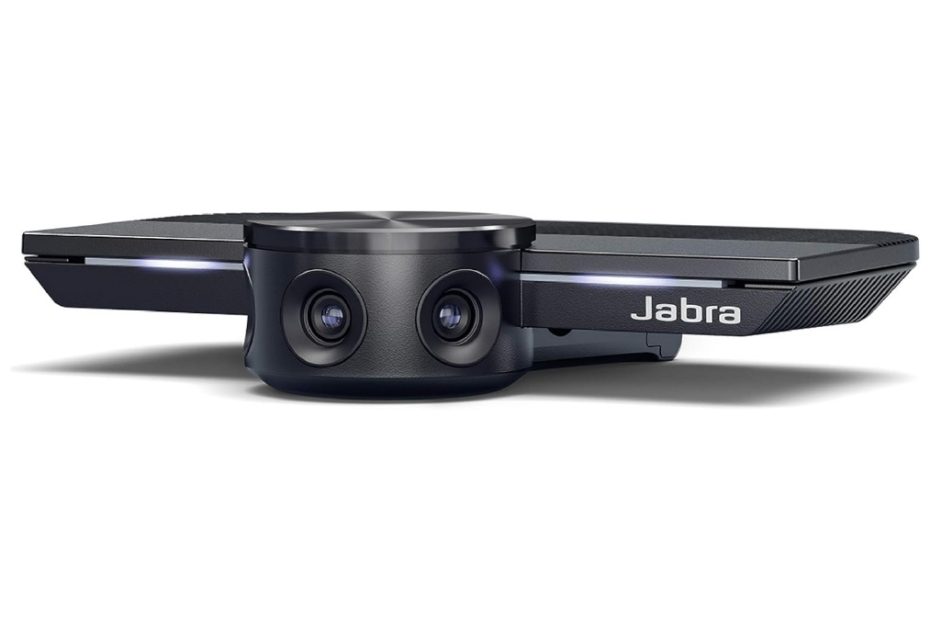
Jabra PanaCast is one of most popular webcam designed for conference rooms, a unique design webcam with three cameras, with intelligent 180 degree panoramic. Meet Owl Pro 3 is one of Jabra Panacast alternative products, see how they compare?
The Jabra PanaCast features a sleek and compact design. It is a small, cylindrical-shaped webcam that can be easily placed on a table or mounted on a monitor. Its compact size makes it unobtrusive and allows it to fit seamlessly into any conference room setup.
For streamers in mind, you may consider affordable Obsbot Ai tracking webcams, and make sure that you have a solid internet connection in home. For wifi connection, you can build the network using affordable solid wifi network with Google nest wif or Deco be25.
Technical Design:
The Jabra PanaCast is equipped with advanced camera technology to enhance the video conferencing experience. It features three camera modules strategically placed within the device to provide a panoramic field of view. These cameras work together to capture a 180-degree horizontal view, eliminating blind spots and ensuring that all participants in the room are visible during meetings. Additionally, the webcam supports high-definition video with resolutions of up to 4K, delivering clear and detailed images.
Jabra Panacast
The webcam offers flexible mounting options to suit various conference room configurations. It can be placed on a table using the included table stand or mounted on a monitor using the integrated clip. This versatility allows users to position the webcam at the most suitable angle for their meetings.
Jabra Panacast Series
There three models of popular jabra panacast:
Jabra Panacast comes with 3 cameras
Panacast 20 comes with single camera
Panacast 50 comes with 3 cameras
The most popular models are models #1 Jabra Panacast (the first original model) and #3 Jabra panacast 50, both of these two models come with three cameras in single webcam for conference room. I’ll focus on these two models and compare it with jabra pancast alternatives including meet owl 3.
Jabra panacast vs panacast 50
What sets apart the Jabra Panacast from the Panacast 50? Let’s explore the key differences between these two series. For a detailed comparison, please refer to Table 1 below, highlighting the specifications of the Jabra Panacast and Panacast 50. Both devices feature a unique design that integrates three cameras into a single webcam unit.
3 cams in one device
Unlike standard webcams for conference rooms that typically include only one camera with panning and tilting capabilities to focus on speaking participants during meetings, the Jabra Panacast and Panacast 50 combine three cameras within a compact webcam. This innovative setup enables real-time display of all meeting participants by leveraging the capabilities of all three cameras simultaneously.
To achieve a comprehensive view of the meeting room and its participants, you should position the Panacast webcam in front of a large TV, allowing for a wide 180-degree field of view. In contrast, the Meeting Owl 3, for instance, requires placement at the center of the meeting table, which may not capture all participants naturally within a single 180-degree view angle. Additionally, the Jabra Direct software allows you to select between various field of view angles, including 90°, 120°, 140°, and 180°, offering flexibility based on your specific needs.
4k @30 fps
Both the Jabra Panacast and Panacast 50 are equipped with three cameras, each featuring a fixed lens capable of capturing video at 4K resolution and 30 frames per second. Regardless of where participants are seated, the system combines the footage from these three cameras in real time to display their positions. Additionally, the cameras employ autofocus to ensure clear images of each individual’s face, regardless of the lighting conditions. The system also automatically adjusts to challenging lighting scenarios, thanks to its digital high dynamic range (HDR) technology, which allows it to capture both high brightness and shade within the same frame, resulting in the best possible image quality.
Audio
Both models in the Panacast series include built-in microphones, although the quantity varies. The Panacast comes with two microphones but does not include a speaker. For an enhanced audio experience, you can opt to add a Jabra speakerphone to your setup.
On the other hand, the Panacast 50 surpasses its counterpart by featuring eight stereo microphone arrays built-in. Additionally, it boasts the inclusion of two speakers and two tweeters, eliminating the need for separate speakerphones. Similarly, the Meet Owl 3 also includes eight built-in microphones.
Digital Whiteboard Online
Jabra Panacast and Panacast 50 offer a unique capability of digitally displaying and sharing content from up to three whiteboards within meeting rooms, thanks to their 180-degree camera feature. This means that with the Jabra Vision app, you can easily set up the whiteboard sharing feature, allowing seamless transitions between multiple whiteboards.
Zoom features
When it comes to zooming capabilities, the Panacast-50 offers an advanced feature called “6x lossless digital intelligent zoom.” This means that users can zoom in on specific areas of interest up to six times without any loss in image quality. The intelligent zoom feature utilizes digital enhancements to maintain the sharpness and clarity of the image even when zoomed in.
On the other hand, the standard Panacast model does not have this specific zooming feature. It does not offer the same level of zooming capability as the Panacast-50. Therefore, users of the standard Panacast will not have access to the 6x lossless digital intelligent zoom function.
Microphone
The Panacast-50 is equipped with eight professional-grade microphones that are specifically designed to capture high-quality audio. These microphones utilize AI-based algorithms to detect and prioritize active voices in real-time. This intelligent feature ensures that the microphone system focuses on the individuals who are currently speaking, enhancing the overall audio clarity and intelligibility during meetings or conferences.
In contrast, the standard Panacast model comes with two built-in microphones. While still capable of capturing audio, it does not offer the same level of advanced voice detection and prioritization as the Panacast-50. The standard model’s microphone system is more basic in functionality compared to the Panacast-50’s advanced microphone array.
Comparison table Jabra series
For a detailed comparison between the specifications of Panacast and Panacast 50, please refer to the table below.Top of Form
Table 1 Jabra Panacast vs Panacast 50
Jabra Series
Jabra Panacast
Jabra Panacast 50
Comes with 3 cameras with intelligent zoom and vivid HDR
Yes
Yes
Zoom
The camera zoom adjusts automatically to include everyone in the conversation.
Up to 6x lossless digital intelligent zoom
Panoramic 4k view up to 13MP (3840 x 1080) @30 fps
Yes
Yes
Adjustable field of view you may choose between 90°, 120°, 140° and 180° through Jabra Direct
Yes
Yes
Microphones
2 built-in microphones,
8 professional-grade microphones with AI-based algorithms to detect active voices at any moment
Speaker
N/A, you may add Jabra Speak 750 speakerphone
4x Speaker with zero vibration feature, vibration-free 2x 2″ (50mm) woofers and 2x 3/4″ (20mm) tweeters, no need of speakerphone addition
Smart features
Autofocus on everyone on the meeting Whiteboard content digitally online
Whiteboard streaming technology with intelligent algorithm Count the people in the meeting room Edge-AI processor to focus on active speaker
Certified for Zoom and Microsoft teams and supports any other VC software
Yes
Yes
Placement: Under TV, on top of monitor or laptop
Yes
Yes
Price in Amazon (Jan 2023)
$399.99
$899,99
The prices are fluctuating over time amid the emerging of new webcam for conference room products, notably in new normal conditions. Click the link below to learn more details and see current price and you may find best deals in Amazon (#ads).
As general, both jabra panacast and panacast 50 series have the following spec and features.
Pros:
USB Plug and play High resolution webcam for conference room, comes with three cams with real-time video stitching for 180 degree field of view coverage of all meeting participants
Three modes of resolutions: panoramic 4k (3840×2160) @ 30fps; full HD (1920×1080) @30 fps and 720p (1280 x720) @30 fps
Intelligent Zoom – Autofocus to each of meeting’s participants in the room
Ideal for small conference room, distance learning, remote doctor consultation etc and is certified for Microsoft Teams & Zoom, works with all VC software
Comes with whiteboard sharing features, up to three whiteboards to share content digitally online
Supports Windows, Mac, Linux Ubuntu, Chrome OS
Cons
Cannot support up to 60fps
Jabra panacast webcam series are ideal for small meeting room up to 8 meeting participant, you can use any video conference software including Zoom, Cisco Webex, Skype and this webcam is certified for Microsoft Teams. Jabra panacast 50 becomes one of best webcams for conferences rooms, best value for business online meeting.
jabra panacast alternative products
There are few models of alternative products for jabra panacast, such as meet owl 3, logitech meetup, etc.
Jabra Panacast vs Meet Owl 3
The Meet Owl Pro 3 is priced relatively higher compared to similar products available in the market. As an alternative to the Meet Owl Pro 3 webcam, the Jabra Panacast has emerged as a viable option. Currently, the Jabra Panacast is available at nearly half the price of the Meet Owl Pro 3. This raises the question: What factors contribute to the higher price of the Meet Owl Pro 3 compared to the Panacast?
Meet Owl 3 Pro
Please note that Owl has released the Meet Owl 4 with 4K video resolutiom, and the price is around $1200 on Amazon.
For a detailed understanding of the technical and feature differences between the two webcams, please refer to Table 2 below. Both of these products belong to the business class of webcams designed for conference room use. Additionally, you may also want to explore a comparison between Logitech Brio and Nexigo n940 webcams, which are specifically tailored for conference room settings.
Camera
The Panacast is a compact device that utilizes three cameras to provide a wide field of view angle of 180 degrees. This design ensures that all participants in a meeting room can be captured within the screen frame. Using dynamic real-time stitching technology, the Panacast focuses on each participant’s face, offering a comprehensive view of the room.
In contrast, the Meet Owl Pro 3 is a tabletop webcam that features a single camera. It is specifically designed to be placed at the center of a meeting room and utilizes panning and tilting technology. This allows the webcam to swiftly shift focus to the person who is speaking during the meeting. Compared to its predecessors, the Meet Owl 3 boasts an enhanced auto-focus capability, which is four times faster than before. It incorporates the newer Owl Intelligence System for improved auto-focus performance. Conversely, the Jabra Panacast focuses on each participant in the meeting room individually.
Real meeting experience
Jabra Panacast and Panacast 50 offer an immersive meeting experience with their panoramic 180-degree field of view. By seamlessly stitching together footage from three cameras, these webcams provide a realistic meeting environment that captures all participants within a single view. On the other hand, Meet Owl cannot achieve the same effect as its camera utilizes a fish-eye lens model, which covers a virtually 360-degree view but in fractions.
Speakerphone
In terms of audio capabilities, Jabra Panacast includes built-in 2 microphones but lacks a speaker. For enhanced audio quality, you have the option to add a speakerphone to your setup. Meet Owl, on the other hand, features built-in 8x microphones and 360-degree triple speakerphones. However, in larger spaces, you may choose to add Owl Lab expansion microphones for an improved audio experience.
Alternatively, if you’re considering an upgrade from Panacast, Panacast 50 is a viable option. It comes with built-in 8 microphone arrays and stereo speakers (woofers and tweeters). Panacast 50 can be compared to Meet Owl Pro 3, and the price difference between the two is minimal, only a few tens of dollars.
Comparison table Jabra vs Meet Owl
The following table 1 represents spec comparison table between Jabara Panacast vs Meet Owl 3 webcam for conference room.
Table 1 Jabra Panacast vs Meet Owl Pro
Webcam model
Jabra Panacast
Meet Owl Pro
Camera
3 cameras in one webcam with intelligent autofocus and dynamic real time Stitching technology
One web camera with fishy eye lens
video resolution
Three modes of resolution: Panoramic-4K: 3840 x 1080 @ 30 fps 1080 Full HD: 1920 x 1080 @ 30 fps 720p HD: 1280 x 720 @ 30 fps
1080p @30 fps
Field of view angle
Adjustable field of view you may choose between 90°, 120°, 140° and 180° through Jabra Direct
360 degree horizontal panning and tilting features
Audio
2 built-in microphones, you may add Jabra Speak 750 speakerphone
8pcs Smart microphones up to 18ft (5m) pickup radius and comes with 360 degree triple speakerphone
Placement
Under TV, on top of monitor or laptop
Tabletop design; Center of meeting room
Certifications
Microsoft teams and Zoom certified And supports all VC software
Supports all VC software
Smart features
Autofocus on everyone on the meeting Whiteboard content digitally online
Autofocus on whoever is speaking in the meeting
Price
$550.00
$1050.00
Summary
The Jabra Panacast webcam is an ideal solution for conference rooms as it captures all meeting participants in a single frame, utilizing its three cameras to provide real-time autofocus on each individual. Moreover, the Panacast is priced more affordably compared to the Meet Owl Pro. When it comes to purchase the product, you may click the product’s link below to see them on Amazon (#ads):
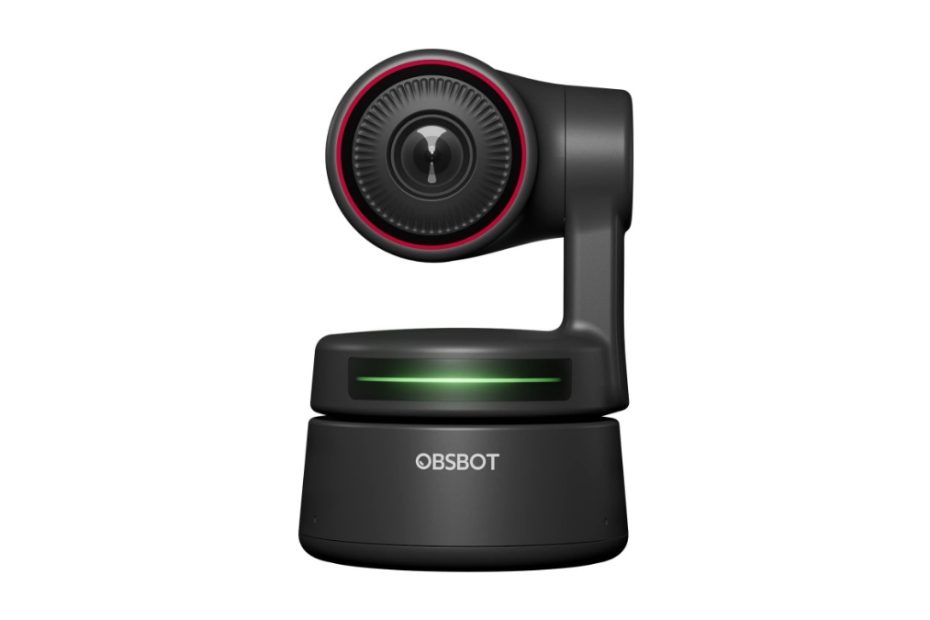
Obsbot is getting more popular with its Tiny series, AI-powered tracking and gesture control webcam ideal for streamers and broadcasters. How these Tiny series compete with popular products in the market such as Logitech Brio?
Amid Covid-19 pandemic where many workers were forced to work more from home, the demand for webcams for video call communication was increasing sharply. This trend was a boon for vendors who had been in webcams production for a long time like Logitech and others.
And today in a new normal after pandemic, you can find bunch of new webcams either for consumers or for business video call and one of new products introduced to the market is Obsbot webcam. There are few models of obsbot webcams for consumers are getting more popular, the Tiny series and Meet. For businesses you may find Logitech Meetup and Jabra Panacast, these are webcams for conference rooms.
Obsbot Tiny Models
We’ll focus on the Tiny series and compare it to most popular logitech brio.
Obsbot Tiny Models
There are three models of Obsbot tiny webcam series available in the market today:
Tiny 1080
Tiny 4k
Tiny 2 4K (New)
What make these three Obsbot tiny models set apart?
Technically the apparent difference is the resolution density of the image sensor embedded in the machine board each of the series, which obsbot 4k series provides a denser 4k resolution than obsbot 1080p series. Even the new Tiny 2 model comes with wider image sensor, 1/1.5 inch. In addition there are few features differences besides the resolution as shown in table 1 below.
Better features
Obsbot 4k is an enhancement model from the first generation of Tiny which is only embedded with a 2MP image sensor. And today you can enjoy the newer model of this Tiny webcam with 4x as high the resolution compared to its predecessor. And the second generation of Tiny 4k model comes with wider CMOS sensor.
Besides, the ability to zoom in is also 2 times and two additional important features, auto focus and HDR (digital WDR). And thanks to the new Tiny 2 4k webcam that comes with auto track and auto zoom features that are not available in first generation of Tiny 4k ad 1080p models.
Besides that, with the same resolution setting (@1080p) Tiny 4k can provide frame rates up to 60fps (frame per seconds), while the first model is only up to 1080p @ 30 fps. The faster fps the smoother the video performs.
Take a look at the following features differences between these two Obsbot tiny models.
Table 1 Obsbot Tiny 4k vs Tiny 1080p
Obsbot models
Obsbot Tiny 2 PTZ
Obsbot 4k PTZ
Obsbot PTZ
CMOS
1/1.5” CMOS
½.8” CMOS
½.8” CMOS
Resolution
4k (8MP) @30 fps; 1080p @60 fps
1080p @30 fps
Digital zoom
4x digital zoom
4x digital zoom
2x digital zoom
Auto focus
4X Faster Focusing All-Pixel Auto Focus / Manual Focus
Auto Focus / Manual Focus
N/A
AI tracking
Auto Tracking with Auto Zoom by 2-axis Gimbal
Auto Tracking by 2-axis Gimbals
Other AI features
Voice control, auto framing, desk mode, hand tracking, zone tracking
N/A
N/A
Built-in dual omni-directional mics with noise reduction
Yes
Yes
Yes
HDR
PixGain HDR
Yes, digital WDR
N/A
Field of view (FoV) Diagonal
FOV (D): 85.5° (4:3) FOV (H): 72.9°
86 degree
90 degree
USB
USB 3.0
USB 2.0
USB 2.0
Price
$159.99
$228.00
$99.99
What this Obsbot Tiny does?
Startup players generally produce products by adding value to features that are better than the target product to win the competition as new comer. Likewise, Obsbot released a PTZ webcam product with AI-based main features.
Both the Tiny 4k model and the previous 1080p model come with built-in AI-based auto tracking and auto frame features just before the image is processed by the app / software.
AI-powered tracking
While most webcams for broadcasters, gamers, zoom meetings, and other video calls webcams use fixed lens camera design with an auto frame user sitting in front of a laptop, computer, Obsbot tiny series provide controllable PTZ (pan, tilt, and zoom) capabilities at affordable prices. However the newer model Obsbot meet series (Obsbot meet 4k and 1080p editions) don’t feature panning and tilting capability, therefore they don’t feature auto tracking but auto frame with ai-based technology.
Not just a PTZ webcam, with the AI (Artificial Intelligent) algorithm design on this webcam, panning tilting and zooming can be controlled with your body gestures. The ability to auto frame you in front of the camera, even when you move to and fro, the camera will auto frame and auto track following the direction of your movement.
This feature is very suitable for online learning students amid pandemic and new normal conditions and also for traders who do live streaming to showcase their products, for example fashion products.
Your hand gestures can also control tracking and zoom in/out with ease. No need to do manual control. We’ll see if the popular Logitech Brio also have AI-powered tracking feature.
Highlights
1080p @30 fps; 720p @60 fps AI-powered PTZ webcam, the newer Tiny 4k model comes with 4k @30 fps or 1080p@60 fps
90 degree view angle and pan up to 150 degree, tilt up to 45 degree, high speed panning and tilting up to 120 degree/ second. The 4k models features slightly different in field of view angle
Hand gesture to control select / cancel tracking object, and simple hand gesture to zoom in / out easily. 4x digital (2k digital zoom)
Sharp video with auto exposure feature, good lighting is better even the webcam automatically adjust to best result against any lighting condition
Comes with built-in dual Omni-directional microphones with noise cancellation
Tilt down the camera facing the magnetic base for privacy reason
USB 2.0 type C connection (USB 3.0 updates to Tiny 2)
Compatible Windows 7, 8, 10 or later and Mac 10.12 or later
With this AI-powered tracking webcam which is tagged with the price almost the same as those popular webcams Logitech Streamcam and Logitech Brio, which one you choose to meet your business need?
Obsbot tiny 4k vs Logitech Brio 4k
We have briefly discussed above what this Obsbot Tiny does; now we compare it with popular products released by Logitech, Logitech brio series which are also sold at almost the same price.
Obsbot knows that to compete with Logitech should raise its resolution to 4k webcam, so that’s why obsbot tiny 4k is comparable with brio. We’ll discuss later for comparison between obsbot tiny 1080p series with logitech brio 500 series which is a newer model of brio with new design and 1080p resolution.
Logitech Brio 4k
AI auto tracking is a plus feature
Let’s see how Obsbot 4k is compared with Logitech brio, both are capable of delivering resolution of up to 4k. However, with brio you can go up to @90fps @720p while the Tiny only up to @60 fps. All other specs features for Tiny 4k are almost the same as the tiny 1080p.
AI auto tracking is still a plus feature for Tiny series either 4k or 1080p series as well as the Meet series, all other features are almost the same between Tiny 4k and Logitech brio including HDR and audio, while the digital zoom capability is slightly different.
Spec comparison table Obsbot vs Brio
Table 4 below represents spec comparison between Obsbot and Logitech Brio.
Table 4 Obsbot 4k tiny vs Logitech Brio 4k
Webcam model
Obsbot 4k
Logitech Brio 4k
Lens
Fixed lens – no details
Glass lens
Focus
Auto focus and AI gesture features
Auto focus, auto frame
View angle
86 degree
Preset view angle you can choose: 90°/78°/65° diagonal FoV
Zoom
4 x digital zoom, you can control with gesture to zoom in / out
5x digital zoom.
Resolution
4K @30 fps 1080p @60 fps;
4K @30fps (up to 4096 x 2160 p) 1080p @30 or @60 fps (up to 1920 x 1080 p) 720p @30/ @60/ or @90 fps (up to 1280 x 720 p)
WDR
Digital HDR
HDR – digital WDR
Audio
Built-in dual Omni-directional microphones with noise cancellation
Dual stereo Omni-directional microphone with noise reduction filter
Your laptops or desktop computers need to connect to home internet network either wired or wireless connection. Mostly the computers come with latest wifi 6 or wifi 7 standards. For previous wifi 6 network, you may consider Orbi rbk852 or Asus XT8 which delivers wireless connection smoothly. Or you may also consider budget friendly deco x50n poe which easy to deploy on the ceilings.
Logitech MeetUp is a popular business-class webcam designed for conference rooms and small meeting spaces. It is known for its high-quality performance and advanced features, making it a strong competitor in the market, particularly against products like the Jabra Panacast.
Logitech offers a range of high-quality video conferencing cameras, including the Logitech Connect tower model, the Logitech MeetUp, and the Rally bar series.
For those seeking an affordable option, the Logitech Connect is an excellent choice. It features a 1080p @30 fps webcam and a 360-degree wideband speakerphone, providing clear video and audio for small to medium-sized meeting rooms.
USB Bar models
In addition to the budget-friendly Logitech Connect webcam model, Logitech also offers a range of premium business-class options designed to meet the needs of organizations of all sizes, from small meeting rooms to large conference spaces.
The Logitech MeetUp is an excellent choice for smaller meeting rooms, while the three series of Logitech Rally bar models offer superior performance and flexibility for larger conference rooms. For streamers in mind, you may like to consider Obsbot webcam.
Logitech Meetup
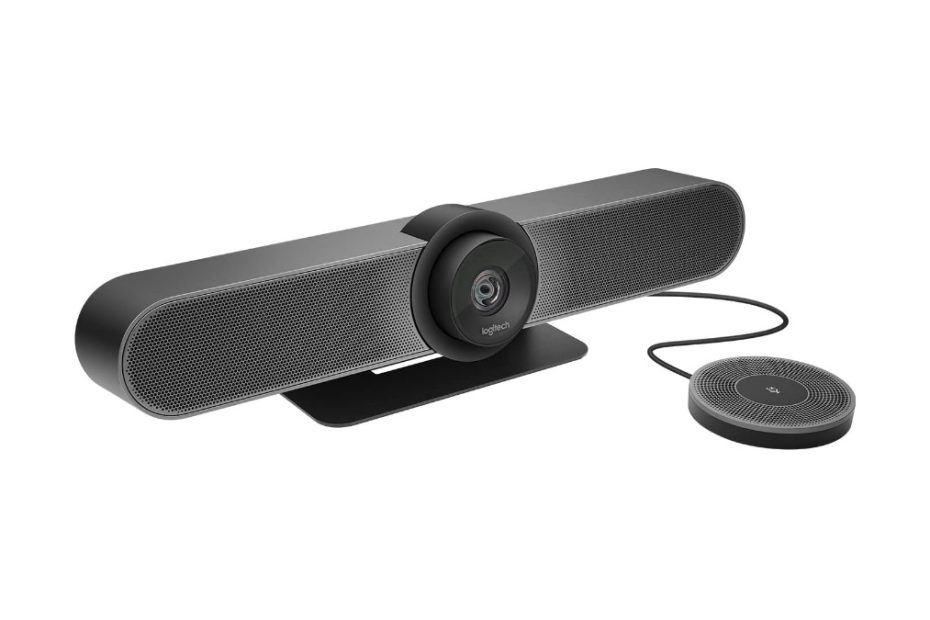
The Logitech MeetUp Conference Room Webcam is a high-quality video conferencing camera designed for small to medium-sized meeting rooms. It features an ultra-wide 120-degree field of view, allowing everyone in the room to be seen and heard clearly.
Logitech Meetup Webcam
The MeetUp is equipped with a 4K image sensor and Logitech’s advanced optics, which provide crisp and clear video quality in any lighting conditions. It also has three built-in microphones and a powerful speaker, ensuring that all participants can hear and be heard with excellent clarity.
The webcam is easy to install and use, with plug-and-play functionality and compatibility with popular video conferencing platforms such as Zoom, Skype, and Microsoft Teams. It comes with a remote control that allows you to pan, tilt, and zoom the camera, as well as adjust the speaker and microphone settings.
Logitech MeetUp Conference Room Webcam is an excellent solution for businesses and organizations looking to enhance their video conferencing capabilities and provide a seamless, high-quality communication experience for their teams.
What about the more advanced model Logitech Rally?
The Logitech Rally is a powerful video conferencing system designed for medium to large-sized meeting rooms. It includes a high-quality camera, speakers, and microphones, as well as a hub to connect all the components and control the system.
The camera features a 4K image sensor and advanced optics, providing crystal-clear video quality with excellent color accuracy and low-light performance. The camera also offers up to 15x HD zoom, allowing you to focus on specific details or individuals in the room.
The Logitech Rally system includes a range of microphones and speakers to ensure everyone in the room can hear and be heard clearly. The microphones feature advanced noise-canceling technology, reducing background noise and ensuring that the speaker’s voice comes through loud and clear. The speakers are also high-quality, providing clear, natural-sounding audio.
The system is easy to install and use, with plug-and-play functionality and compatibility with popular video conferencing platforms such as Zoom, Skype, and Microsoft Teams. It also includes Logitech’s RightSense technology, which uses advanced AI algorithms to automatically adjust the camera, microphone, and speaker settings for optimal performance.
Logitech Rally comparison
Logitech Rally is an excellent choice for businesses and organizations looking for a high-quality webcam for conference room, easy-to-use video conferencing solution for their medium to large-sized meeting rooms.
There are three models of Logitech Rally Bar:
Rally bar mini
Rally bar
Rally bar plus – the modular model
As general the differences for these three models can be represented in the following table:
Logitech Rally Bar series
Rally bar mini
Rally bar
Rally bar plus
Form factor
All-in-one
All-in-one
Modular
Total view angle coverage
H:163° x V: 110°
H:130° x V: 80°
H:260° x V: 190°
Zoom
4X digital zoom
Up to 15X total zoom (5X optical and 3X digital)* 3X digital zoom available at later date with firmware update
Up to 15X total zoom (5X optical and 3X digital)
Microphone expansion
Up to 2 Rally Mic Pods up to 2 mic pod hub
Up to 3 Rally Mic Pods up to 3 mic pod hub
Up to 7 Rally Mic Podsup to 7 mic pod hub
Speakers
1
1
2
When it comes to USB bar models, the Logitech MeetUp stands out as the most budget-friendly option, especially when compared to the Rally bar series, which includes the Rally bar mini, Rally bar, and Rally bar Plus.
Logitech Meetup vs Rally
For those looking to understand the technical differences between the Logitech MeetUp and the Rally bar series, the following table provides a detailed comparison of the technical specifications between the MeetUp and the Rally Bar Mini, the lowest model in the Rally bar series. However, for a more in-depth comparison of the Logitech Meetup and its competition, such as the Jabra Panacast, keep reading for a detailed analysis.
Spec comparison table Logitech Series
Table 1 Logitech Meetup vs Raly bar mini
Webcam model
Logitech Meet Up
Logitech Rally Mini
Custom Logitech lens
Yes
Yes
Zoom
5x HD zoom
4x HD Digital zoom
AI Viewfinder for persistent room view and people count
N/A
Yes
+/- (25 degree) panning and +/- 15 degree tilting
Yes
Yes
Recording resolution
4K (up to 3840 x 2160 pixels @ 30 fps with USB 3.0 cable) 1080p Full HD (up to 1920 x 1080 pixels @ 30 fps) 720p HD (up to 1280 x 720 pixels @ 30 fps)
built-in microphone with 3 beamforming elements; Pickup Range up to 4 meters (13.1 feet) With optional Expansion Mic: 5 meters (16.4 feet)
built-in microphone with 6 beamforming elements;Pickup Range up to 4.5 meters (15 feet) Supports up to 2 additional Rally Mic Pods (Four Omni-directional microphones forming eight acoustic beams range 15 ft / 4.5 m)
Certified for Zoom, Fuze, Google hangout, Cortana, and other VC software
Zoom Certified, Certified for Microsoft Teams as a USB device and supports other VC software
Network connectivity
Ethernet: N/A Wifi: N/A
1x Gigabit Ethernet port;Wifi: 802.11a/b/g/n/ac
Placement: Table stand; Wall mount and optional TV mount
Yes
Yes
Dimension (H x W x D)
4.09 x 15.75 x 3.27 in / (104 x 400 x 85 )mm
3.6 x 28,32 x 3.98 in / (91.4 x 719 x 101) mm
Weight
2.3 lbs (1.04 kg)
4.88 lb (2.21 kg)
Price in Amazon (Feb 2021)
$1,162.00
$2,999.99
Which one to choose
While the Logitech MeetUp is the most affordable option, the Rally bar series offers a range of advanced features and capabilities that make it a great choice for medium to large-sized conference rooms. The technical spec comparison between the MeetUp and the Rally Bar Mini can help you understand the differences between the two options, and a deeper dive into the comparison between the Meetup and competing products such as the Jabra Panacast can help you determine which option is the best fit for your needs.
Jabra Panacast
The Jabra Panacast is a high-quality video conferencing camera designed for use in small to medium-sized meeting rooms. It offers a range of advanced features and capabilities that make it an excellent choice for businesses and organizations looking to improve their video conferencing experience.
Jabra Panacast
One of the most notable features of the Jabra Panacast is its 180-degree field of view, which allows it to capture a wide-angle view of the entire room. This is particularly useful in small to medium-sized meeting rooms, where participants may be sitting closer together and a wider field of view is needed to capture everyone in the frame.
The Jabra Panacast also features three built-in cameras that work together to create a panoramic view of the room. This allows the camera to capture a high-quality, distortion-free image, regardless of where participants are sitting in the room.
In addition, the Jabra Panacast includes advanced software features such as dynamic zoom, which uses AI algorithms to automatically zoom in on and track the active speaker in the room, and virtual director, which can automatically switch between different camera angles to create a more dynamic and engaging video conferencing experience.
The Jabra Panacast is also easy to set up and use, with plug-and-play functionality and compatibility with a range of popular video conferencing platforms such as Zoom, Microsoft Teams, and Skype.
Jabra Panacast is an excellent choice for businesses and organizations looking for a high-quality, easy-to-use video conferencing camera for their small to medium-sized meeting rooms. Its advanced features and capabilities, such as its wide-angle view, three built-in cameras, and AI-powered dynamic zoom, make it a powerful tool for improving the quality and engagement of video conferences
Jabra Panacast – 3 Models
Jabra has recently launched a range of webcams designed for conference rooms, which includes:
Jabra Panacast,
Jabra Panacast 50 for businesses,
and Jabra Panacast 20 (for personal use, to be launched soon).
Among these, Jabra Panacast is a noteworthy competitor to Logitech Meetup, as it comes with an affordable price tag. On the other hand, the newer Jabra Panacast 50 series is expected to give tough competition to Logitech Rally bar series.
Spec comparison Jabra panacast series
The following table shows you spec comparison table between Jabra panacast and panacast 50.
Table 2 Jabra Panacast vs Panacast 50
Jabra Series
Jabra Panacast
Jabra Panacast 50
Cameras
3 cameras in one webcam with intelligent autofocus and dynamic real time Stitching technology
Comes with 3 cameras with intelligent zoom and vivid HDR
Zoom
The camera zoom adjusts automatically to include everyone in the conversation.
Up to 6x lossless digital intelligent zoom
Recording resolution
Three modes of resolution: Panoramic-4K: 3840 x 1080 @ 30 fps 1080 Full HD: 1920 x 1080 @ 30 fps 720p HD: 1280 x 720 @ 30 fps
Panoramic 4k view 13-MP (3840 x 1080) @30 fps
Field view angle
Adjustable field of view you may choose between 90°, 120°, 140° and 180° through Jabra Direct
Horizontal 180°, Vertical 54° – you can adjust field of view angle in Jabra Direct and Jabra xpress
Audio
2 built-in microphones, you may add Jabra Speak 750 speakerphone
Built-in 8x microphones,vibration-free 2x 2″ (50mm) woofers and 2x 3/4″ (20mm) tweeters, no need of speakerphone addition
Smart features
Autofocus on everyone on the meeting Whiteboard content digitally online
Whiteboard streaming technology with intelligent algorithm Count the people in the meeting room Edge-AI processor to focus on active speaker
VC supports
Microsoft teams and Zoom certified And supports all VC software
Certified for Zoom and Microsoft teams and supports any other VC software
Placement
Under TV, on top of monitor or laptop
Price in Amazon (Jul 2021)
$599.99
$1,195.00
Logitech Meetup vs Jabra Panacast
If you’re wondering how Jabra Panacast compares to Logitech Meetup, let’s take a closer look. Logitech Meetup is the most affordable option among the Rally bar series, which includes premium models like Rally bar, Rally bar mini, and modular Rally bar plus.
Logitech Meetup is a direct competitor to Jabra Panacast, while Jabra Panacast 50 competes with Logitech Rally bar. To compare the features of Jabra Panacast and Logitech Meetup, refer to table 3 below.
Panning and Tilting
Unlike traditional PTZ cameras, Logitech MeetUp has a unique design that allows for easy adjustments of the camera lens. While it can pan and tilt like most PTZ cameras, it has some limitations – the panning angle is limited to 25 degrees left and right, and the tilting angle is up to 15 degrees. Also, the native view angle of the lens is 113 degrees. However, it’s worth noting that MeetUp is primarily intended for use in conference rooms, where it is typically placed below or above a large monitor screen to capture a wide-angle view of the meeting participants.
Jabra and Logitech MeetUp have different strategies for capturing a wide-angle view of conference rooms. While MeetUp uses a single camera lens that can be adjusted to pan and tilt, Jabra uses three camera lenses, each with 13MP resolution, to cover the entire 180-degree view in front of the camera. However, Jabra’s direct app provides users with the flexibility to adjust the view angle to 90°, 120°, or 140° as needed. By default, Jabra captures a panoramic 180-degree view, but users can customize it to suit their specific requirements.
Zoom
Logitech MeetUp supports 5x digital zoom, which can be controlled using Rightsight technology to ensure that all meeting participants are captured, especially those who are actively speaking. However, to achieve this, you need to position the participants within the camera’s field of view of 113 degrees plus 15 degrees of panning left to right.
In comparison, Jabra Panacast webcams come with three camera lenses that cover the entire meeting room view, including all participants, with the added benefit of automatic camera zoom to ensure everyone is included on screen. Similarly, Logitech MeetUp also comes with 5x digital zoom that works automatically, like Jabra Panacast.
Resolution
Logitech MeetUp is a top-of-the-line webcam for conference rooms, delivering a 4K resolution at 30 fps that produces sharp and detailed images, even when zoomed in up to 5x. This makes it ideal for business conference calls, ensuring that all participants’ details remain clear and noise-free. Moreover, with the implementation of RightLight technology in all Logitech webcams, the MeetUp can automatically adjust to produce a well-balanced, high-quality image in any lighting environment.
In contrast, Jabra Panacast features three lenses that can simultaneously provide a wide panoramic screen with a resolution of up to 3840 x 1080 @ 30 fps. Although each lens only provides a 1080p resolution, the three lenses work together to capture a full view of the entire conference room.
Spec comparison Meetup vs Jabra
Look at the spec and feature’s comparison table below to help you comparing between the two products, you can learn in more detail the specs and features that can meet your business needs.
Adjustable field of view you may choose between 90°, 120°, 140° and 180° through Jabra Direct
Audio
built-in microphone with 3 beamforming elements; Pickup Range up to 4 meters (13.1 feet) With optional Expansion Mic: 5 meters (16.4 feet)
2 built-in microphones, you may add Jabra Speak 750 speakerphone
Smart features
RightSight; Rightlight; Rightsound technologies
Autofocus on everyone on the meeting Whiteboard content digitally online
VC supports
Certified for Zoom, Fuze, Google hangout, Cortana, and other VC software
Microsoft teams and Zoom certified And supports all VC software
Placement
Table stand; Wall mount and optional TV mount
Under TV, on top of monitor or laptop
Price in Amazon (Mar 2023)
$695.00
$559.99
Price Difference
Initially, there was a significant price gap between these two webcam products when they were first released to the market, especially given the ongoing pandemic. However, as time passed, the prices have come down, and online stores like Amazon and Best Buy often offer attractive deals.
When making a decision, it’s important to consider both your budget and your business needs. If you’re looking for a webcam with 4k resolution and the ability to pan and tilt to cover all meeting attendees, Logitech Meetup might be the better choice. Alternatively, if you need a webcam that can cover all attendees with a 4k panoramic view at the same time, Jabra Panacast’s three lenses may be a better fit.
Click the product link below to shop on Amazon (#ads), note that the listed prices might be different with current price.
For home network to support high speed conference room webcam, make sure that your home internet network is fast enough, and the router should support multi-gig WAN port. You may consider latest wifi7 routers such as Deco be23, or be25 or Asus DB5 that come equipped with latest wifi7 technology with lower budget.
In addition of Deco be25, you may also consider the newly released Orbi 370 series, the lower level of Orbi series in wifi 7 technology. Take a look here how Orbi 370 series is compared with Deco 25., almost the same price and nearly the same features, but there are couple of thing you may consider.